Author: admin

  • Webflow in 2026: Which 2025 Trends Will Shape Client Expectations

    Webflow in 2026: Which 2025 Trends Will Shape Client Expectations

    Webflow in 2026: Which 2025 Trends Will Shape Client Expectations

    Why do some Webflow websites outperform others, even when built on the same platform? The answer lies in multiple factors influencing website performance clean code, intuitive interface, optimized UX, AI-driven personalization, and seamless workflow integration. Businesses that overlook professional development, ongoing support, or design maintenance often face slower load times, lower conversions, and missed opportunities for SEO optimization.

    Webflow in 2026 will be shaped by 2025 trends like AI-driven personalization, minimalism-focused layouts, improved UX/UI, and accessibility. Clients will expect faster performance, seamless interfaces, real-time analytics, and professional design support. Prioritizing SEO, animation, and data-driven workflows will be essential to meet these evolving expectations.

    Investing in professional design and development can transform how users interact with your website. A well-crafted layout, minimalism-focused UI, and subtle animation improve user experience, while AI tools and analytics help you optimize content in real-time. Even small investments often starting from a few hundred dollars per month for maintenance, updates, and support can deliver measurable ROI and scalable results.

    This blog explores how Webflow in 2026 will evolve, highlighting which 2025 trends continue to shape client expectations. You’ll learn how AI-driven tools, modern design trends, accessibility, and minimalism transform web design, how interface and UX choices influence engagement, and why prioritizing professional support is crucial for long-term success. By the end, you’ll have actionable insights to plan, optimize, and scale your Webflow projects with confidence.

    How AI-Driven Minimalism Transforms Webflow UX in 2026
    How AI-Driven Minimalism Transforms Webflow UX in 2026

    As Webflow continues to evolve, 2026 marks a pivotal shift where AI-driven layouts and minimalism converge to redefine user experience. Businesses heading into 2026 must understand how these innovations impact website design, usability, and customer expectations while streamlining workflows through no-code solutions.

    The Role of AI in Modern Web Design

    AI is changing how designers approach modern web interfaces. From homepage structures to adaptive content, ai-powered tools enable personalization that caters to individual users, helping users navigate sites seamlessly. By analyzing behavior and interaction patterns, AI can optimize visualization and interactive elements, creating intuitive digital experiences that align with brand identity.

    Personalized Layouts for Better Usability

    AI-driven layouts allow adaptive content placement, guiding users to key sections and improving usability. Elements like dynamic menus, voice and chat interfaces, and context-aware calls-to-action ensure the site loads faster and responds to user intent. This approach also guides users toward meaningful actions, enhancing engagement.

    Minimalism Meets AI for Seamless Experiences

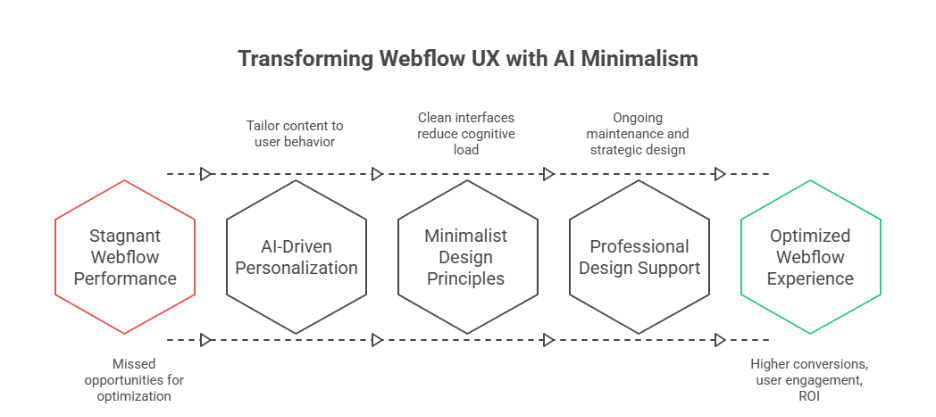
    Minimalism paired with AI ensures that design is not only aesthetic but functional. Clean interfaces reduce cognitive load while ai-powered personalization delivers content seamlessly. This trend addresses customer expectations for speed, clarity, and efficiency, making website design more intuitive.

    Integrating Interactive Elements Without Clutter

    Using subtle interactive elements like hover effects, micro-animations, or adaptive content sections enhances engagement without overwhelming users. AI assists in predicting which elements improve conversion, aligning web design trends with trends for 2026.

    Real-Time Personalization and Analytics

    AI tools provide insights through API integrations and dashboards, offering real-time visualization of user behavior. By continuously adapting layouts, 2026 highlight is the ability to deliver personalization that evolves with user interactions, ensuring digital experiences remain relevant and efficient.

    Preparing for What’s Next

    As designers explore trends of 2026, AI-driven minimalism will dominate modern web projects. Focusing on usability, brand identity, and seamless experiences ensures your website design aligns with customer expectations, while ai-powered layouts and no-code tools make scaling and adaptation more efficient.

    AI-Driven Personalization Shapes Minimalism in Web Design 

    AI-driven personalization is revolutionizing modern web design, particularly in platforms like Webflow. By combining minimalism with intelligent automation, businesses can deliver higher conversion rates, streamlined interfaces, and digital experiences that resonate with users. Below is a detailed breakdown of how this approach works:

    Personalization Based on User Behavior

    • Based on behavior: AI monitors user interactions and adapts content dynamically, instead of static layouts, ensuring every visit feels tailored.
    • Scroll-based engagement: Features like scrollytelling guide users through content naturally, improving retention and usability.
    • AI-assisted recommendations: Personalized suggestions for products, articles, or services enhance engagement while respecting user intent.

    Minimalism Meets Strategic Design

    • Fewer resources: Minimalist layouts reduce clutter and optimize performance, allowing pages to load faster without sacrificing impact.
    • Bold type and bold colors: Selective use of bold type or bold colors emphasizes key messages while maintaining a clean interface.
    • Maximalist elements only when needed: Interactive or decorative elements are used sparingly, preserving focus and efficiency.

    Leveraging AI-Powered Tools for Optimization

    • AI-powered tools analyze user behavior and provide actionable insights for UX, interface, and content optimization.
    • Real-time adjustments improve higher conversion rates by presenting content tailored to individual preferences.
    • Integrations support ownership and privacy concerns, ensuring compliance with data privacy standards.

    Benefits for Businesses and Users

    • Personalized, minimalist design creates a seamless experience that reduces cognitive load.
    • Businesses achieve higher conversion rates and measurable ROI with optimized, AI-assisted layouts.
    • Users enjoy interactive, scroll-based experiences that feel intuitive, engaging, and relevant.

    Conclusion

    Webflow in 2026 is set to redefine client expectations by blending AI-driven personalization with minimalist design principles. Businesses that prioritize usability, clean interfaces, and seamless workflows will see measurable improvements in conversion rates, user engagement, and long-term ROI. By leveraging AI-powered tools, scroll-based interactions, and adaptive layouts, you can create digital experiences that feel intuitive, responsive, and tailored to each visitor.

    Investing in professional development, ongoing maintenance, and strategic design ensures your Webflow projects not only meet customer expectations but also stay ahead of web design trends heading into 2026. Minimalism combined with intelligent personalization simplifies navigation, guides users naturally, and delivers content based on behavior, while respecting data privacy and ownership concerns. The result is a modern, scalable, and efficient website design that resonates with users and supports your brand identity.

    As you plan your next Webflow project, consider how AI-driven minimalism and personalization can transform your homepage, layout, and overall UX.

    Do you know if your current Webflow setup is fully optimized for AI-driven personalization or should you contact Integriti Studio to find out?

    Frequently Asked Questions (Webflow in 2026: Which 2025 Trends Will Shape Client Expectations)

    What are the web development trends for 2026?

    AI‑driven development and personalization will dominate, while Progressive Web Apps (PWAs), Web3/blockchain, low‑code/no‑code platforms, serverless and edge computing, WebAssembly high‑performance apps, and strong cybersecurity/zero‑trust design will shape fast, scalable, and secure web experiences.

    Should I learn Webflow in 2025?

    Yes, learning Webflow in 2025 is a smart move. Its visual development approach, combined with AI-powered design tools, allows faster, responsive, and professional website creation without heavy coding. Webflow skills are in high demand for modern web design, startups, and freelance opportunities.

    What is the future of Webflow?

    The future of Webflow looks strong and evolving: it will grow with AI‑powered design and automation, expand enterprise and no‑code adoption, boost market share, and offer powerful visual tools for both creators and businesses—bridging design ease with professional web capabilities.

    What are the latest trends in web design?

    AI‑powered personalization, 3D and immersive visuals, motion micro‑interactions, minimalist clarity with bold typography, adaptive dark/light themes, voice UI integration, and spatial layering depth are shaping modern sites for 2026. These trends focus on engagement, accessibility, and clear, dynamic user experiences.

  • What Shopify Merchants Stopped Doing In 2025 and Why it Worked

    What Shopify Merchants Stopped Doing In 2025 and Why it Worked

    What Shopify Merchants Stopped Doing In 2025 and Why it Worked

    Why do some Shopify stores convert effortlessly while others struggle despite using the same platform? The answer often lies in factors influencing website performance, from clean code and optimized APIs to seamless integrations and thoughtful design. For you as a merchant, understanding these elements is crucial—not just for immediate sales, but for long-term ecommerce growth.

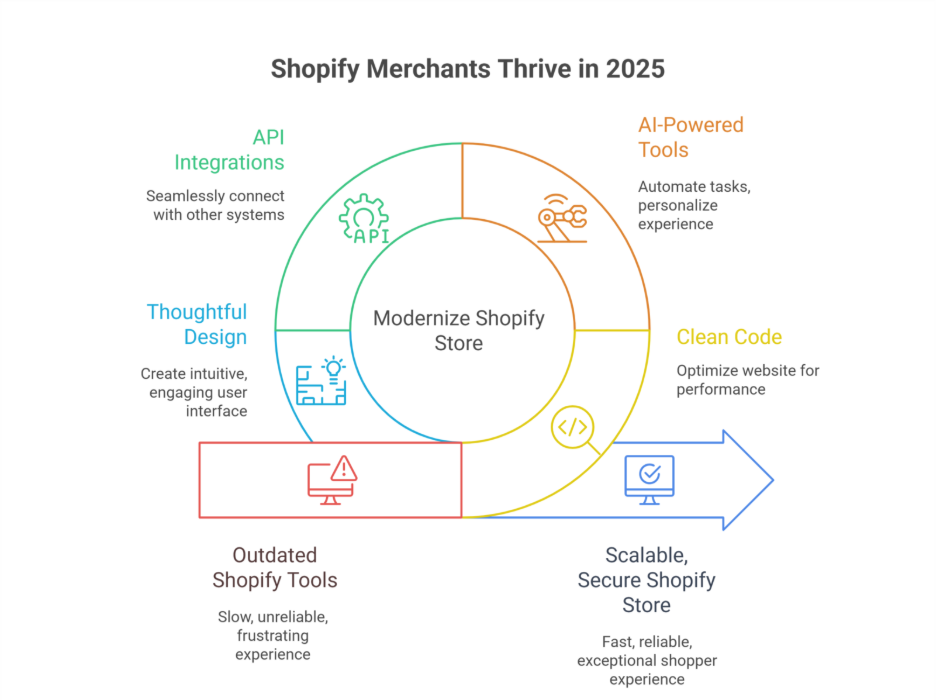
    In 2025, Shopify merchants stopped relying on outdated plugins, ignoring professional development, and skipping regular maintenance. By focusing on clean code, AI-powered tools, API and GraphQL integrations, and thoughtful design, merchants improved website performance, boosted conversions, and ensured their Shopify stores remained scalable, secure, and future-ready.

    In 2025, many Shopify merchants realized that relying on outdated tools or skipping professional development was costing them more than it saved. Investing in expert support, regular maintenance, and smart design choices often requires a modest budget typically ranging from a few hundred to a few thousand dollars but the returns in speed, conversion, and reliability are significant. Incorporating AI, modern API connections, and robust authentication processes has also become a game-changer for Shopify stores aiming to scale efficiently.

    This blog will explore what Shopify merchants stopped doing in 2025 and why it worked. You’ll learn how small but strategic changes covering design, integrations, maintenance, and development can transform your store’s performance. By the end, you’ll understand actionable insights that can help your Shopify store thrive into 2026 and beyond.

    Why Shopify merchants stopped using outdated tools in 2025

    Why Shopify merchants stopped using outdated tools in 2025

    In 2025, many Shopify merchants realized that continuing to rely on outdated tools and legacy systems was holding back growth, slowing conversion, and negatively impacting the shopper experience. For ecommerce brands aiming to scale efficiently, embracing modern integrations, APIs, and updated platform capabilities became essential.

    The Limitations of Outdated Tools

    Outdated Shopify apps and plugins often stop working properly with the new Shopify updates. Merchants using rest API connections or older GraphQL implementations found that their integrations caused slow checkouts, reporting errors in the admin dashboard, and unreliable automation processes. This not only reduced conversion but also created frustration for the shopper and the internal team managing the store.

    Impact on Shopify Brands and Store Performance

    Shopify merchants generated lower engagement when relying on tools that lacked proper support or weren’t optimized for 2025 ecommerce trends. Slow integrations, broken public apps, and outdated analytics meant brands couldn’t personalize the customer experience effectively or track critical metrics during peak sales events like Black Friday and Cyber Monday (BFCM sales).

    Moving Towards Modern Integrations

    Merchants began to migrate to solutions that leveraged updated APIs, GraphQL, and Shopify’s latest features. Using new Shopify apps from the Shopify App Store enabled better automation, improved checkout flows, and smoother admin management. Salesforce and email marketing integrations, combined with TikTok and LinkedIn tools, helped merchants stay ahead of the trend and boost conversion.

    Benefits of Updated APIs and GraphQL

    Modern APIs allow seamless integration between a Shopify store and external systems, whether for CRM, analytics, or marketing automation. Using Shopify rest and GraphQL APIs ensures that the store’s data syncs in real time, improving personalization, automation, and ultimately customer satisfaction. Shopify developers now recommend building with these technologies to future-proof stores for 2026.

    Why 2025 Was a Turning Point

    By stopping the use of legacy tools, Shopify merchants generated measurable improvements in ecommerce efficiency, conversion rates, and operational stability. The combination of updated APIs, integration of automation tools, and support from Shopify developers allowed stores to remain agile, handle BFCM sales efficiently, and offer a superior shopper experience.

    2025 trends merchants followed to succeed on LinkedIn

    In 2025, Shopify merchants leveraged LinkedIn strategically to grow their brand presence, connect with e-commerce professionals, and increase conversion. Key trends emerged that helped merchants optimize their workflow, customer data, and overall selling strategy.

    Prioritizing Professional Networking and Brand Selling

    • Focused on LinkedIn as a platform for B2B connections and thought leadership.
    • Shared success stories of brand selling and selling online to establish credibility.
    • Engaged with industry-wide discussions to stay ahead of market disruption.

    Leveraging Customer Data and Authentication

    • Used customer data insights to personalize messaging and target the right audience.
    • Implemented proper authentication and security measures to maintain trust.
    • Ensured that integrations with rest endpoints and APIs still work seamlessly.

    Optimizing Workflow and Store Performance

    • Streamlined internal workflow to respond faster to leads generated via LinkedIn.
    • Identified which tools to stop using to remove inefficiencies.
    • Focused on boosting average order value by highlighting relevant products to connections.

    Compliance and Strategic Insights

    • Monitored tax compliance and legal requirements for cross-border selling.
    • Analyzed LinkedIn analytics to understand what content resonated with e-commerce brands.
    • Shared insights to inspire many stores to adapt similar strategies.

    Conclusion

    In 2025, Shopify merchants achieved significant growth by reevaluating their tools, strategies, and workflows. By stopping the use of outdated plugins, embracing modern APIs and GraphQL integrations, and investing in professional development and thoughtful design, merchants improved website performance, boosted conversions, and future-proofed their stores for 2026.

    Leveraging LinkedIn strategically also proved essential—merchants optimized their workflow, used customer data effectively, ensured proper authentication, and shared insights that positioned their brands ahead of industry-wide trends. From streamlining admin processes to enhancing checkout experiences and increasing average order value, these deliberate changes highlighted the real value of proactive ecommerce management.

    Ultimately, success in 2025 wasn’t about adding more tools—it was about using the right tools wisely, stopping what no longer worked, and aligning technology, design, and strategy to deliver an exceptional shopper experience. By adopting these insights, you can ensure your Shopify store remains agile, scalable, and ready to thrive in 2026 and beyond.

    Ready to stop using outdated tools and see how your Shopify store can truly thrive why not ask Integriti Studio how?

    Frequently Asked Questions (What Shopify Merchants Stopped Doing In 2025 and Why it Worked)

    Is Shopify still relevant in 2025?

    Yes Shopify is still highly relevant in 2025: it powers millions of stores globally, continues innovating with AI, mobile‑first commerce, and robust security, and integrates deeply with social and omnichannel selling tools. Its ecosystem and scalability keep it central to modern e‑commerce

    Why do most Shopify stores fail?

    Most Shopify stores fail due to poor product-market fit, weak marketing, and lack of differentiation. Common issues include inadequate traffic, low conversion rates, poor user experience, and underestimating operational costs. Even with Shopify’s tools, success requires strategy, consistent promotion, and strong customer engagement.

    Why has Shopify dropped so much?

    Shopify dropped mainly due to slowing e-commerce growth after the pandemic boom, high earlier valuations, and investor concerns about profitability. Rising competition, higher operating costs, and cautious market sentiment toward tech stocks also contributed to volatility, even though Shopify’s long-term fundamentals remain strong.

    What is Shopify and how does it work in 2025?

    Shopify is a cloud-based e-commerce platform that lets businesses create, manage, and scale online stores. In 2025, it works with built-in AI tools, secure hosting, payment processing, and app integrations, enabling merchants to sell across websites, social media, and global marketplaces from one dashboard.

  • Why Simpler Shopify Stores Outperformed Complex Ones in 2025

    Why Simpler Shopify Stores Outperformed Complex Ones in 2025

    Why Simpler Shopify Stores Outperformed Complex Ones in 2025

    Why do some Shopify stores consistently outperform others in 2025, even when selling similar products? The answer lies not in the platform itself but in the combination of factors influencing website performance. From clean coding and seamless integrations to intuitive navigation, checkout optimization, and AI-powered analytics, every decision impacts your store’s conversion and overall brand perception. Professional development plays a pivotal role without expert guidance, even a visually appealing Shopify store can struggle to deliver better conversion rates or a smooth customer experience.

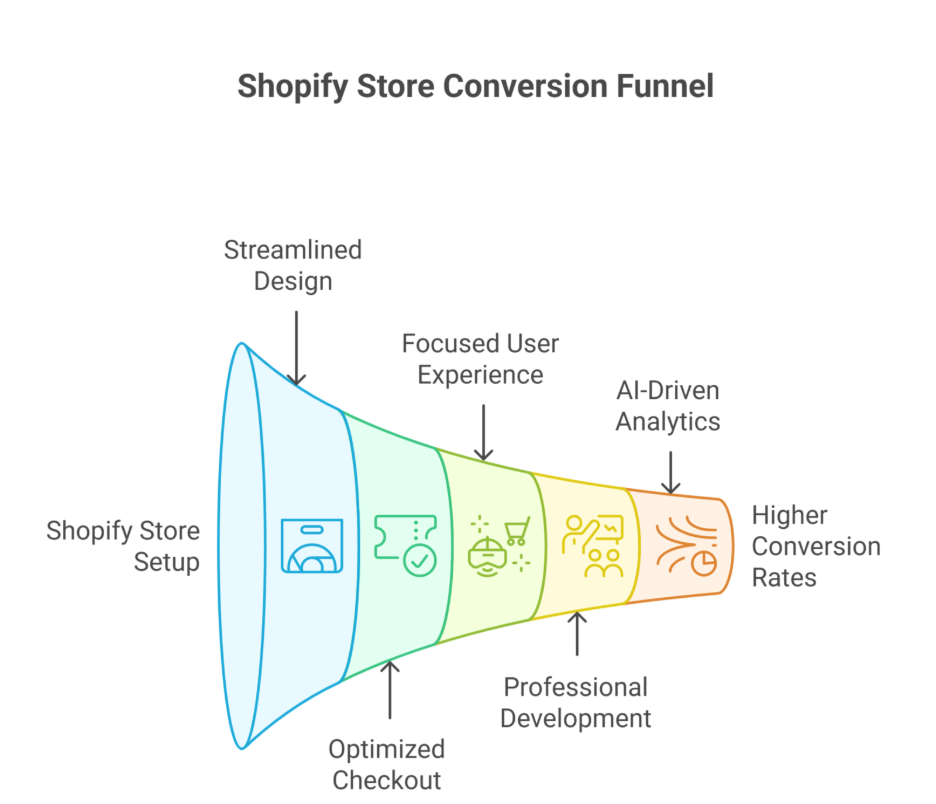
    Simpler Shopify stores outperformed complex ones in 2025 because streamlined design, optimized checkout, and focused user experience boosted conversion rates. Professional development, AI-driven analytics, and effective marketing strategies allowed merchants to scale efficiently, enhance customer experience, and strengthen their brand, proving that simplicity drives better performance in ecommerce.

    Investing in high-quality design, ongoing support, and timely maintenance is no longer optional. For instance, engaging professional development teams can cost a fraction of your expected revenue but yield measurable improvements in sales and shopper satisfaction. Smart choices in website optimization and marketing strategies can make the difference between a stagnant online store and a thriving ecommerce presence.

    This blog will explore why simpler Shopify stores outperformed complex ones in 2025, highlighting the key factors driving conversion, the role of professional development, the impact of design and support, and actionable insights you can apply to your own Shopify store for sustainable growth and enhanced customer experience.

    Why Shopify Stores Achieved Better Conversion Rates 2025

    Why Shopify Stores Achieved Better Conversion Rates 2025

    In 2025, many Shopify stores saw measurable improvements in conversion, outperforming complex or poorly optimized competitors. By focusing on user experience, strategic Shopify marketing, and leveraging the platform’s robust features, store owners were able to achieve higher conversion rates, directly impacting their revenue and brand growth.

    Streamlined Shopify Platform and Checkout Experience

    One key reason for high conversion is the Shopify platform itself. Shopify in 2025 offered enhancements to Shopify payments, checkout flows, and overall store performance that simplified the shopping experience. By reducing friction in the checkout process, Shopify store owners increased customer trust, leading to high conversion and repeat purchases. Statistics for 2025 show that stores worldwide implementing these optimizations consistently surpassed the average Shopify conversion rate.

    Importance of Conversion Rate Optimization

    Conversion rate optimization (CRO) became a critical focus for ecommerce brands looking to maximize ROI. Active stores using data-driven analytics, A/B testing, and AI-powered recommendations saw their overall conversion rate improve significantly. Compared to the average conversion rate for Shopify, these optimized stores reported higher conversion rates, proving the direct impact of CRO strategies on revenue.

    Leveraging Shopify’s App Ecosystem

    The Shopify app store provides tools for marketing automation, upsells, email campaigns, and analytics. By integrating apps strategically, store owners enhanced the shopping experience, personalized offers, and encouraged repeat engagement. This contributed to high conversion across millions of active stores, showing that thoughtful app integration directly correlates with a higher conversion rate for Shopify stores.

    Global Ecommerce Trends and Brand Strategy

    Global ecommerce statistics highlight that the global ecommerce market continues to expand, with growth rate projections indicating billions in online sales. Shopify store owners who aligned their strategies with global brands and optimized for cross-border commerce captured a larger share of the ecommerce platform market. Leveraging insights from global ecommerce data, merchants improved engagement, retention, and ultimately, high conversion metrics.

    Data-Driven Shopify Marketing

    Effective Shopify marketing in 2025 combined analytics, targeted campaigns, and optimized content to attract qualified traffic. Many Shopify stores reported that conversion improved when marketing decisions were informed by metrics such as traffic sources, product page performance, and shopper behavior. By aligning marketing with store optimization, ecommerce brands maintained a sustainable advantage in overall conversion rate and long-term growth.

    Smart Marketing Strategies Enhanced Brand and Customer Experience

     Leveraging Modern Commerce Platforms

    • Using Shopify and tools like Shopify, merchants streamlined store creation and management.
    • Shopify Plus has evolved, offering advanced features for enterprise-level stores globally.
    • Commerce platforms like Adobe Commerce and headless commerce enable flexible, personalized shopping experiences.
    • Insights into customer behavior help brands tailor marketing campaigns and product recommendations.

    Optimizing Store Design and Checkout

    • Simplified store builder and store creation tools improved navigation for store visitors.
    • Reducing complex checkout flows led to better conversion rates and higher customer satisfaction.
    • Many stores focused on mobile-first design, enhancing the overall shopping experience.

    Data-Driven Marketing and Analytics

    • Latest Shopify statistics provide key statistics for merchants to track growth and engagement.
    • Using analytics, merchants understand store visitors’ behavior and optimize campaigns for better conversion rates.
    • Shopify growth trends indicate millions of active stores worldwide leveraging insights to improve marketing strategies.

    Expanding Reach and Brand Visibility

    • Borderless ecommerce strategies allowed stores globally to reach international audiences.
    • Number of Shopify stores continues to rise, creating a competitive environment that rewards strategic marketing.
    • Store owners using Shopify site optimization and targeted campaigns strengthened brand loyalty and enhanced customer experience.

    Conclusion

    In 2025, the success of Shopify stores clearly demonstrated that simplicity, strategy, and smart execution drive better results than complexity alone. Stores that focused on streamlined design, optimized checkout, and a seamless user experience consistently achieved higher conversion rates and stronger brand performance. Professional development, AI-powered analytics, and strategic marketing empowered merchants to make data-driven decisions, scale efficiently, and enhance customer satisfaction.

    By leveraging Shopify’s robust platform features, app ecosystem, and insights into global ecommerce trends, store owners were able to align their marketing strategies with shopper behavior and optimize every touchpoint. The rise of borderless ecommerce and millions of active stores worldwide emphasized the importance of staying agile, prioritizing user experience, and adopting proven optimization techniques.

    Ultimately, simpler Shopify stores proved that thoughtful design, ongoing support, and targeted strategies are essential for sustainable growth, better conversion rates, and long-term success in the competitive ecommerce market. Ready to boost your Shopify store? Contact Integriti Studio today.

    Frequently Asked Questions (Why Simpler Shopify Stores Outperformed Complex Ones in 2025)

    Is Shopify worth doing in 2025?

    Yes Shopify is worth doing in 2025 if you want a scalable, easy‑to‑use ecommerce platform with strong AI tools, global reach, and many apps to grow sales. It has costs and customization limits, but for most online sellers it still offers excellent value.

    What is the outlook for Shopify in 2025?

    The outlook for Shopify in 2025 is generally positive: the company is forecast to deliver mid‑to‑high‑20% revenue growth, strong free‑cash‑flow margins, and continued merchant expansion, supported by AI tools and global adoption. Some risks remain from competition and macro factors, but overall growth momentum persists.

    Why are businesses moving from Drupal to Shopify in 2025?

    Businesses are moving from Drupal to Shopify in 2025 mainly because Shopify offers managed hosting, simpler maintenance, and lower technical overhead, freeing teams from infrastructure tasks. It also delivers faster setup, built‑in security, better scalability, and extensive app integrations, making e‑commerce easier and more cost‑predictable.

    Who is Shopify’s biggest competitor?

    Shopify’s biggest competitor is WooCommerce, the WordPress-based e-commerce platform, due to its flexibility, large user base, and open-source ecosystem. Other significant competitors include BigCommerce, Wix, Squarespace, and Magento, but WooCommerce remains the top rival for merchants seeking customizable and cost-effective online store solutions.

  • Shopify in 2026 which 2025 Trends Will Scale and Which Won’t

    Shopify in 2026 which 2025 Trends Will Scale and Which Won’t

    Shopify in 2026 which 2025 Trends Will Scale and Which Won’t

    Why do some Shopify stores perform flawlessly while others struggle, even when using the same platform? Website performance is influenced by multiple factors from clean, optimized code and seamless integrations to thoughtful design and ongoing maintenance. Without professional development and strategic support, even a beautifully designed storefront can fail to convert visitors or scale effectively.

    In 2026, Shopify will continue scaling trends like ecommerce personalization, Shopify Plus integrations, and mobile-first commerce, which enhance customer experience and conversion rates. However, some 2025 fads, such as short-lived social commerce experiments or niche AI tools without broad adoption, may lose relevance for long-term retailer growth.

    For retailers, investing in expert Shopify setup and maintenance isn’t optional—it’s essential. Professional development ensures your Shopify store is not only functional but optimized for ecommerce trends, conversion rate, and long-term growth. Good design, proper integration, and reliable support can turn basic Shopify Plus features into real competitive advantages. Typical agency services range from $3,000–$10,000 for comprehensive setup, including customization, checkout optimization, and maintenance plans, reflecting the true value of quality.

    This blog will explore which 2025 trends are likely to scale in 2026 and which may fade, helping you make smarter decisions for your Shopify store. We’ll examine factors shaping ecommerce, strategies for scaling commerce effectively, and how adopting the right Shopify tools can maximize customer experience, loyalty, and profitability in the year ahead.

    2026 Shopify Trends Shaping The Future Of Ecommerce

    2026 Shopify Trends Shaping The Future Of Ecommerce

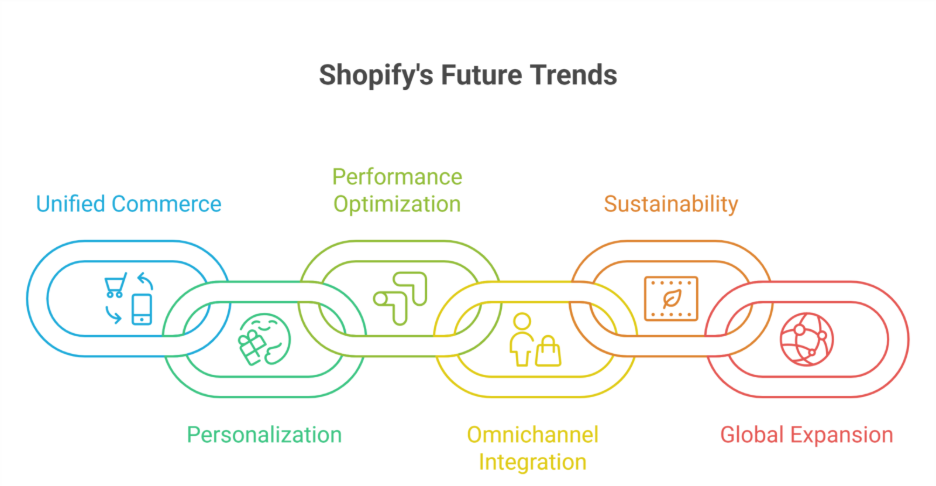
    The future of Shopify is being shaped by key trends that determine how online stores and online businesses grow in 2026. Shopify merchants who focus on ecommerce growth, operational efficiency, and seamless omnichannel experiences can gain a competitive edge and achieve sustainable scaling.

    Unified and Composable Commerce Solutions

    Unified commerce centralizes inventory, payments, and customer data across multiple touchpoints, while composable commerce allows flexible integration of specialized tools. Together, they reduce total cost of ownership and help build future-proof Shopify stores capable of scaling with evolving market demands.

    Personalized Direct-to-Consumer Experiences

    By leveraging purchase history and tailored shopping experiences, Shopify merchants can drive higher conversion rates and higher average order values. Thoughtful personalization along the customer journey strengthens loyalty and builds customer trust, while limited-edition products can create urgency and engagement.

    Optimized Performance and Core Web Vitals

    Maintaining fast, reliable sites is crucial. Optimizing core web vitals improves usability and conversion, while Shopify’s app ecosystem supports compliance, analytics, and checkout improvements. Investing in performance ensures your Shopify store is future-proof and capable of sustaining long-term growth.

    Seamless Omnichannel and Customer Engagement

    A seamless omnichannel approach integrates online and offline experiences, connecting every touchpoint from mobile apps to social commerce. This unified strategy enhances engagement, strengthens brand presence, and drives measurable ecommerce growth.

    In 2026, these trends will define the future of Shopify, enabling merchants to deliver efficient, personalized, and scalable commerce experiences while staying ahead in a competitive market.

    Ecommerce Trends For 2026 Impact Shopify Plus Commerce

    In 2026, Shopify Plus commerce will be shaped by trends that improve scalability, customer engagement, and sustainability. Here are the key trends and actionable steps for merchants:

    1. Leverage Composable Commerce for Flexibility

    • Integrate best-in-class solutions for inventory management, order management, and product catalog optimization.
    • Use flexible front-ends to improve site speed and user experience.
    • Reduce operational complexity while scaling across regions.

    2. Drive Omnichannel Growth and Unified Customer Experiences

    • Unify customer data to provide personalized experiences.
    • Ensure seamless interactions across all channels (online, in-store, mobile).
    • Optimize delivery options and improve product discovery to enhance engagement.

    3. Prioritize Sustainability

    • Offer sustainable products and embrace sustainable practices.
    • Offset carbon emissions in shipping or operations.
    • Maintain premium prices while appealing to conscious shoppers like Gen Z.

    4. Support International Expansion and Security

    • Manage inventory and order processing effectively for new markets.
    • Implement advanced fraud detection tools to protect revenue.
    • Scale globally without compromising trust or operational efficiency.

    Conclusion

    As Shopify evolves into 2026, understanding which 2025 trends will scale and which may fade is critical for retailers aiming to stay competitive. Trends like ecommerce personalization, Shopify Plus integrations, and mobile-first commerce will continue to drive higher conversion rates and operational efficiency, while short-lived experiments or niche tools without broad adoption may no longer deliver value.

    Investing in professional development, thoughtful design, and strategic support ensures your Shopify store is future-proof, capable of delivering personalized experiences, seamless omnichannel interactions, and sustainable growth. By leveraging composable commerce, optimizing core web vitals, and integrating unified customer data, merchants can reduce complexity, enhance product discovery, and strengthen customer trust.

    For Shopify Plus retailers, prioritizing sustainability, global expansion, and secure operations positions your business to capture long-term opportunities while maintaining efficiency and loyalty. In 2026, success will favor merchants who adopt proven trends strategically, balance innovation with practicality, and invest in tools and practices that scale their Shopify commerce effectively.

    Want to scale your Shopify store effectively in 2026? Contact Integriti Studio today.

    Frequently Asked Questions (Shopify in 2026 which 2025 Trends Will Scale and Which Won’t)

    What will be the biggest trend in 2025?

    The biggest trend in 2025 will be AI-driven personalization across industries. From marketing and e-commerce to healthcare and finance, businesses will leverage advanced AI tools and data analytics to offer hyper-personalized experiences, automate decision-making, and optimize efficiency, reshaping how consumers interact with products and services.

    Is Shopify still profitable in 2025?

    Yes Shopify is still profitable in 2025, consistently growing revenue and delivering double‑digit free cash flow margins across multiple quarters, showing solid financial performance and operational profitability.

    Where will Shopify be in 5 years?

    In five years, Shopify is likely to become a leading global commerce platform, expanding its AI-powered tools, international reach, and integrations with social commerce and metaverse marketplaces. It will focus on helping merchants scale efficiently while maintaining seamless, personalized shopping experiences worldwide.

    What is the outlook for Shopify in 2025?

    The outlook for Shopify in 2025 is generally positive: analysts expect continued strong revenue and merchant growth, driven by AI tools, international expansion, and payment services, with revenue rising in the mid‑to‑high twenties percentage range and solid free‑cash‑flow margins. Some caution remains around valuation and competition.

  • Setting up Shopify Markets: Sell internationally with ease 

    Summary

    Shopify Markets is a built-in feature that empowers Shopify merchants to sell globally and internationally by localizing their Shopify store for different regions. From currency conversions to language settings, international payments, international taxes, and tax compliance, it helps streamline international expansion—all from a single Shopify admin dashboard.

    Why Shopify Markets matters

    • Selling internationally or internationally isn’t just about accepting payments. With Shopify Markets, you can:
    • Create tailored and localized shopping experiences for every region
    • Offer local currencies, Shopify payments, and payment methods for international customers
    • Automatically handle duties, import taxes, and compliance
    • Launch country-specific domains, international domains, or subfolders for SEO, ensuring a seamless shopping experience for global customers

    How to get started with Shopify Markets

    1. Enable Shopify Markets
      Go to Settings → Markets in your Shopify admin and activate the feature. You’ll see your primary market (usually your home country) and can add new international markets manually.
    2. Add regions or countries
      Start by grouping different countries or regions (like “Europe” or “Asia-Pacific”) or selecting a new market where you plan to sell internationally. Shopify Markets allows merchants to target multiple markets in one store.
    3. Customize each market
      For every region or market, you can configure:

    Currency and pricing (including rounding rules) for local currencies

    Language preferences to localize your store and adapt content for every region

    Product availability

    Localized domains, international Shopify store URLs, or subfolders to create a single Shopify store that serves multiple markets

    1. Set up duties and taxes
      Enable tax-inclusive pricing, configure duties and import taxes to be calculated at checkout for international orders, and Shopify handles this via Global-e integration for Plus users, or via manual setups for standard plans.

    Final outcome

    With Shopify Markets, expanding your Shopify store to different markets and selling internationally is no longer a logistical nightmare. You can sell globally while offering localized shopping experiences, currency adaptation, and seamless checkout for international visitors—all without needing third-party apps or multiple storefronts.

    Ready to go global with Shopify?
    Let Integriti Studio help you configure Shopify Markets the right way—from pricing and compliance to international shipping, global commerce, and managing international customers.

    👉Start your international setup

  • Using interactions and animations in Webflow to enhance UX

    Summary

    Webflow’s built-in interactions and animations allow designers to bring Webflow websites and projects to life—without writing a single line of code. When used strategically, these tools create intuitive, delightful user experiences (UX) that guide users, improve UX design, reinforce brand identity, and boost user engagement. Webflow interactions allow designers to create complex animations, motion design, and interactive experiences that optimize user attention while reducing cognitive load.

    Types of interactions to consider

    Webflow offers multiple interaction triggers, including:

    • Scroll-based animations: Fade in content, parallax effects, scroll-triggered animations, progress indicators, or page load animations.
    • Hover states: Highlight buttons, reveal tooltips, animate cards, or simple hover effects on elements like CTAs.
    • Page load interactions: Create hero animations, intro sequences, or multi-step animations.
    • Click/hover toggles: Expand menus, switch content tabs, or trigger click interactions.

    These animations and interactions help reduce friction, direct user attention, and create a sense of polish, professionalism, and immersive design for engaging and interactive websites.

    Best practices for animation

    Keep it purposeful: Don’t animate for the sake of it. Every motion, animation, or custom animation should serve a function—whether it’s drawing focus, confirming an action, or guiding users through elements on the page.

    Optimize for performance: Use easing, duration, and delay settings carefully. Avoid animations that slow the site, create excessive cognitive load, or distract users. Tools like Webflow interactions and the interactions panel make it easier to optimize animations across devices.

    Stay on-brand: Animations should match the tone and personality of your visual identity. Subtle, smooth transitions often feel more refined and enhance your website’s UI design.

    Final outcome

    Thoughtfully crafted interactions in Webflow enhance user experience (UX) by making your site more dynamic, engaging, and interactive. From microinteractions to scroll-based animations and web animations, Webflow allows designers to create dynamic, visually appealing, and immersive interactive experiences. Using interactions and animations strategically creates a sense of polish and professionalism while improving UX.

    Need help bringing your Webflow project to life with stunning interactions and advanced animation techniques?
    Integriti Studio specializes in motion-driven design, webflow UX, and creating complex animations that elevate every click, scroll, and hover interaction.

    👉Lets build something interactive

  • Embedding third-party forms and CRMs into Webflow 

    Summary

    Webflow offers native form capabilities, but integrating third-party form tools, CRM platforms, or advanced form builders can unlock powerful form functionality such as lead scoring, marketing automation, multi-step forms, conditional logic, or custom pipelines. Whether you’re using HubSpot forms, Mailchimp, Salesforce, Typeform, JotForm, Formstack, or Airtable forms, embedding them into Webflow is a seamless process when done right. Embedding third-party forms directly into your Webflow site improves form experience, captures user data, and automates workflows.

    Identify the right embed method

    Most third-party platforms provide one of the following embed options:

    • HTML embed codes
    • Iframe snippets
    • JavaScript-based integrations or APIs

    In Webflow, these can be added using the built-in Embed component. Simply copy the code from your third-party tool or CRM and paste it inside Webflow’s embed block. Webflow allows you to create dynamic Webflow forms, connect your Webflow site to external platforms, and embed forms with webflow efficiently.

    Common use cases

    • CRM integrations (e.g., HubSpot, Zoho CRM): Embed lead capture forms that sync directly to your CRM, connect Webflow, and automate leads and customer data in real-time.
    • Survey tools (e.g., Typeform, Google Forms): Collect feedback or data in a visually engaging way with interactive forms and form fields.
    • Email marketing (e.g., Mailchimp, Klaviyo): Connect subscribers to automation sequences instantly and manage email notifications and form submissions.

    Styling & responsiveness tips

    • Use Webflow’s built-in styling tools, CSS, or custom code for the form wrapper to maintain brand consistency. Forms within Webflow can be customized for user experience, error messages, file uploads, drag-and-drop capabilities, and interactive notifications.
    • If the form appears inside an iframe, CSS customization may be limited—consider tools that allow embedded styling and form integration within your Webflow site.
    • Always test responsiveness across devices and screen sizes to ensure proper display and functionality.

    Final outcome

    Embedding third-party forms, CRMs, or advanced form tools into Webflow empowers your Webflow site to capture, manage, and automate leads without compromising on design. With just a few clicks, you can turn static contact forms into a conversion machine, create powerful form workflows, and improve the submission process.

    Need help integrating a CRM, marketing automation, or advanced form builder in Webflow?
    Integriti Studio can assist with seamless integration, embed third-party forms, and powerful lead workflows tailored to your business.

    👉Get in touch

  • Setting up multilingual websites in Webflow

    Summary

    Creating a multilingual website in Webflow allows you to serve diverse audiences, expand your global reach, and provide localized user experiences. Since Webflow doesn’t natively support multilingual sites, you’ll need to rely on third-party integrations or manual structuring techniques to deliver multilingual content in multiple languages. Webflow allows you to create a multilingual webflow website or a multi-language website in Webflow, giving flexibility for localization and multilingual SEO.

    Choose your translation method

    There are two primary approaches to adding multiple languages in Webflow:

    Third-party tools
    Services like Weglot, Polyflow, or Linguana integrate seamlessly with Webflow to handle translation, language switching, and automatic SEO optimization. These tools offer:

    • Language switchers out-of-the-box to create a multi-language website in Webflow
    • Auto or manual translation workflows for every language and translated languages
    • Hreflang and subdirectory support for multilingual SEO, enabling Google to easily index different language versions

    Manual duplication

    Duplicate pages, CMS collections, or templates for each language and create a custom language switcher. This gives you full control but requires more maintenance. You can add multiple languages manually and structure every page for a multi-language website, making your Webflow project fully localized.

    Implementation tips

    • Plan your structure: Decide whether you’ll use subdirectories (e.g., /fr/, /es/) or separate domains. Tools like Weglot handle this for you automatically and support multiple languages and locales.
    • Design for flexibility: Text expansion in some languages (like German or Arabic) may affect layout. Leave enough padding and use auto-sizing where possible. Webflow allows designers to customize your Webflow language elements across multiple pages for a smooth experience.
    • SEO considerations: Use hreflang tags, update meta titles/descriptions per language, and submit each language version to Google Search Console. Optimize multilingual content for search engines using multilingual SEO features provided by Weglot or Polyflow.
    • Test thoroughly: Ensure language switchers work across all pages and devices. Also, review translated content for cultural relevance and user experience.

    Final outcome

    Whether using a plugin like Weglot or Polyflow, or a manual setup, a well-executed multilingual site in Webflow boosts accessibility and ensures global users feel at home with your content. Webflow creators can quickly and easily build a multilingual webflow website or multi-language website, ensuring your site is optimized for multilingual SEO and website localization.

    Need help building or optimizing your multilingual site in Webflow?
    Integriti Studio can set up a smooth, scalable structure tailored for international audiences, ensuring your webflow site is ready to support multiple languages and language options.

    👉Lets go Global

  • How to add Lottie animations to Webflow websites 

    Summary

    Lottie animations are lightweight, JSON-based animations that scale beautifully and load quickly. Webflow offers native support for Lottie, making it easy to enhance user interactions with professional-grade motion graphics—without writing a single line of code. Webflow’s native Lottie integration allows developers and designers to add Lottie animations directly to a Webflow project for interactive animations and improved user experience.

    Why use Lottie in Webflow

    • Lightweight compared to GIFs or video
    • Fully scalable with no quality loss
    • Interactive and trigger-based playback for scroll animations and hover/click effects
    • Works seamlessly across modern browsers
    • JSON-based animations are vector-based, much lighter than traditional GIFs or video, without sacrificing performance

    Step-by-step integration process

    1. Export your Lottie file
      Use Adobe After Effects with the Bodymovin plugin to export your animation as a .json file. Using the Bodymovin plugin ensures your Lottie JSON file is compatible with Webflow. Alternatively, download free animations from lottiefiles.com or Lottie library. Lottiefiles offers thousands of free, custom Lottie animations ready for Webflow integration.
    2. Upload to Webflow
      In the Webflow Designer, go to the “Assets” panel and click Upload to add your .json Lottie file. Webflow allows you to manage assets and Lottie files like any other Webflow element.
    3. Add the Lottie element
      Drag a Lottie Animation element from the Webflow Elements panel onto your canvas. Link it to the uploaded Lottie JSON file from your assets. You can also embed JSON-based animations using the embed element if needed.
    4. Choose animation behavior
      In the Lottie settings panel, define how the animation plays:

    Scroll-based: Plays as the user scrolls
    Loop: Repeats continuously
    Hover/click trigger: Starts on interaction
    Set the Lottie playback to control which portion of the animation is triggered, enabling animations in real-time tied to Webflow interactions.

    1. Style and position
      Treat your Lottie animation like any other Webflow element. You can add padding, margins, position it with Flex or Grid, and set width/height for responsiveness. Lottie animations enhance UI, layout, and user scroll interactions, allowing complex animations without code-based animation.

    Final outcome

    With just a few clicks, Lottie animations in Webflow bring your site to life—adding delight, clarity, and motion without slowing down your pages. Webflow is the ability to create interactive animations that make your website stand out. Lottie animations are rendered efficiently, interactive, and vector-based, ensuring smooth performance across all devices.

    Want your Webflow site to move with meaning?
    Integriti Studio creates interactive, animation-driven experiences and Webflow websites that leave a lasting impression. Using Lottie animations in Webflow lets you integrate custom Lottie animations, create Lottie sections, and animate your Lottie JSON files with powerful features of using Lottie.

    👉Lets animate vision

  • Creating responsive layouts in Webflow using Flexbox and Grid 

    Summary

    Webflow gives you powerful layout tools—Flexbox and CSS Grid—that allow for pixel-perfect, responsive design without writing code. Learning when and how to use each helps ensure your site adapts beautifully across all screen sizes. Webflow provides responsive design features that make your Webflow website adaptive for desktop, tablet, and mobile devices.

    Why layout responsiveness matters

    • Ensures a seamless experience on desktop, tablet, and mobile device
    • Reduces bounce rates and improves usability and user experience
      Makes future edits faster with consistent structure
    • Offers full control over content alignment, spacing, and layout control

    Flexbox vs Grid: When and how to use

    1. Use Flexbox for directional alignment
      Flexbox is ideal when you need to arrange elements in a row or column. It’s great for:

    Horizontal nav menus and navigation
    Feature boxes
    CTA sections with text and button
    Use the “Align” and “Justify” settings to control placement, spacing, and alignment within container elements. Learn how to use Flexbox to enable flexbox for one-dimensional layouts.

    1. Use Grid for multi-directional layouts
      CSS Grid gives you control over both rows and columns. It’s best for:

    Gallery layouts
    Team member profiles
    Blog or product cards
    Grid lets you define repeatable areas, columns and rows, column gaps, and responsive behaviors using fractional units (fr). Grid adapts dynamically and supports two-dimensional layouts, ideal for creating complex layout sections.

    1. Stack and reflow for breakpoints
      Use Webflow’s visual breakpoints to preview and adjust layouts for each screen size. Flex and Grid settings can be independently tweaked at each level. Responsive layouts remain consistent across all devices. Media queries can be used if needed for further customization.
    2. Combine both for complex designs
      You can nest Flex inside Grid (and vice versa) to manage complex sections—for example, use Grid for layout and Flex for content inside each container element. This technique allows for flexible layouts and intricate layouts in modern web design.

    Final outcome

    Responsive layouts built with Flexbox and Grid give you clean, adaptive designs that look great on any device. Done right, they also reduce the need for duplicate elements or media queries. Creating responsive websites in Webflow with proper grid settings and flexbox offers essential tools for building responsive Webflow pages.

    Want expertly built layouts in Webflow?
    At Integriti Studio, we craft flexible, future-proof designs that scale with your content, brand, and web design skills. Focus on creating responsive Webflow sites without the need for additional coding.

    👉 Lets design smarter