Category: Wordpress

  • WordPress Website Design For B2b Why It Remains The Professional Choice For Complex Portfolios

    WordPress Website Design For B2b Why It Remains The Professional Choice For Complex Portfolios

    WordPress Website Design For B2b Why It Remains The Professional Choice For Complex Portfolios

    Why do some B2B companies struggle to manage complex portfolios while others scale effortlessly? The difference often lies in wordpress website design and how strategically you use the right platform. A well-structured wordpress website built on an open-source foundation gives you flexibility, control, and performance advantages that many proprietary systems restrict. With the right plugins, architecture, and optimization strategy, your digital presence becomes a revenue asset not a liability. 

    WordPress website design empowers B2B brands with scalability, customization, SEO strength, and flexibility, making it the professional choice for complex portfolios. 

    As a custom web design company, we see how professional web development and ongoing maintenance impact SEO, security, and scalability. Basic builds may start around $1,500, while advanced solutions range higher depending on integrations and customization. 

    Why WordPress Continues As Open-Source Platform Choice 

    1. Open-Source Freedom: WordPress is open-source, which means you have complete control over your website’s architecture, features, and integrations. Unlike proprietary platforms, it allows B2B businesses to customize their digital ecosystem without being locked into restrictive licensing or rigid templates. This freedom ensures your business website can evolve as your operational needs change, making it a smart choice for long-term digital strategy. 
    1. Scalability for Growing Businesses: One of WordPress’s greatest advantages is its ability to scale effortlessly. Whether you are expanding service offerings, adding multilingual content, or handling high traffic volumes, WordPress supports growth without compromising performance. Professional wordpress web development ensures that your website structure remains stable while adapting to increasing complexity and new business requirements. 
    1. Customizable Design and Functionality: With a wide range of wordpress themes and plugins available, your website can be fully customized to meet unique business objectives. From custom dashboards to specialized client portals, WordPress allows B2B brands to implement advanced features without sacrificing usability. This level of customization makes it still the best choice for organizations managing complex portfolios. 
    1. Professional Maintenance and Security: Ongoing maintenance is crucial for any professional website. Regular wordpress core updates, security patches, and plugin management protect your website from vulnerabilities and performance issues. Combined with SEO best practices and optimized content workflows, this ensures that your online presence remains secure, reliable, and search-engine-friendly. 
    1. Cost-Effective Long-Term Solution: Compared to proprietary platforms, WordPress offers a cost-efficient solution for building and maintaining a professional business website. You can invest in professional wordpress development and scalable features without recurring licensing costs, making it ideal for growing businesses and small business owners who want a robust, future-ready platform. 

    Scalability And Customizable Plugins For Business Website 

    How WordPress Supports Growing Businesses 

    One of the key advantages of WordPress for B2B brands is its ability to scale with your business growth. WordPress supports businesses of all sizes, whether you are managing a simple brochure site or a complex portfolio with multiple services. Unlike other platforms like Wix, WordPress allows you to expand your website without completely redesigning an existing one, ensuring your business website evolves alongside your operational needs. 

    Step 1: Choosing the Right Plugins 

    WordPress allows you to extend functionality using customizable plugins built specifically for WordPress. From SEO optimization and content creation tools to advanced e-commerce and client management systems, plugins give your website flexibility to meet evolving requirements. Choosing the right combination ensures that your website remains fast, secure, and efficient. 

    Step 2: Planning for Scalability 

    WordPress is built to handle growth. By designing your site architecture thoughtfully, you can easily add new pages, products, or services without affecting performance. This ensures your business website remains stable and well-organized even as content volumes increase. Maintaining a clear sitemap and structured navigation also helps your site perform well in search engines. 

    Step 3: Maintaining SEO Best Practices 

    Scalability is not just about adding features it’s also about maintaining visibility. WordPress provides tools and plugins that support SEO best practices, ensuring that your expanding content continues to rank well in search engines. Regular website updates, proper indexing, and optimization for mobile devices are crucial for long-term performance. 

    Step 4: Continuous Customization 

    As your business grows, your website requirements evolve. WordPress gives you the ability to customize layouts, workflows, and integrations at any stage. Whether you are adding new landing pages, integrating marketing tools, or enhancing content creation, WordPress allows ongoing development without compromising speed or reliability. 

    Step 5: Ensuring Reliability 

    Finally, ensuring your business website performs consistently requires professional development and maintenance. Regular updates, security checks, and plugin management ensure your WordPress site remains secure, functional, and adaptable, keeping your online presence professional and future-ready. 

    Conclusion 

    For B2B companies managing complex portfolios, WordPress website design remains the professional choice because it combines flexibility, scalability, and customization with cost-effective long-term value. Its open-source foundation empowers businesses to adapt, grow, and innovate without being constrained by rigid templates or licensing limitations. By leveraging the right plugins, maintaining SEO best practices, and investing in ongoing professional development, B2B brands can ensure their digital presence is secure, high-performing, and optimized for growth. Ultimately, WordPress transforms a website from a static online presence into a dynamic business asset that supports evolving strategies and drives long-term success. 

    Frequently Asked Questions (WordPress Website Design For B2b Why It Remains The Professional Choice For Complex Portfolios)

    Is WordPress good for complex websites?

    Yes, WordPress is excellent for complex websites. With custom themes, plugins, scalable hosting, and flexible architecture, it efficiently handles large content, advanced functionality, and integrations.

    Is WordPress good for a portfolio website?

    Yes, WordPress is ideal for portfolio websites. It offers customizable themes, visual builders, responsive design, and SEO tools, helping professionals showcase work effectively and attract clients.

    Why might someone choose WordPress over other content management systems for SEO purposes?

    Many choose WordPress for SEO because it offers clean code, customizable permalinks, powerful plugins like Yoast SEO, fast performance options, and strong technical optimization flexibility.

    Do professional websites use WordPress?

    Yes, many professional websites use WordPress, including TechCrunch, The New Yorker, and Sony Music, due to its scalability, flexibility, security, and powerful content management capabilities.
  • Must-Have WordPress Plugins for Premium Website Performance 

    Must-Have WordPress Plugins for Premium Website Performance 

    Must-Have WordPress Plugins for Premium Website Performance 

    Why do some WordPress websites perform better than others? The difference often comes down to smart use of WordPress plugins. The speed, security, and SEO of your WordPress site rely on quality plugins and a solid WordPress theme. Professional development ensures your WordPress website runs smoothly, supports an online store, and integrates tools like email marketing or drag-and-drop page builders. 

     Use well-coded plugins to boost speed, SEO, security, user experience, and online store functionality, ensuring a high-performing WordPress website. 

    Choosing the best WordPress plugins, including contact forms, social share tools, and free essentials, improves user experience and site performance. This blog will highlight the must-have WordPress plugins, the best free WordPress plugins, and how these solutions help you build a high-performing, reliable WordPress website. 

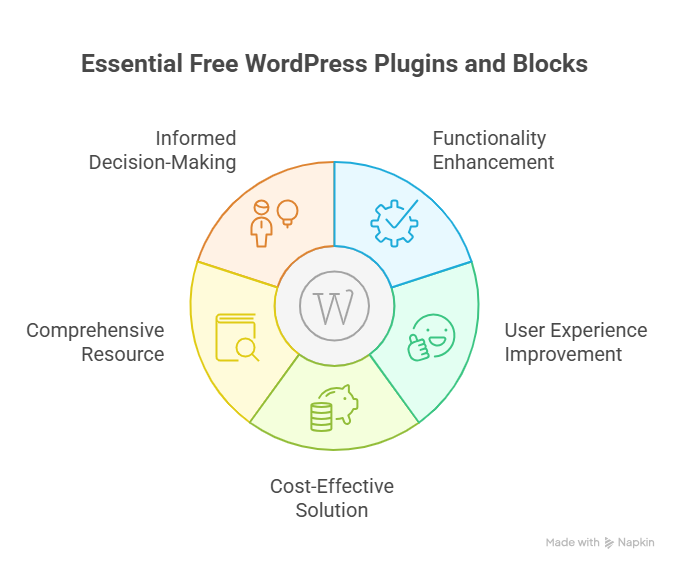
    Best Free WordPress Plugins and Blocks Essentials Guide 

    Best Free WordPress Plugins and Blocks Essentials Guide 

    Optimizing your WordPress website doesn’t always require premium tools. Many must-have WordPress plugins and blocks are free to use, offering powerful functionality that enhances performance, SEO, design, and user experience. This guide will walk you through the best free WordPress plugins and WordPress blocks essentials to build a professional site efficiently. 

    Why Use Free WordPress Plugins? 

    Step 1: Cost-effective solutions

    A free version of a plugin allows you to test features without financial risk. Many popular plugins offer a free plan, enabling you to enhance your WordPress page, blog posts, or online store.

    Step 2: Easy installation and setup 

    You can quickly install plugins for WordPress from the dashboard. Top WordPress plugins are typically easy for WordPress users to configure, even without coding experience. 

    Step 3: Test before upgrading 

    Using a free WordPress plugin allows you to evaluate functionality before investing in premium plugins. This approach ensures you only pay for features that truly benefit your site. 

    Essential Free Plugins and Their Benefits 

    WordPress Page and Blog Enhancements 

    • Elementor Website Builder:  One of the best WordPress page and block editors, offers a free plan to design custom layouts. 
    • WordPress Blocks: Enhances your WordPress blog and pages with flexible content sections without coding. 

    SEO and Performance Plugins 

    • Best WordPress SEO Plugin: Improves search rankings using free on-page optimization tools. 
    • WordPress Image Optimization Plugin: Compresses images to speed up page load and improve UX. 

    Forms, CRM, and Email Plugins 

    • Best WordPress Contact Form Plugin: Allows easy form creation for inquiries or subscriptions. 
    • WordPress SMTP: Ensures reliable email delivery for notifications and campaigns. 
    • WordPress CRM Integration: Connects your site with popular email marketing services. 

    Security, Backup, and Maintenance 

    • WordPress Backup Plugin: Protects your site with scheduled backups. 
    • WordPress Login Security: Strengthens login pages against unauthorized access. 

    How to Choose the Best Free WordPress Plugins 

    Step 1: Identify your needs 

    Determine whether you need plugins for WordPress blogs, pages, forms, or eCommerce functionality. 

    Step 2: Check popularity and reviews 

    Use popular WordPress plugins with high ratings to ensure stability and compatibility. 

    Step 3: Test functionality 

    Install the free version and evaluate if it meets your requirements. Some tested the best WordPress plugins offer both free and premium features for extended options. 

    Step 4: Ensure compatibility 

    Verify that each plugin works with your custom WordPress theme and other installed plugins to avoid conflicts. 

    Tested the Best WordPress Plugins for Online Store 

    Running a successful online store on WordPress requires the right tools. Using tested the best WordPress plugins ensures your site is fast, secure, SEO-friendly, and engaging for visitors. Here’s a breakdown of essential plugins and how they help your store: 

    Essential Plugins for Store Performance 

    • WooCommerce: The most widely used eCommerce plugin. It allows you to manage products, inventory, payments, and shipping efficiently. Most used WordPress stores rely on it to create a scalable online store. 
    • WordPress Image Optimization Plugin: Compresses and optimizes images to improve load times and overall site performance. Fast-loading product pages improve user experience and enhance your WordPress SEO. 
    • Best WordPress SEO Plugin: Helps optimize product pages, categories, and WordPress posts for search engines. Improved SEO drives organic traffic and boosts sales. 
    • Best WordPress Security Plugin: Protects your self-hosted WordPress store from malware, attacks, and unauthorized logins, keeping customer data safe. 

    Plugins to Enhance Customer Engagement 

    • WordPress Form Builder: Lets you create custom forms for contact, feedback, or special orders. Easy setup ensures smooth communication with customers. 
    • WordPress CRM Integration: Connects your store to popular email marketing services. Helps grow your email list and manage customer relationships efficiently. 
    • Email Delivery Plugins: Ensures all order confirmations, updates, and notifications reach customers reliably, improving trust and experience. 
    • Social Media Plugins: Encourage product sharing on social platforms to expand reach and engagement. 

    Plugins for Design and User Experience 

    • Best WordPress Gallery Plugin: Display product images professionally, allowing customers to view products in detail. 
    • Cool WordPress Plugin for Layouts: Offers custom layouts and WordPress blocks to enhance your WordPress store design without coding. 
    • Free Essentials and Free Options: Many plugins offer a free version, letting you add functionality without immediate cost. 

    Optimization and Performance 

    • Optimization Plugins: Improve caching, reduce page load times, and maintain smooth site performance. 
    • WordPress Code Snippets: Add custom functionality safely without editing core files, making your create WordPress projects more flexible. 
    • Using the Top WordPress Plugins: Combining performance, SEO, and engagement plugins ensures your store becomes a best site for visitors and customers. 

    Key Takeaways 

    • Choosing tested the best WordPress plugins ensures speed, security, SEO, and smooth user experience. 
    • Many free to use plugins and free essentials allow you to start cost-effectively and scale later with premium plugins. 
    • Proper plugin selection helps you enhance your WordPress online store, build WordPress pages professionally, and maintain long-term business growth. 

    Conclusion 

    Choosing the right WordPress plugins can transform your website or online store from ordinary to high-performing. From speed and security to SEO, design, and customer engagement, the must-have WordPress plugins discussed in this guide both free and premium ensure your site runs efficiently and delivers a professional user experience. By carefully selecting and testing plugins, you can enhance your WordPress website, optimize content, improve performance, and maintain long-term growth without unnecessary costs. 

    With the right tools, even a self-hosted WordPress site can compete with the best in design, functionality, and user satisfaction. Free essentials and well-coded plugins provide a cost-effective starting point, while premium options help scale your online store as your business grows. Following this structured approach ensures your WordPress site remains secure, fast, and conversion-focused. 

    Do you know why you should contact Integriti Studio today? 

    Frequently Asked Questions (Must-Have WordPress Plugins for Premium Website Performance)

    How can plugins improve performance in WordPress?

    Plugins improve WordPress performance by enhancing speed, SEO, security, and functionality, automating tasks, optimizing databases, managing caching, and providing advanced features without heavy custom coding.

    What are the must-have plugins for WP?

    Must-have WordPress plugins include SEO tools, caching and performance optimizers, security plugins, backup solutions, contact forms, analytics, page builders, and social media integration for website efficiency.

    How to improve WordPress website performance?

    Improve WordPress performance by optimizing images, using caching plugins, minimizing code, selecting a lightweight theme, updating plugins, leveraging CDNs, optimizing databases, and ensuring fast, responsive design.

    What is the best performance plugin for WordPress?

    The best performance plugin for WordPress is one that optimizes caching, compresses files, improves load speed, enhances SEO, manages databases, and ensures smooth, responsive website performance.

  • Reliable WordPress Development Services For Success 

    Reliable WordPress Development Services For Success 

    Reliable Wordpress Development Services For Success 

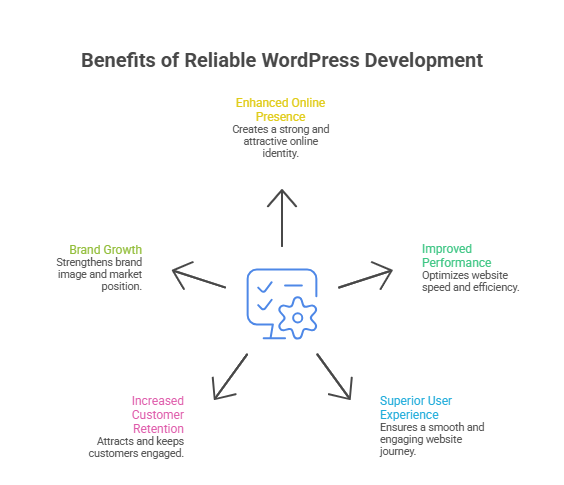
    Why do some websites fail while others thrive? The difference is often the expertise behind your WordPress site. Key factors like speed, security, plugin management, and responsive design influence performance. Choosing WordPress development companies that offer reliable wordpress development services ensures your site runs smoothly. The best WordPress solutions include custom themes, plugin development, and ongoing support provided by a trusted development agency. 

    Reliable WordPress development services help businesses build scalable, secure websites. Top WordPress development companies provide custom themes, plugin development, and ongoing support for long-term success. 

    A professional development agency can guide your project through a clear development process, combining wordpress development companies’ experience with wordpress development services to deliver scalable, secure websites. Even a small investment in top-tier services can greatly enhance your best WordPress experience and overall site performance. 

    This blog will cover how smart WordPress development companies and services improve your wordpress development services, the value of professional support, and why choosing the best WordPress solutions is key to long-term success. 

    Top WordPress Development Companies Driving Business Success 

    Partnering with the right WordPress development agencies is crucial for building a business website that performs, converts, and grows over time. Here’s a step-by-step breakdown of how top companies deliver reliable WordPress solutions: 

    Step 1: Assess Your Business Needs 

    The best WordPress development companies start by understanding your goals. They evaluate whether you need a custom website, e-commerce via WordPress and WooCommerce, or mission-critical WordPress applications. This ensures every feature aligns with your business strategy. 

    Step 2: Plan WordPress Website Design and Development 

    Leading agencies create a detailed wordpress website design and development blueprint. This includes wordpress web design, UX/UI considerations, responsive layouts, and website design and development strategies that maximize user engagement and conversions. 

    Step 3: Implement Custom Solutions and Plugins 

    Top best WordPress development agencies handle custom plugin development, full-stack development, and integrate WordPress core features. They tailor wordpress web development company solutions to your unique requirements, ensuring a professional WordPress experience. 

    Step 4: Testing, Launch, and Ongoing Support 

    Before launch, agencies conduct rigorous testing for speed, security, and performance. They provide WordPress support, ongoing development, and full-service WordPress development to keep your website scalable and secure. 

    Step 5: Optimize for Growth and Ecosystem Integration 

    The top WordPress development companies leverage wordpress VIP, wordpress projects, and wordpress community insights to ensure your website stays updated, aligns with best practices, and contributes to shaping the WordPress ecosystem. 

    Choosing Best WordPress Development Agencies And Developers 

    Selecting the right WordPress development partner is critical for building reliable WordPress websites that perform, scale, and deliver measurable results. The decision impacts everything from design and functionality to long-term support and ongoing development. Here’s how businesses can make an informed choice: 

    1. Evaluate Expertise and Experience in WordPress 

    Top WordPress development agencies and experienced WordPress developers bring deep knowledge about WordPress and a proven WordPress development process. They don’t just build websites they offer development solutions that address your business goals, whether you need custom WordPress solutions, mission-critical WordPress applications, or scalable and secure websites. 

    a. Specialized and Full-Service Approach 

    Look for a full-service WordPress development agency or a development company that specializes in WordPress. Such teams provide development and full-stack capabilities, ensuring your site is designed, developed, and maintained with precision. 

    b. Team of Skilled WordPress Experts 

    A strong agency has a team of WordPress experts, including skilled WordPress developers, designers, and support staff. Their expertise ensures your project is handled efficiently, from WordPress implementation to wordpress design and development. 

    2. Review Track Record and Reputation 

    Look at agencies’ portfolios, client testimonials, and contributions to the WordPress community. Top WordPress development companies actively engage in shaping the WordPress ecosystem, participate in forums, and maintain standards similar to a WordPress VIP gold agency. This demonstrates reliability and a commitment to best practices. 

    3. Focus on Comprehensive Development Support 

    A reliable partner offers development support beyond launch. This includes ongoing development, hosting recommendations (WordPress hosting), updates, security, and custom WordPress solutions. Agencies offering web design and development services ensure your website evolves with your business. 

    4. Assess Fit for Your Business Needs 

    The right WordPress development agency aligns with your objectives. They provide comprehensive WordPress services, custom WordPress solutions, and guidance if you are looking for a WordPress project tailored to your business. Using agencies that are also a WordPress VIP or have experience with mission-critical WordPress projects adds confidence. 

    Conclusion 

    Choosing the right WordPress development companies and leveraging reliable WordPress development services can make all the difference between a website that simply exists and one that drives business growth. From custom WordPress solutions and plugin development to ongoing development and support, top agencies ensure your wordpress website design is scalable, secure, and optimized for long-term success. Evaluating expertise, reputation, and alignment with your business needs helps you pick best WordPress developers who don’t just build websites—they deliver measurable results while shaping the WordPress ecosystem. 

    Investing in a professional development agency not only enhances your site’s performance but also ensures your business adapts smoothly as technology and trends evolve. With the right guidance, your WordPress projects can remain mission-critical, reliable, and future-ready. 

    Are you ready to see how Integriti Studio can transform your WordPress website into a growth-driving asset? 

    Frequently Asked Questions (Reliable Wordpress Development Services For Success )

    Who is the best WordPress developer?

    The best WordPress developer is skilled in custom themes, plugins, SEO, and security, delivers reliable support, understands client goals, and consistently builds fast, scalable, high-performing websites.

    Which company provides the most reliable WordPress development services in the USA?

    The most reliable WordPress development services in the USA are provided by agencies like ProtonBits (top custom WordPress solutions), Digital Silk (high‑performance builds), FreshySites (fast, secure sites), and WebDevStudios (experienced enterprise‑level development).

    Can ChatGPT build a WordPress website?

    Yes, ChatGPT can guide, plan, and generate code for a WordPress website, including themes, plugins, and content, but cannot directly host or deploy the site.

    What is the salary of WordPress developer in Pakistan?

    In Pakistan, a WordPress developer typically earns around PKR 45,000–60,000 per month on average, with entry‑level roles at ~PKR 25,000–40,000 and experienced/senior developers often earning PKR 80,000–150,000+ per month depending on skills and city.

  • Modern WordPress Websites With Advanced Features 

    Modern WordPress Websites With Advanced Features 

    Modern WordPress Websites With Advanced Features 

    Why do some businesses achieve better results with wordpress while others struggle to scale? The performance of a modern wordpress website depends on smart decisions around layout, navigation, user experience, and seo. Choosing the right wordpress themes, typography, and responsive web design directly impacts how users interact with your wordpress website and trust your brand. 

    Modern WordPress websites combine advanced features, responsive design, strong SEO, smart plugins, and customization to deliver secure, scalable, high-performing business experiences that convert users effectively. 

    Professional development adds real value to wordpress projects through proper customization, secure wordpress plugins, optimized plugin usage, and scalable solutions like woocommerce. While a template may help when building a website, expert teams customize every wordpress site to support long-term growth. Typical projects often start at a basic range and increase based on features and support needs. 

    By reviewing wordpress website examples, best wordpress websites, portfolio trends, and advanced plugins, this blog explains how wordpress strategy, design, and maintenance work together to create high-performing business websites. 

    Modern WordPress Websites With Advanced Business Features 

    Modern WordPress Websites With Advanced Business Features 

    Step 1: Strategic Foundation For Business Growth 

    A successful business website starts with clear goals and the right platform. Many sites built today are built with WordPress because it is a powerful content management system that allows you to use WordPress for scalability, flexibility, and control. From wordpress.com solutions to professional WordPress development, planning ensures your modern website follows proven best practices and industry standards. 

    Step 2: Design That Enhances User Engagement 

    A modern design focuses on clean design, minimalist design, and strong readability. Proper font selection, structured header and footer, and thoughtful responsive design ensure the site remains mobile-friendly across devices. This responsive design approach creates an immersive experience that supports better user experience for new visitors and returning users alike. 

    Modern wordpress features include multimedia, customizable layouts, and smart site features powered by a reliable wordpress plugin. Clear cta placement and well-designed ctas guide users effectively, whether for e-commerce, ecommerce, or e-commerce sites. Many websites built with WordPress, including a news site or a website to showcase a portfolio, rely on seo-friendly structures and regular updates to stay competitive. 

    Step 3: Advanced Features That Drive Results 

    focuses on implementing advanced features that directly improve performance and conversions. Smart search, personalized recommendations, marketing automation, secure checkout, and detailed tracking through Google Analytics help businesses understand user behavior, optimize campaigns, enhance user experience, and ultimately drive consistent ecommerce growth.

    Step 4: Real-World Inspiration And Performance 

    Looking at best wordpress website examples and other best websites from popular WordPress and top WordPress projects shows how simple WordPress website foundations can scale into high-performing platforms. A website owner benefits from user-friendly management, clear table of contents, and optimized performance across all sites built for growth and conversions. 

    Best WordPress Website Examples With Responsive Design 

    What Makes These Websites Stand Out 

    • High-performing website showcases focus on structure, clarity, and consistency to support brand goals. 
    • The most effective examples rely on themes and plugins selected for performance, security, and long-term scalability. 
    • Strong layouts follow a clean grid layout that keeps content organized and visually balanced. 

    How Responsive Design Improves Results 

    • Responsive layouts adapt smoothly to different screen sizes, ensuring content remains readable and accessible. 
    • A mobile-first approach delivers a consistent experience across devices, improving engagement and retention. 
    • Sites that are easy to navigate reduce friction and help users reach key actions faster. 

    Design Elements That Enhance Interaction 

    • Successful projects prioritize design with easy navigation to guide users naturally through content. 
    • Interactive features such as animations and dynamic sections increase engagement without overwhelming users. 
    • Many designs include a hero section with event highlights to capture attention immediately. 

    Functional Additions That Add Value 

    • Integrated frequently asked questions sections address common concerns and support conversions. 
    • Visual storytelling is enhanced through photo gallery plugins that load efficiently and maintain quality. 
    • Businesses looking to discover the best responsive examples often choose designs that features a clean, modern structure focused on usability. 

    Conclusion 

    Modern WordPress websites with advanced features are not just about visual appeal; they are strategic business tools. When wordpress is planned correctly, supported by professional development, and enhanced with responsive design, seo-friendly structures, and scalable features, it becomes a reliable foundation for long-term growth. From clear layouts and strong user experience to smart plugins, customization, and regular updates, every element contributes to performance, credibility, and conversions. 

    The examples discussed show that successful wordpress websites balance design and functionality. Whether it’s a simple business website or a feature-rich platform, the right strategy ensures your site adapts to user needs, performs across devices, and supports future expansion. Investing in expert planning, development, and maintenance ultimately saves time, reduces risk, and delivers measurable results. 

    Ready to scale your WordPress website the right way should you connect with Integriti Studio today? 

    Frequently Asked Questions (Modern WordPress Websites With Advanced Features )

    How are modern websites developed?

    Modern websites are developed using responsive design, optimized code, modern frameworks, SEO best practices, strong security, fast performance, and user-focused UI/UX for scalability.

    What are the main features of WordPress?

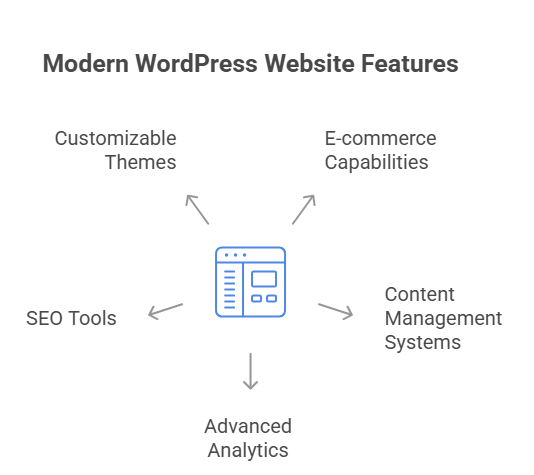
    WordPress features include customizable themes, plugins, SEO tools, responsive design, content management, media support, security, scalability, multisite management, and strong community support for websites.

    Where are advanced settings in WordPress?

    Advanced settings in WordPress are found in the dashboard under Settings, Appearance, Plugins, and Tools, allowing customization of SEO, permalinks, performance, security, and site functionality.

    What is the latest technology for WordPress?

    The latest WordPress technology includes Gutenberg block editor, full site editing (FSE), headless WordPress with REST API, optimized PHP, modern themes, and performance-focused plugins.

  • Expert WordPress DevelopersFor Custom Solutions 

    Expert WordPress DevelopersFor Custom Solutions 

    Expert Wordpress DevelopersFor Custom Solutions 

    Why do some WordPress websites struggle while others deliver seamless performance? The difference is often the expertise behind the build. Expert WordPress developers ensure your website is fast, secure, and designed for optimal user experience. From custom WordPress development and plugin development to theme development, dedicated WordPress developers provide tailored solutions that go beyond templates. 

    Expert WordPress developers deliver custom WordPress solutions, including themes, plugins, and site optimization. Hire a WordPress developer for professional development services and tailored WordPress solutions. 

    When you hire a WordPress developer or a WordPress expert, you gain access to professional WordPress development services, ongoing support, and a website optimized for conversions. Whether it’s a custom WordPress site, plugin integration, or a custom theme, professional development ensures your WordPress solutions meet business goals efficiently. 

    Smart WordPress Development Services for Long-Term Growth

    Smart WordPress Development Services for Long-Term Growth 

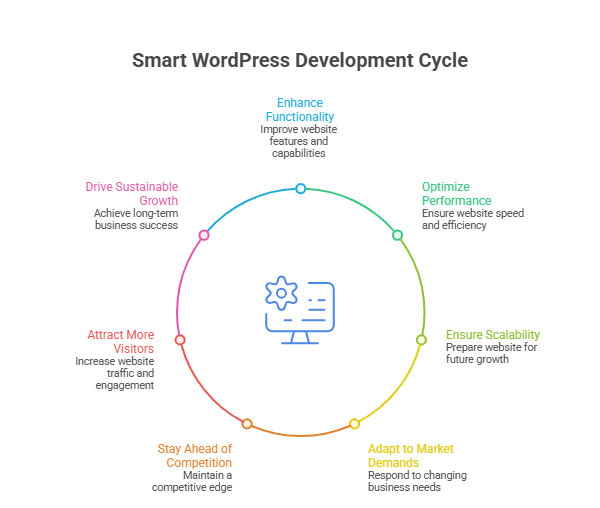
    Building a website today is not just about design it’s about creating a scalable, efficient, and high-performing digital platform. Smart WordPress development services focus on long-term growth by combining professional expertise, custom solutions, and ongoing support. Whether you are looking to hire dedicated WordPress developer or a team of WordPress developers, the right approach ensures your WordPress website development aligns with your business goals. 

    Step 1: Understanding Your Business Needs 

    Before starting any WordPress project, an experienced WordPress developer evaluates your objectives and audience. This step ensures that your custom WordPress website is designed to deliver measurable results. Skilled WordPress developers can plan the architecture, plugins, and functionality required to create custom WordPress solutions that scale with your business. 

    Step 2: Professional WordPress Development 

    Professional WordPress development services involve custom WordPress development services, including custom theme development, custom plugins, and plugin development tailored to your unique requirements. Using the WordPress platform, developers optimize your WordPress web development to provide fast load times, responsive design, and robust security. Hiring a professional WordPress developer ensures your website performs reliably under all conditions. 

    Step 3: Choosing the Right Team 

    Whether you are looking to hire skilled WordPress developers, freelance WordPress developers, or a dedicated developers team, selecting the right talent is critical. Skilled WordPress professionals bring experience in custom WordPress website development, WordPress plugin development, and custom solutions that enhance functionality and user experience. A leading WordPress development company ensures your WordPress web is built with future growth in mind. 

    Step 4: Implementation of Custom Solutions 

    Once the strategy is ready, the WordPress developers for custom work on creating custom WordPress solutions. This includes custom themes and plugins, integration of third-party tools, and custom plugin development for advanced functionality. By creating custom features, your WordPress website development stands out, offering users a seamless experience and businesses a competitive edge. 

    Step 5: Ongoing Maintenance and Support 

    Smart WordPress development services don’t stop at launch. Professional teams provide maintenance services, updates, and security checks to ensure your website remains reliable. Using WordPress plugins efficiently and maintaining a custom WordPress website keeps your platform optimized for traffic and conversions. Continuous support from experienced WordPress developers guarantees longevity and sustained growth. 

    Step 6: Achieving Long-Term Growth 

    By leveraging professional WordPress development, custom WordPress solutions, and a team of WordPress developers, businesses can create scalable, efficient, and high-performing WordPress websites. Investing in dedicated developers and custom WordPress website development ensures that your website is not only visually appealing but also future-proof and capable of supporting long-term growth. 

    Hire Dedicated WordPress Developer for Scalable Solutions 

    Scaling your website requires professional expertise, customized solutions, and reliable support. Leading WordPress development companies offer professional WordPress development services to build websites that grow with your business. 

    Define Your Goals 

    A clear plan ensures the right developer is chosen. If you want to hire skilled WordPress developers, focus on experience in delivering professional WordPress development and solutions tailored to your business needs. 

    Professional Development Services 

    Professional WordPress development services include custom web design, WordPress services, WordPress design and development, website to WordPress migration, and web solutions optimized for performance. 

    Build Custom Solutions 

    Developers to build your site create customized solutions, including custom themes and plugins, custom WordPress solutions, and scalable features. Hire skilled WordPress developers to ensure flexibility, security, and long-term growth. 

    Ongoing Support 

    Support and maintenance services from a leading WordPress development company keep your website updated and high-performing. Continuous professional WordPress development helps you avoid downtime and ensures reliable WordPress services. 

    Work with Experts 

    An expert team or WordPress developers from us provide end-to-end solutions. Whether you hire our skilled WordPress team or a team of WordPress developers, you get comprehensive WordPress expertise and scalable web solutions. 

    Conclusion 

    Investing in expert WordPress developers and professional WordPress development services ensures your website is not only visually appealing but also secure, fast, and built to scale. From custom WordPress solutions and plugin development to ongoing support and maintenance services, a dedicated team can transform your WordPress website into a high-performing platform that drives long-term growth. By choosing the right developer or a team of WordPress developers, you gain tailored, reliable web solutions designed to meet your business goals efficiently. 

    If you’re ready to elevate your WordPress web development with custom themes, plugins, and solutions, why not take the next step can you spot the smartest way to contact Integriti Studio today? 

    Frequently Asked Questions (Expert Wordpress Developers For Custom Solutions )

    How to become an expert WordPress developer?

    Become an expert WordPress developer by mastering PHP, themes, plugins, performance optimization, security, SEO basics, modern builders, Git, APIs, real projects, and continuous learning.

    How to find a WordPress expert?

    Find a WordPress expert by checking portfolios, reviews, freelance platforms, agencies, WordPress communities, certifications, technical skills, client references, project experience, and clear communication.

    What is the salary of WordPress developer in Pakistan?

    Average WordPress developer salary in Pakistan is about PKR 45,000‑55,000 per month, varying by experience and city; juniors earn ~25k‑40k, seniors ~80k‑150k+.

    Can ChatGPT build a WordPress website?

    ChatGPT can guide, generate code, suggest themes, plugins, and content, but cannot directly build or host a WordPress website; human implementation is required.

  • WordPress Website Design Focused On Results 

    WordPress Website Design Focused On Results 

    WordPress Website Design Focused On Results 

    Why do some WordPress websites fail to deliver results? Even with attractive templates and layouts, factors like navigation, user experience, and SEO can make or break performance. A professional WordPress website design ensures your site is optimized for conversions, fast, and user-friendly. Good web design goes beyond visuals proper development, support, and maintenance keep your WordPress site running smoothly while enhancing search engine visibility. Typical projects start from modest packages and scale based on complexity. 

    A professional WordPress website design focuses on results by optimizing layout, navigation, user experience, and SEO to boost conversions, performance, and long-term business growth. 

    In this blog, we will cover how to design a WordPress website focused on results, including layout optimization, conversion strategies, and best practices that make your website both effective and high-performing. 

    Custom WordPress Layouts Optimized For Conversion Rate 

    Custom WordPress Layouts Optimized For Conversion Rate 

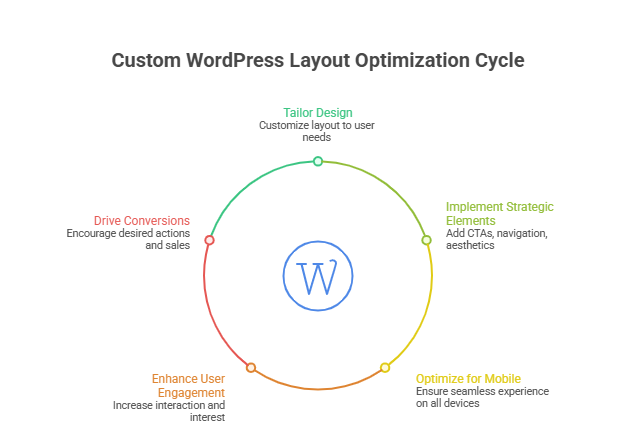
    Creating a custom WordPress layout goes beyond aesthetics it directly impacts your conversion rate and overall user engagement. By combining strategic WordPress design, responsive layouts, and proven design principles, you can ensure every visitor has a seamless experience that encourages action. 

    Why Custom WordPress Layouts Matter 

    • Tailored design that converts: Custom layouts are crafted to guide users through your site, reducing bounce rate and increasing conversions. 
    • Align with business goals: A professional WordPress site ensures your site supports your sales, marketing, or lead-generation objectives. 
    • Brand consistency: Custom layouts reinforce branding, making your business website trustworthy and memorable. 

    Key Elements of High-Converting Layouts 

    • Responsive design: Mobile-friendly layouts adapt to every screen, improving user experience and search engine results. 
    • Clear landing page structure: Strategically designed landing pages focus on one primary action, increasing engagement. 
    • Strategic design elements: Buttons, forms, and CTAs are positioned to capture attention and drive conversions. 
    • Minimal distractions: Clean custom design emphasizes key actions and reduces decision fatigue. 

    Supporting Features For Conversion Optimization 

    • Use of WordPress plugins for analytics, forms, and speed optimization. 
    • Integration with SEO-friendly features to optimize your site for visibility. 
    • Consistent testing of layouts and elements to improve conversion rate over time. 

    Advantages of Working with a Professional Team 

    • Design and development expertise ensures high-performing WordPress solutions. 
    • Access to a design agency or design team capable of delivering websites built with real results. 
    • Ability to build a WordPress site tailored to your specific type of website, whether ecommerce websites, portfolios, or professional websites. 

    Professional WordPress Web Design Enhances User Experience 

    Step 1: Choose the Right Platform 

    The WordPress platform allows you to create a site that fits your goals. Using managed WordPress ensures reliability, speed, and WordPress support, which makes WordPress a trusted choice for a high-performing website. 

    Step 2: Plan User-Focused Design 

    Incorporate smart design ideas and optimize elements on your website. A design that converts ensures every website visitor can easily navigate and take meaningful actions, while design trends keep your WordPress build modern. 

    Step 3: Optimize Performance 

    An effective WordPress site enhances website performance and website security, reducing bounce rates and improving engagement for better results. 

    Step 4: Personalize Experience 

    Whether it’s a personal website or business site, thoughtful design efforts ensure means your site resonates with visitors and delivers value. 

    Step 5: Measure and Refine 

    Track performance to get measurable results. Continuous updates and adjustments help maintain a website that stands out while ensuring long-term success. 

    Conclusion 

    A results-focused WordPress website design is more than just a visually appealing layout. By combining custom WordPress layouts, responsive design, strategic design elements, and ongoing optimization, you can create a high-performing website that boosts conversions, enhances user experience, and delivers measurable results. Leveraging professional expertise ensures your WordPress build aligns with business goals, maintains website security, and provides continuous WordPress support, making your site reliable and impactful over the long term. 

    Every design decision, from layout to plugins, plays a role in creating a design that converts and a website that stands out in a crowded market. Whether you aim for a personal website, ecommerce platform, or a full-scale business website, careful planning, design efforts, and performance optimization are key to achieving success. 

    If you want your site to deliver these results, why not reach out to Integriti Studio and see how they can transform your WordPress vision into reality? 

    Frequently Asked Questions (WordPress Website Design Focused On Results)

    Can ChatGPT build a WordPress website?

    ChatGPT can help plan, write content, generate code, and guide development, but it cannot independently build, host, or deploy a complete WordPress website.

    Why choose a results-focused WordPress website design?

    It improves SEO, enhances user experience, and increases conversions for measurable business growth.

    Does NASA use WordPress?

    Yes, NASA uses WordPress for nasa.gov and multiple blogs, relying on it as a secure, scalable content management system for publishing research, missions, and updates.

    Is WordPress good for designing websites?

    Yes, WordPress is excellent for designing websites, offering flexible themes, powerful page builders, custom development options, and scalability for blogs, businesses, and enterprise websites.

  • Best WordPress Hosting For Speed Security And Performance 

    Best WordPress Hosting For Speed Security And Performance 

    Best Wordpress Hosting For Speed Security And Performance

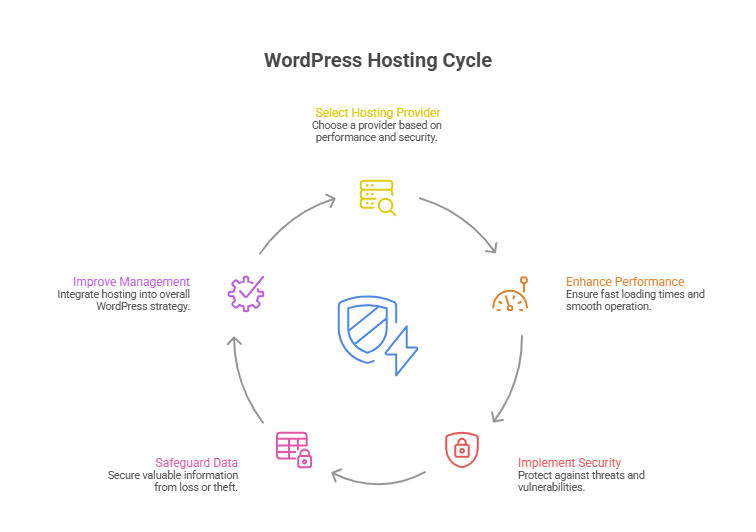
    Why does your WordPress site feel slow, vulnerable, or underperforming despite having a modern design? The truth is, website performance depends on far more than aesthetics. Factors like server location, data center quality, hosting plan, security features, and performance optimization all play a crucial role in how your site loads, ranks, and converts visitors into customers. 

    Top WordPress hosting for speed, security, and performance includes managed providers like Kinsta, SiteGround, and Cloudways with optimized infrastructure scalability. 

    Choosing the right WordPress hosting can make the difference between a sluggish, insecure site and a fast, reliable online platform. A reliable hosting provider ensures your WordPress site benefits from managed WordPress host features, proactive security, and optimized performance. While shared hosts might cost as little as $5–$10 per month, investing in a professional WordPress hosting provider like Kinsta, SiteGround, or Cloudways often delivers far greater speed, security, and scalability. 

    Professional development, combined with the real value of good design, support, and maintenance, ensures your website not only looks great but functions flawlessly. In this guide, we’ll explore the best WordPress hosting options, compare managed hosting vs. shared solutions, highlight top performance and security features, and help you select a hosting solution that truly elevates your online presence. 

    Choose The Best Managed WordPress Hosting Provider Today 

    Choose The Best Managed WordPress Hosting Provider Today 

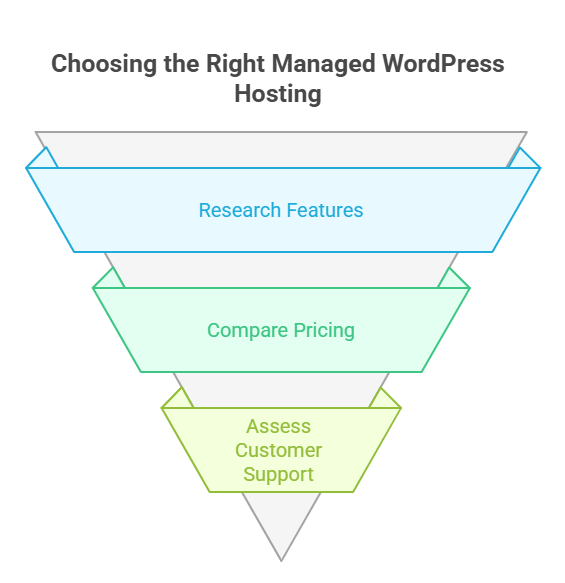
    Selecting the best managed WordPress hosting provider is a critical decision for any business or individual aiming for exceptional website speed, security, and overall performance and security features. A reliable hosting service ensures your WordPress website runs smoothly, whether it’s a small blog or a high-traffic WordPress site. With countless WordPress hosting providers in 2026, finding the right fit can be overwhelming but the benefits are undeniable. 

    Why Managed WordPress Hosting Matters 

    Managed WordPress hosting plans provide a fully managed hosting experience that goes beyond basic server space. Unlike traditional shared hosting providers, a managed WordPress hosting provider handles automatic WordPress updates, security patches, and performance optimization, giving you peace of mind while focusing on growing your site. This hassle-free WordPress hosting ensures your website enjoys excellent speed and exceptional performance, even during traffic spikes. 

    Key Features of High-Performance WordPress Hosting 

    • Optimized for WordPress: Ensures fastest WordPress hosting performance with servers tailored to WordPress architecture. 
    • Automatic WordPress Updates: Keeps your WordPress core and plugins secure without manual effort. 
    • Advanced Security Measures: Protects against security threats, security gaps, and offers robust security for your data. 
    • Speed and Reliability: High-quality hosting infrastructure delivers site speed and speed optimization for a seamless user experience. 
    • Expert Support: A team of WordPress experts assists with setup, WordPress installation, and troubleshooting for a smooth hosting experience. 

    Comparing Managed Hosting to Shared Hosting 

    While a shared hosting plan may be sufficient for low-traffic sites, premium managed WordPress hosting ensures speed and reliability, making it ideal for high-traffic WordPress sites. Hosting comparison often shows that top WordPress hosting providers like Kinsta, SiteGround, and Cloudways deliver high-performance WordPress hosting designed to maximize performance and security features. These hosting solutions offer a range of hosting options, from fully managed WordPress hosting to managed WordPress hosting solutions optimized for identical WordPress sites. 

    How to Find the Best Managed WordPress Hosting 

    To find the best provider, consider factors such as hosting infrastructure, advanced security, speed optimization, and flexibility. A reliable WordPress hosting provider ensures automatic WordPress updates, security patches, and performance test results that guarantee best overall speed, security measures, and hosting experience. Choosing a provider that offers a range of hosting options ensures your site grows seamlessly while maintaining speed and security. 

    Top WordPress Hosting Providers For Performance And Security 

    Top WordPress Hosting Providers For Performance And Security 
    • Why Hosting Is Essential: 
      Hosting directly impacts your website speed, uptime, and security. A good host ensures your content loads quickly, handles high-traffic WordPress sites, and provides a seamless user experience. Every hosting provider is not equal; choosing the right one is crucial for business growth. 
    • Optimized Performance: 
      The fastest WordPress hosting providers use optimized WordPress hosting infrastructure. This includes caching solutions, automatic WordPress updates, and performance-focused servers that enhance site speed and speed and performance, even under high traffic. Optimized hosting ensures your site remains fast and responsive. 
    • Strong Security Measures: 
      Security is critical. Top WordPress hosting providers implement robust security, security measures, and proactive monitoring to protect against security threats and security gaps. Features like automatic security patches, malware scans, and firewalls keep your website and data safe. 
    • Expert Support and Reliability: 
      A hosting provider known for excellent support gives access to a team of WordPress experts. This is especially useful for WordPress installation, troubleshooting, or performance issues. Reliable support ensures hassle-free WordPress hosting and minimizes downtime. 
    • Automatic WordPress Updates: 
      Top providers offer automatic WordPress updates, keeping your WordPress core, themes, and plugins current. This improves security and reduces the risk of vulnerabilities while allowing you to focus on content and business growth. 
    • Choosing the Best Hosting Provider: 
      When comparing WordPress hosting companies, consider performance, security, support, and reliability. To choose the best hosting for your needs, look for optimized WordPress hosting, high uptime, strong security measures, and a hosting experience that matches your site’s traffic and business goals. 
    • Performance and Security Benefits: 
      By selecting from top WordPress hosting providers, your WordPress website benefits from speed and reliability, optimized hosting, and proactive performance and security features. This ensures a smooth user experience, higher conversions, and long-term stability. 

    Conclusion 

    Choosing the best WordPress hosting is not just about picking a server it’s about investing in speed, security, and performance that directly impact your site’s success. From managed WordPress hosting providers like Kinsta, SiteGround, and Cloudways to optimized WordPress hosting solutions, every decision affects site speed, reliability, and user experience. By prioritizing automatic WordPress updates, advanced security measures, and expert support, you ensure your WordPress website remains fast, secure, and scalable, whether it’s a small blog or a high-traffic WordPress site. 

    Evaluating WordPress hosting companies, comparing shared vs managed hosting, and considering hosting infrastructure and performance optimization allows you to choose the best provider that aligns with your goals. The right hosting experience guarantees that your site operates flawlessly while giving you the freedom to focus on content and growth. 

    if you wanted exceptional performance, speed, and security for your site today, would you contact Integriti Studio to get started? 

    Frequently Asked Questions (Best Wordpress Hosting For Speed Security And Performance)

    Which is the fastest hosting for WordPress?

    The fastest hosting for WordPress sites includes SiteGround, Cloudways, WP Engine, and Kinsta all deliver very fast server response times, caching, and global CDN options. SiteGround is top-ranked overall, Cloudways is extremely quick for cloud hosting, and WP Engine/Kinsta excel for high-performance sites.

    What is the fastest performance web hosting?

    The fastest performance web hosting providers include high‑speed options like GreenGeeks, Hostinger, SiteGround, Rocket.net, and premium hosts like WP Engine and Kinsta, all known for very low server response times, global CDN use, and strong benchmarks that deliver extremely quick site loading.

    Which hosting is the best for WordPress?

    The best hosting for WordPress includes SiteGround, Bluehost, Cloudways, WP Engine, and Kinsta all reliable, fast, secure, and easy to use, with good uptime, support, and performance for beginners to advanced sites.

    What are the best managed WordPress hosting providers for performance?

    The best managed WordPress hosting providers for performance are Kinsta, WP Engine, Cloudways, and Pressable all optimized for fast server response, caching, CDN delivery, and reliable uptime, making them ideal for high‑speed, professional WordPress sites.

  • Evaluating Your WordPress Website’s Readiness For The Next Phase 

    Evaluating Your WordPress Website’s Readiness For The Next Phase 

    Evaluating Your Wordpress Website’s Readiness For The Next Phase 

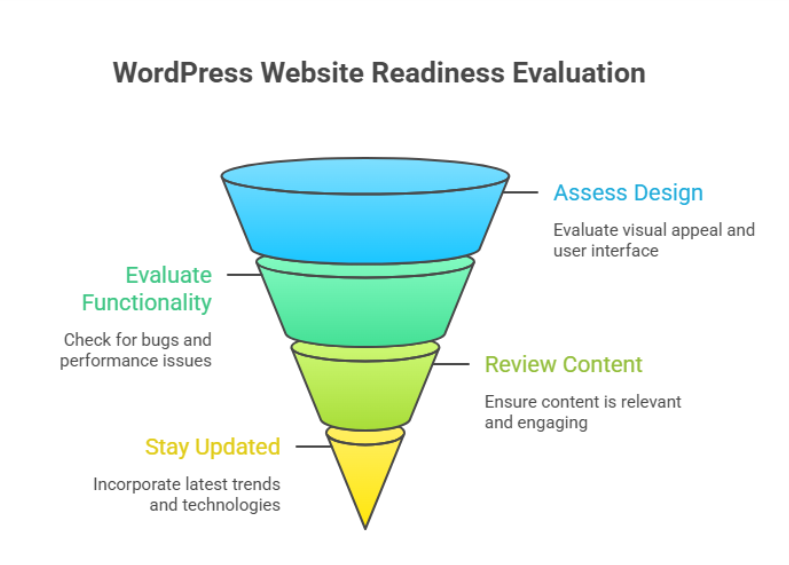
    Why do some businesses outgrow their WordPress site while others struggle to scale despite steady traffic and content? The difference often lies in how prepared your wordpress site truly is for its next phase of growth. Factors such as architecture, plugins, code quality, hosting provider, and long-term maintenance directly influence speed and performance, stability, and user trust. 

    Evaluating your WordPress website’s readiness means assessing performance, structure, scalability, and maintenance quality. It helps identify limitations that affect growth, user experience, and conversions, ensuring your site can support future business goals through better development, optimization, and long-term technical planning. 

    When professional development is overlooked, even a well-designed wordpress website can face slow page load, inconsistent behavior on mobile and desktop, and declining user experience. Agencies frequently see cases where a business spends a few hundred dollars on a wordpress theme, then thousands later trying to fix deeper issues that could have been avoided with proper planning, testing, and optimization from the start. 

    How to test your WordPress site speed effectively today 

    How to test your WordPress site speed effectively today 

    Testing site speed is not a one-time task. It is a structured process that helps you understand how your website performs under real-world conditions and what actions are required to fix speed and performance issues before they impact growth. 

    Step 1: Prepare your website for accurate testing 

    Before testing your wordpress, make sure no major changes or updates are running in the background. Pause heavy imports, complete updating WordPress if pending, and confirm your wordpress hosting environment is stable. This ensures your results reflect the real performance of your site speed, not temporary activity. 

    Step 2: Choose the right performance testing tools 

    Use reliable tools designed forWordPress environments to test your wordpress site. These tools simulate real visitors and measure page speed, load behavior, and interaction delays. A proper website speed test provides a clear performance score and highlights how quickly key elements respond on different devices. 

    What these tools measure 

    • Page speed and visual stability 
    • Interaction to next paint for responsiveness 
    • Core web vital indicators that affect rankings and usability 

    Step 3: Analyze results with a strategic mindset 

    Do not focus only on raw numbers. Look at how site speed affects user journeys, conversion paths, and engagement. Understanding the performance score helps agencies identify whether issues stem from the website builder, theme structure, or development decisions made during wordpress development. 

    Step 4: Retest after improvements 

    After applying changes, always re-run tests. Testing your site repeatedly ensures improvements are measurable and sustainable. This step confirms that your actions genuinely enhance page speed and support long-term optimizing your website rather than creating short-term gains. 

    Fix speed and performance issues for long term success 

    Long-term performance improvements require a strategic mindset rather than reactive fixes. Slow websites often emerge when growth outpaces structure, leaving the speed of your website affected by hidden technical debt. For any online business, consistent load speed and reliability are essential to maintain trust, engagement, and conversions. 

    Protecting stability before optimization 

    Before making changes, backing up your site is a critical safeguard. Using a trusted backup plugin ensures you retain full control of your website while implementing improvements. This safety net allows updates, adjustments, or even a wordpress update to be rolled out without risking data or functionality for the wordpress user. 

    Understanding what truly impacts performance 

    Performance issues are rarely caused by a single factor. The elements on your website, including media files, scripts, and third-party features, directly influence wordpress speed. Poor image optimization, excessive parts of your site loading at once, or a poorly chosen new plugin can make a site significantly slow. Testing the performance with a free tool or professional tools to test helps assess total blocking time, load responsiveness, and how fast your site loads under real conditions. 

    Building sustainable performance improvements 

    Fixes should focus on reducing complexity and improving efficiency, not shortcuts. Smart optimization ensures the site is performing well even as content grows. WordPress offers flexibility, and the wordpress community provides guidance and tools, but success depends on applying them thoughtfully creating a website without unnecessary overhead that scales smoothly over time. 

    Conclusion 

    Evaluating your WordPress website’s readiness for the next phase is not just a technical exercise it is a business decision. Performance, structure, scalability, and maintenance all play a direct role in how well your site supports growth, user trust, and long-term conversions. From testing site speed correctly to addressing deeper performance bottlenecks, every improvement contributes to a more stable and future-ready foundation. 

    Businesses that take a proactive approach avoid the costly cycle of temporary fixes and reactive troubleshooting. Instead, they build a site that evolves with their goals, handles increasing demands, and delivers consistent experiences across devices. When performance is treated as an ongoing strategy rather than a one-time task, your WordPress site becomes an asset not a limitation. 

    Is your current setup strong enough to support what comes next, or is it time to talk to Integriti Studio? 

    Frequently Asked Questions (Evaluating Your Wordpress Website’s Readiness For The Next Phase )

    How to check the performance of a WordPress website?

    To check a WordPress website’s performance, use tools like Google PageSpeed Insights, GTmetrix, or Lighthouse. Analyze loading speed, Core Web Vitals, mobile usability, and server response time. Regular testing helps identify issues and improve user experience and SEO.

    How to set a WordPress website to coming soon?

    To set a WordPress website to “Coming Soon,” install a plugin like SeedProd or Coming Soon Page. Activate the mode, customize the message and design, and publish it. This hides the live site from visitors while allowing admins to work in the background.

    How to build a WordPress website in 2026?

    To build a WordPress website in 2026, choose fast hosting, install WordPress, and use a lightweight theme. Customize with block editor or page builders, add essential plugins for SEO, security, and performance, and optimize for mobile, accessibility, and Core Web Vitals before launch.

    What steps would you take to update or maintain a WordPress website?

    To update and maintain a WordPress website, regularly update WordPress core, themes, and plugins. Backup the site, check for broken links, optimize database and images, monitor security, and test performance. Ensure content stays current, review SEO, and fix any issues to keep the site fast and secure.

  • WordPress Capabilities That Will Become More Important Over Time 

    WordPress Capabilities That Will Become More Important Over Time 

    WordPress Capabilities That Will Become More Important Over Time 

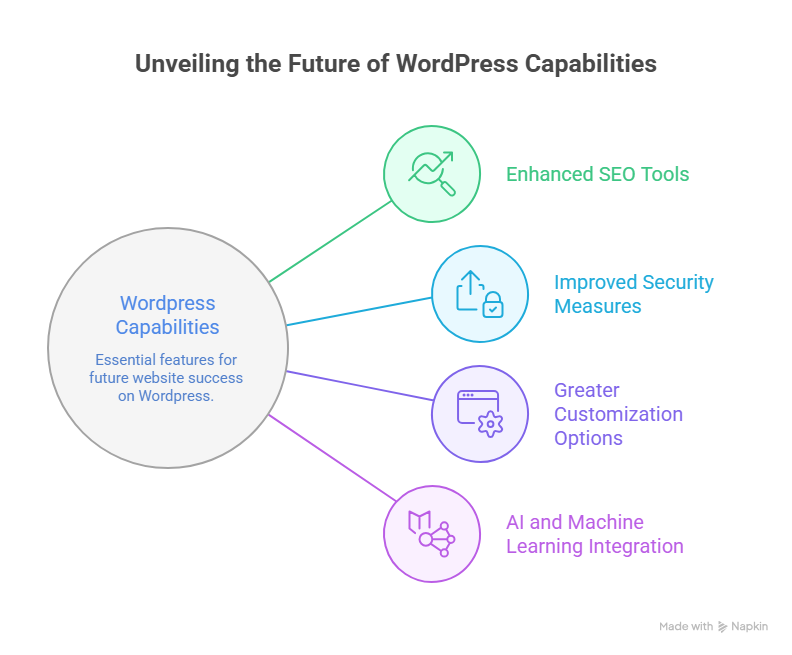
    Why do some websites built on wordpress remain scalable and efficient, while others struggle to keep up with changing expectations? The answer lies in how well evolving capabilities are understood and implemented over time. As the future of wordpress takes shape, performance differences are increasingly driven by structure, maintenance, and the ability to adapt to smarter technologies like ai. 

    WordPress capabilities that will become more important include advanced customization, AI-driven features, stronger security, scalable content management, and performance optimization. As the future of WordPress evolves, professional development, reliable plugins, and strategic maintenance will be essential for long-term growth, usability, and competitive advantage. 

    Factors influencing website performance now extend far beyond appearance. Speed, security, flexibility, and long-term adaptability directly affect trust and usability. This is where professional wordpress development becomes critical. When you invest in thoughtful architecture, reliable support, and ongoing maintenance, your site remains user-friendly while supporting business goals. In practical terms, professional services may cost anywhere from a few hundred to several thousand dollars annually often a modest investment compared to the long-term value they protect. 

    Future of WordPress development trends shaping modern website development 

    Future of WordPress development trends shaping modern website development

    The future of WordPress development is rapidly evolving, and staying ahead requires understanding emerging trends and technologies that will define WordPress in 2026. As a content management system, WordPress remains a dominant platform for website development, but its capabilities are expanding beyond traditional blogging into fully customizable, scalable, and secure web solutions. 

    Key Trends Shaping the Future of WordPress 

    One major trend is the rise of headless WordPress, allowing developers to separate the frontend and backend for faster, more flexible user experiences. Integration of the Gutenberg block editor continues to empower WordPress users with drag-and-drop customization, while modern WordPress themes and improved wordpress themes and plugins provide more design flexibility and scalability. 

    Security is also evolving. As threats become more sophisticated, WordPress introduces advanced security features and recommends managed WordPress hosting to safeguard websites without compromising speed or usability. Performance optimization, SEO enhancements, and AI-driven content tools are becoming standard, helping websites maintain strong search engine ranking and better user experience. 

    Shaping the Growth and Evolution 

    The evolution of WordPress reflects a broader shift toward modular, user-friendly, and future-ready solutions. WordPress professionals now focus on leveraging technologies within WordPress to streamline workflows, enhance customization, and provide better scalability for businesses. By tracking key trends and adopting best practices, your website can stay competitive while harnessing the growth of WordPress and its thriving WordPress community. 

    WordPress in 2026 ai security features user-friendly evolution 

    The evolution of WordPress is accelerating, with a clear focus on AI, enhanced security features, and more user-friendly experiences. As a content management system, WordPress remains central to modern website development, empowering businesses to scale efficiently while protecting both data and user trust. Here’s a breakdown of what to expect by 2026: 

    Key Trends Shaping the Future 

    • AI Integration: 
    • WordPress offers AI-driven tools for content creation, SEO optimization, and workflow automation. 
    • Predictive analytics and smart suggestions help WordPress users optimize website development strategies. 
    • Enhanced Security Features: 
    • With threats becoming more sophisticated, security features such as two-factor authentication, automated backups, and real-time monitoring will become standard. 
    • Managed WordPress hosting continues to protect websites without compromising speed or flexibility. 
    • User Experience and Customization: 
    • The Gutenberg block editor and modern WordPress themes provide intuitive user-friendly design tools. 
    • Streamlined wordpress themes and plugins simplify customization, reducing development time while improving overall site aesthetics. 
    • Performance and SEO Optimization: 
    • Faster load times, mobile responsiveness, and optimized layouts support higher search engine ranking. 
    • Technologies within WordPress enable improved accessibility and enhanced workflow for developers and content managers alike. 
    • Community and Ecosystem Growth: 
    • The WordPress community drives innovation, offering resources, training, and updates that keep the platform competitive. 
    • The growth of WordPress ensures a sustainable ecosystem, with new trends to watch continuously shaping the future of web development. 

    Conclusion 

    As WordPress continues to evolve, its future lies in advanced AI integration, robust security features, and a more user-friendly experience. By leveraging modern WordPress themes, reliable plugins, and professional WordPress development, you can optimize performance, improve search engine ranking, and create a scalable, future-ready website. The platform’s ongoing evolution and active WordPress community ensure that staying updated with key trends is essential for long-term success. Investing in strategic customization, managed hosting, and thoughtful workflows not only protects your online business but also enhances usability, trust, and growth potential. 

    Are you ready to future-proof your WordPress site should you contact Integrity Studio today? 

    Frequently Asked Questions (WordPress Capabilities That Will Become More Important Over Time )

    What are the capabilities of WordPress?

    WordPress offers capabilities like custom website creation, content management, and theme customization. It supports plugins for SEO, e-commerce, security, and performance, enabling blogs, business sites, and online stores. Its flexibility allows scalable design, user management, multilingual support, and integration with third-party tools for diverse website needs.

    Which of these is a future of WordPress?

    The future of WordPress lies in headless architecture, AI-driven content management, and advanced block-based editing. Emphasis on speed, security, scalability, and seamless integration with third-party tools will continue, making it a versatile platform for businesses, e-commerce, and creators seeking flexible, modern, and future-proof websites.

    What are the most exciting and useful features of WordPress?

    The most exciting and useful WordPress features include flexible themes and plugins, block-based Gutenberg editor, SEO-friendly structure, and strong community support. It also offers customizable user roles, e-commerce integration, multilingual support, and robust security options, enabling businesses and creators to build scalable, professional, and versatile websites.

    Which is the latest version of WordPress and why is it important to update WordPress regularly?

    The latest WordPress version is 6.9.1. Regular updates ensure security, bug fixes, plugin compatibility, improved performance, new features, and protect your site from vulnerabilities and crashes.

  • What needs To Change In Your wordpress Website Before 2026 

    What needs To Change In Your wordpress Website Before 2026 

    What needs To Change In Your wordpress Website Before 2026

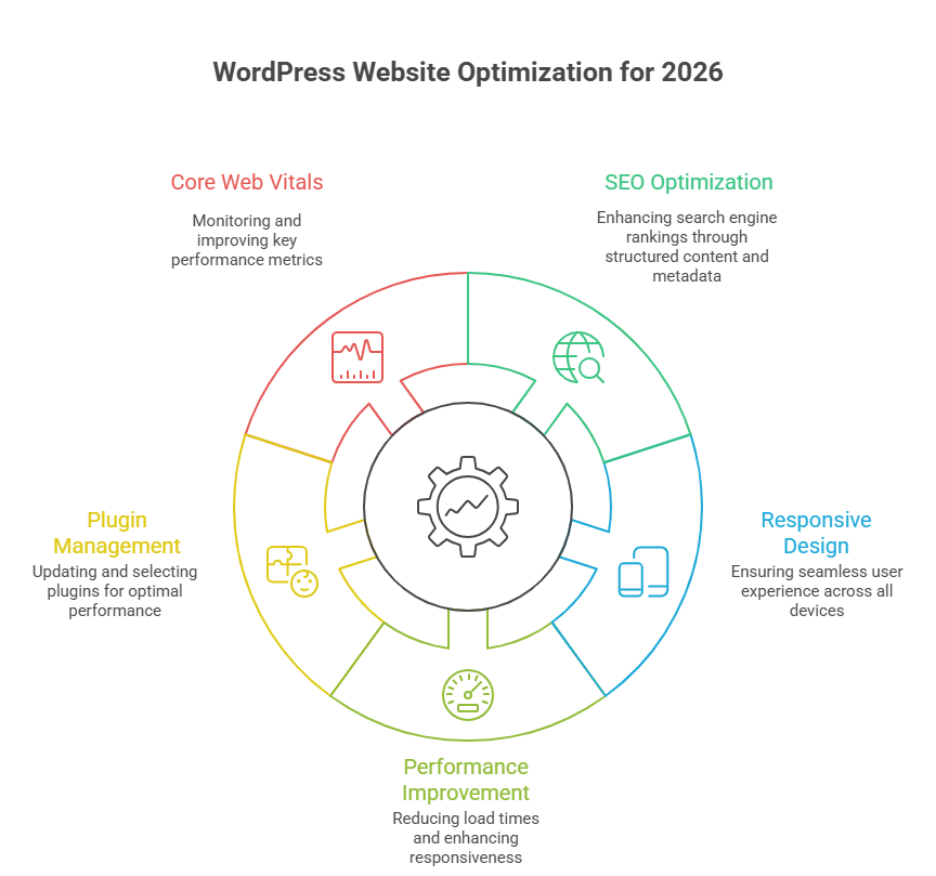
    Why do some WordPress websites struggle with performance while others drive traffic and conversions effortlessly? The answer often lies in a combination of technical structure, design choices, and ongoing maintenance practices. As 2026 approaches, factors influencing website performance such as page speed, responsive design, plugin management, and SEO optimization are more critical than ever for your brand’s digital presence. 

    Before 2026, your WordPress website must prioritize SEO optimization, responsive design, fast WordPress performance, and updated plugins. Focus on user experience, maintain core web vitals, manage cache effectively, and follow best practices in WordPress development to ensure your site stays competitive, secure, and future-ready. 

    Investing in professional WordPress development ensures your site is not only visually appealing but also functionally robust. A well-maintained WordPress site improves user experience strengthens SEO and supports scalable growth. Regular updates thoughtful plugin selection and performance-focused cache strategies protect your investment while reducing long-term technical debt. In practice businesses often allocate $1,500–$4,000 for professional development and ongoing maintenance to avoid costly fixes later. 

    This blog will explore key areas that require change in your WordPress website before 2026 including optimization for SEO improving user experience ensuring responsive design, managing plugins effectively and maintaining core web vitals. By addressing these areas you can future-proof your WordPress website maximize performance and stay ahead of evolving web standards. 

    Optimize WordPress website performance and SEO before 2026 

    Optimize WordPress website performance and SEO before 2026 

    Ensuring your WordPress website is fast, secure, and SEO-friendly is essential for businesses in 2026. Performance directly impacts user experience search engine rankings, and conversion rates. Proper optimization combines technical improvements, design considerations, and ongoing website maintenance. 

    Speed and Performance Optimization 

    Improve Load Times and Responsiveness 

    Load times and responsiveness are critical for both desktop and mobile devices. Adopting mobile-first design optimizing images, leveraging Cloudflare and enabling browser caching can dramatically improve website performance. Choosing managed WordPress hosting or reliable WordPress hosting ensures server-side speed and uptime. 

    Optimize PHP, Themes, and Plugins 

    Using lightweight WordPress themes and limiting unnecessary WordPress plugins reduces server load. Regularly updating PHP the latest WordPress, and plugin versions prevents security risks while improving site performance. Implementing performance optimization best practices enhances both search engine optimization and user satisfaction. 

    SEO and Search Engine Optimization 

    Structure Content and Metadata 

    Organizing your site with clear categories and tags, proper headings and structured metadata improves search engine rankings. Optimized content and a well-maintained block editor workflow ensure that every WordPress site can compete for organic traffic in 2026. 

    Monitor Core Web Vitals 

    Metrics like Largest Contentful Paint (LCP) interactivity, and stability affect both SEO and user experience. Regularly auditing your WordPress development and following best practices ensures your site meets Google’s performance standards and ranks higher. 

    Ongoing Maintenance and Security 

    Consistent website maintenance updates to plugins for WordPress and implementing free SSL certificates protect your site from hackers and maintain optimal performance. Partnering with a professional development agency or experienced WordPress development team ensures your custom WordPress site remains competitive and secure. 

    Improve user experience with responsive WordPress development 

    responsive WordPress development approach ensures your site adapts seamlessly to all devices, improves engagement and strengthens SEO. A site that performs well for users and search engines builds trust increases conversions, and supports long-term growth. Below is a structured value-driven guide to improving user experience on your WordPress site. 

    Core Strategies for Responsive Design 

    • Mobile-first approach: Design layouts starting with mobile devices to ensure accessibility and readability on smaller screens. 
    • Flexible grids and media: Use flexible grids fluid images, and scalable typography for consistency across devices. 
    • CSS and JavaScript optimization: Minify and defer scripts to reduce page load times and improve performance. 
    • Use lightweight themes: Choosing a well-coded WordPress theme reduces server load and improves overall responsiveness. 

    Performance and Optimization Tools 

    • Caching solutions: Tools like WP Rocket enhance speed and reduce server strain. 
    • Staging site testing: Test changes on a staging site before going live to avoid user experience disruptions. 
    • Free SSL certificates: Ensure secure browsing with free SSL improving trust and search rankings. 
    • Regular audits: Continuously identify and fix broken links slow-loading pages or plugin conflicts. 

    Best Practices for Users and SEO 

    • Accessible navigation: Ensure menus and buttons are easily tappable on mobile devices. 
    • Readable content structure: Use headings bullet points and whitespace to make content digestible. 
    • Frequently updated content: Answer frequently asked questions and provide useful resources. 
    • Monitor performance metrics: Track Core Web Vitals and page speed to maintain optimal user experience. 

    Conclusion 

    Preparing your WordPress website for 2026 is about more than aesthetics it’s about performance, SEO and a seamless user experience across all devices. By optimizing load times, maintaining core web vitals, updating plugins, and following best practices in WordPress development, you ensure your site remains competitive, secure, and future-ready. Implementing responsive design, leveraging WP Rocket or other caching solutions, and conducting regular audits on a staging site strengthens both search engine rankings and customer trust. A well-maintained site with free SSL and optimized CSS and JavaScript reduces server load while enhancing engagement and conversion rates. 

    Adapting these strategies transforms your WordPress site into a scalable, efficient, and user-friendly platform, ready to meet the demands of businesses in 2026. 

    So here’s a tricky question for you are you ready to stay ahead of competitors and boost your WordPress performance? Maybe it’s time to contact Integriti Studio and see how expert guidance can future-proof your website. 

    Frequently Asked Questions (What needs To Change In Your wordpress Website Before 2026)

    How do you make changes to your WordPress website?

    You make changes to a WordPress website by logging into the admin dashboard, editing pages or posts with the block editor, updating themes or plugins, and adjusting settings. For design or functionality updates, you can use themes, plugins, or custom code safely via a staging environment.

    How to build a WordPress website in 2026?

    In 2026, build a WordPress website by choosing fast managed hosting, installing WordPress, using a lightweight block-based theme, and creating pages with the Gutenberg editor. Focus on performance, SEO, accessibility, and security by using essential plugins, clean design, and regular updates.

    Do people still use WordPress in 2026?

    Yes people still use WordPress in 2026. It powers around 43% of all websites worldwide and dominates the CMS market with over 60% share, so it remains very popular for blogs, business sites, and e-commerce.

    What to do before updating WordPress?

    Before updating WordPress, back up your website files and database, check plugin and theme compatibility, and review the update details. Test updates on a staging site if possible, disable caching temporarily, and ensure you can roll back easily in case of errors or conflicts.