Blog

  • Conversion Focused Shopify Store Development Services 

    Conversion Focused Shopify Store Development Services 

    Conversion Focused Shopify Store Development Services

    Why do some ecommerce brands generate steady sales while others struggle to turn traffic into revenue? The difference often lies in how a shopify store is planned, built, and optimized for real user behavior. A high-performing shopify store is not just about visuals; it is about speed, structure, scalability, and how smoothly users move toward conversion. 

    Conversion focused Shopify store development services build fast, scalable ecommerce experiences that guide users, optimize design, improve performance, and turn traffic into long-term business growth. 

    Website performance is influenced by multiple factors, including clean code, reliable integrations, secure architecture, and thoughtful UX decisions. This is where a professional development service becomes critical. An experienced developer understands how website development impacts trust, usability, and long-term growth across competitive ecommerce markets. From checkout flow to mobile optimization, every element of a shopify store should support measurable conversion outcomes. 

    Investing expert development also delivers real value beyond launch. A well-built shopify store often requires predictable budgets, such as initial setup ranging from a few thousand dollars, followed by ongoing support and optimization to protect performance. This is especially important for scalable platforms like shopify plus, where stability and flexibility directly affect revenue. 

    Smart Shopify Development Process For Scalable Ecommerce Growth 
    Smart Shopify Development Process For Scalable Ecommerce Growth 

    A scalable ecommerce business is never built on guesswork. It follows a structured development process designed to support growth, performance, and long-term stability. Below is a step-by-step breakdown of how a shopify store development service creates a foundation that supports scale while protecting your investment. 

    Step 1: Business Discovery And Technical Planning 

    Every successful build starts with clarity. Business goals, target customers, and revenue objectives are mapped before a single line of code is written. This stage ensures the store architecture supports expansion, compliance, and future integrations while aligning with professional shopify standards. 

    Step 2: UX Strategy And Conversion-Oriented Structure 

    Scalability depends on how users move through your store. Navigation, page hierarchy, and content flow are planned to support user intent and reduce friction. This strategic approach helps create a high-performing shopify store that is intuitive today and adaptable tomorrow. 

    Step 3: Core Development And Platform Configuration 

    This phase focuses on building stable functionality using Shopify best practices. Clean code, performance optimization, and modular components ensure the store remains flexible as product catalogs, traffic, and operations grow. A reliable shopify store development service prioritizes maintainability over shortcuts. 

    Step 4: Performance, Security, And Quality Assurance 

    Testing is essential to growth-readiness. Load handling, mobile responsiveness, checkout stability, and security checks are validated to meet high-performing shopify benchmarks. These checks reduce risk during marketing campaigns and seasonal traffic spikes. 

    Step 5: Launch, Optimization, And Continuous Support 

    Growth does not stop at launch. Ongoing monitoring, performance tuning, and feature enhancements are part of long-term development solutions. This structured shopify development process ensures your store evolves with customer behavior and business demands. 

    Professional Shopify Plus Website Development Solutions By Expert Developers 

    Structured Planning That Supports Growth 

    Aligning Business Goals With Technology 

    Every project begins with aligning business objectives to technical requirements. A professional shopify approach ensures your store architecture supports growth, integrations, and operational efficiency. At this stage, the development process focuses on defining scalability needs, traffic expectations, and future expansion plans. 

    Building For Performance And Stability 

    Creating A High-Performing Foundation 

    A reliable shopify store development service prioritizes performance from day one. Clean architecture, optimized workflows, and tested configurations contribute to a high-performing shopify store that can handle growth without disruption. This phase reinforces professional shopify standards while maintaining flexibility. 

    Development With Long-Term Vision 

    Rather than short-term fixes, experienced teams follow a proven shopify development process that supports updates, enhancements, and scaling. This structured development process reduces technical debt and ensures your store remains competitive as the business evolves. 

    Optimization, Testing, And Continuous Improvement 

    Ensuring Sustainable Results 

    Testing, optimization, and refinement are essential to maintaining a high-performing shopify presence. A dependable shopify store development service validates performance, security, and usability before launch, then continues refining post-launch through measurable improvements. 

    Supporting Ongoing Business Success 

    Effective development solutions extend beyond launch. Regular monitoring and optimization protect your investment and help maintain a high-performing shopify store over time. By following a disciplined shopify development process, brands achieve predictable growth backed by scalable development solutions. 

    Conclusion 

    Conversion-focused Shopify store development is not a one-time task it is a strategic investment in long-term ecommerce performance. From planning and UX structure to clean development, testing, and continuous optimization, every stage of the development process directly impacts scalability, stability, and revenue. A professionally built Shopify store aligns technology with business goals, ensuring performance, security, and flexibility as your brand grows. 

    Choosing the right Shopify store development service means prioritizing structured workflows, proven development solutions, and a mindset focused on measurable results. High-performing Shopify stores are created through disciplined processes, expert execution, and ongoing refinement not shortcuts. When done correctly, your store becomes a growth asset that supports consistent conversion, protects your investment, and adapts to evolving customer behavior. 

    Are you ready to partner with Integriti Studio to build a Shopify store that actually converts? 

    Frequently Asked Questions (Conversion Focused Shopify Store Development Services)

    How to optimize conversion for Shopify store?

    Optimize conversions by improving site speed, mobile UX, clear CTAs, trust badges, simplified checkout, social proof, compelling product pages, transparent pricing, support, and A/B testing.

    What are the limitations of Shopify dev store?

    Shopify dev stores can’t process real payments, remove password protection, use paid apps long-term, access live sales data, or transfer ownership without upgrading.

    How to create a high converting Shopify store?

    Create a high-converting Shopify store with fast loading speed, mobile-first design, clear value proposition, strong CTAs, trust badges, optimized product pages, and smooth checkout.

    How much does a Shopify developer charge per hour?

    Shopify developers typically charge about $15–$200+ per hour, depending on experience and location junior $15–$50, mid-level $50–$100, senior/experts $100–$200+.

  • WordPress Website Design Focused On Results 

    WordPress Website Design Focused On Results 

    WordPress Website Design Focused On Results 

    Why do some WordPress websites fail to deliver results? Even with attractive templates and layouts, factors like navigation, user experience, and SEO can make or break performance. A professional WordPress website design ensures your site is optimized for conversions, fast, and user-friendly. Good web design goes beyond visuals proper development, support, and maintenance keep your WordPress site running smoothly while enhancing search engine visibility. Typical projects start from modest packages and scale based on complexity. 

    A professional WordPress website design focuses on results by optimizing layout, navigation, user experience, and SEO to boost conversions, performance, and long-term business growth. 

    In this blog, we will cover how to design a WordPress website focused on results, including layout optimization, conversion strategies, and best practices that make your website both effective and high-performing. 

    Custom WordPress Layouts Optimized For Conversion Rate 

    Custom WordPress Layouts Optimized For Conversion Rate 

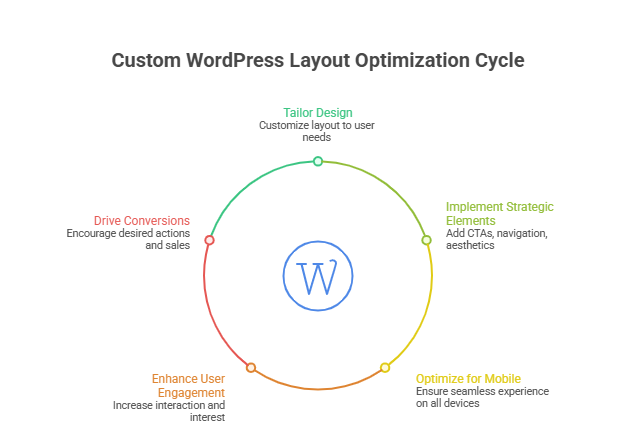
    Creating a custom WordPress layout goes beyond aesthetics it directly impacts your conversion rate and overall user engagement. By combining strategic WordPress design, responsive layouts, and proven design principles, you can ensure every visitor has a seamless experience that encourages action. 

    Why Custom WordPress Layouts Matter 

    • Tailored design that converts: Custom layouts are crafted to guide users through your site, reducing bounce rate and increasing conversions. 
    • Align with business goals: A professional WordPress site ensures your site supports your sales, marketing, or lead-generation objectives. 
    • Brand consistency: Custom layouts reinforce branding, making your business website trustworthy and memorable. 

    Key Elements of High-Converting Layouts 

    • Responsive design: Mobile-friendly layouts adapt to every screen, improving user experience and search engine results. 
    • Clear landing page structure: Strategically designed landing pages focus on one primary action, increasing engagement. 
    • Strategic design elements: Buttons, forms, and CTAs are positioned to capture attention and drive conversions. 
    • Minimal distractions: Clean custom design emphasizes key actions and reduces decision fatigue. 

    Supporting Features For Conversion Optimization 

    • Use of WordPress plugins for analytics, forms, and speed optimization. 
    • Integration with SEO-friendly features to optimize your site for visibility. 
    • Consistent testing of layouts and elements to improve conversion rate over time. 

    Advantages of Working with a Professional Team 

    • Design and development expertise ensures high-performing WordPress solutions. 
    • Access to a design agency or design team capable of delivering websites built with real results. 
    • Ability to build a WordPress site tailored to your specific type of website, whether ecommerce websites, portfolios, or professional websites. 

    Professional WordPress Web Design Enhances User Experience 

    Step 1: Choose the Right Platform 

    The WordPress platform allows you to create a site that fits your goals. Using managed WordPress ensures reliability, speed, and WordPress support, which makes WordPress a trusted choice for a high-performing website. 

    Step 2: Plan User-Focused Design 

    Incorporate smart design ideas and optimize elements on your website. A design that converts ensures every website visitor can easily navigate and take meaningful actions, while design trends keep your WordPress build modern. 

    Step 3: Optimize Performance 

    An effective WordPress site enhances website performance and website security, reducing bounce rates and improving engagement for better results. 

    Step 4: Personalize Experience 

    Whether it’s a personal website or business site, thoughtful design efforts ensure means your site resonates with visitors and delivers value. 

    Step 5: Measure and Refine 

    Track performance to get measurable results. Continuous updates and adjustments help maintain a website that stands out while ensuring long-term success. 

    Conclusion 

    A results-focused WordPress website design is more than just a visually appealing layout. By combining custom WordPress layouts, responsive design, strategic design elements, and ongoing optimization, you can create a high-performing website that boosts conversions, enhances user experience, and delivers measurable results. Leveraging professional expertise ensures your WordPress build aligns with business goals, maintains website security, and provides continuous WordPress support, making your site reliable and impactful over the long term. 

    Every design decision, from layout to plugins, plays a role in creating a design that converts and a website that stands out in a crowded market. Whether you aim for a personal website, ecommerce platform, or a full-scale business website, careful planning, design efforts, and performance optimization are key to achieving success. 

    If you want your site to deliver these results, why not reach out to Integriti Studio and see how they can transform your WordPress vision into reality? 

    Frequently Asked Questions (WordPress Website Design Focused On Results)

    Can ChatGPT build a WordPress website?

    ChatGPT can help plan, write content, generate code, and guide development, but it cannot independently build, host, or deploy a complete WordPress website.

    Why choose a results-focused WordPress website design?

    It improves SEO, enhances user experience, and increases conversions for measurable business growth.

    Does NASA use WordPress?

    Yes, NASA uses WordPress for nasa.gov and multiple blogs, relying on it as a secure, scalable content management system for publishing research, missions, and updates.

    Is WordPress good for designing websites?

    Yes, WordPress is excellent for designing websites, offering flexible themes, powerful page builders, custom development options, and scalability for blogs, businesses, and enterprise websites.

  • B2B Shopify Plus: Scaling Custom Pricing and Wholesale Workflows without Apps 

    B2B Shopify Plus: Scaling Custom Pricing and Wholesale Workflows without Apps 

    As B2B commerce matures, many Shopify Plus merchants reach a breaking point. What started as a simple wholesale extension of a DTC store. It becomes an operational bottleneck filled with brittle apps, inconsistent pricing logic and manual approvals. At scale, these shortcuts do way more harm than good. 

    For enterprise level B2B brands. The real challenge is not enabling wholesale features. It is doing so in a way that preserves performance, security and operational clarity. This without adding unnecessary dependencies. 

    Shopify Plus, when used correctly, already provides the primitives needed to build robust B2B workflows without any third party apps. 

    Why Apps Stop Working at Scale 

    Apps are appealing early on because they abstract complexity. However, as order volumes increase and pricing logic becomes more nuanced. These abstractions break down. 

    Common failure points include: 

    • Pricing conflicts across customer segments 
    • Latency introduced into storefront rendering 
    • Limited control over approval and onboarding flows 
    • Inability to enforce contract specific pricing rules 
    • Poor integration with internal ERP or CRM systems 

    This is why more mature brands are moving toward Shopify Plus B2B custom pricing without apps. Relying instead on native capabilities and custom logic. 

    Rethinking Wholesale as a Controlled System 

    Wholesale is not just discounted pricing. It is a controlled ecosystem with specific rules around who can buy, what they can buy and at what price. 

    To support this, merchants need: 

    • Customer level pricing entitlements 
    • Tier based pricing models 
    • Controlled access to product catalogs 
    • Approval based onboarding 
    • Clear separation between retail and wholesale experiences 

    Achieving this reliably requires treating wholesale as its own workflow rather than an extension of retail. 

    This mindset shift is foundational to scaling wholesale workflows on Shopify Plus

    Using Shopify Plus Scripts for Pricing Logic 

    One of the most underutilized tools in Shopify Plus is Scripts. These allow merchants to apply pricing logic at checkout based on customer tags, cart contents, quantities, or contract rules. 

    With Shopify Plus Scripts for custom tier pricing, teams can implement: 

    • Volume based discounts 
    • Contract specific pricing 
    • Customer group pricing overrides 
    • Conditional discounts tied to product categories 

    Because Scripts run natively at checkout, they avoid performance penalties and eliminate dependency on external pricing engines. 

    Building a Dedicated B2B Experience 

    Many B2B brands make the mistake of serving wholesale buyers through the same storefront as retail customers. This leads to confusion, cluttered UX and accidental exposure of pricing. 

    A better approach is custom B2B portal development for Shopify, where wholesale users access a tailored interface designed around their needs. 

    This can include: 

    • Login gated catalogs 
    • Account specific pricing visibility 
    • Reorder focused UX 
    • Invoice friendly checkout flows 
    • Role based access for buyers within the same organization 

    This separation improves both buyer experience and internal control. 

    When Headless Becomes the Right Choice 

    For businesses with complex pricing, large catalogs, or regional wholesale rules, storefront flexibility becomes critical. 

    In these cases, headless Shopify Plus for B2B wholesale enables teams to: 

    • Fully control pricing presentation logic 
    • Integrate deeply with ERP and inventory systems 
    • Optimize performance for large catalogs 
    • Build custom approval and onboarding journeys 
    • Enforce access rules at the API level 

    Headless does not replace Shopify. It extends it by decoupling frontend experience from backend commerce logic. 

    Automating Trade Account Applications 

    Manual wholesale onboarding does not scale. Email based approvals introduce delays and errors that frustrate buyers and internal teams alike. 

    With automating B2B trade applications on Shopify, merchants can: 

    • Capture structured trade data 
    • Validate business credentials 
    • Auto assign customer tags and permissions 
    • Trigger pricing entitlements programmatically 
    • Sync approved accounts to internal systems 

    This transforms wholesale onboarding from a manual process into a predictable workflow. 

    Operational Benefits Beyond Pricing 

    Moving away from apps delivers benefits beyond cleaner pricing logic. 

    Teams often see: 

    • Faster storefront performance 
    • Fewer checkout conflicts 
    • Easier debugging and maintenance 
    • Better compliance with enterprise security standards 
    • Reduced monthly SaaS costs 

    More importantly, ownership of core logic returns to the business rather than being outsourced to opaque third party tools. 

    How Integriti Studio Approaches B2B Shopify Plus Builds 

    At Integriti Studio, we help B2B brands design Shopify Plus architectures that prioritize control and scalability. 

    Our approach focuses on: 

    • Native Shopify Plus capabilities 
    • Custom pricing logic using Scripts and APIs 
    • Purpose built B2B portals 
    • Optional headless architectures when justified 
    • Automation across onboarding and operations 

    This ensures wholesale systems grow with the business instead of becoming constraints. 

    Final Perspective 

    B2B commerce on Shopify Plus does not require a stack of apps to succeed. With the right architectural decisions, brands can build scalable, secure and flexible wholesale systems using the platform itself. 

    The key is treating wholesale as a system, not a feature. When pricing, access and workflows are designed intentionally, Shopify Plus becomes a powerful foundation for long term B2B growth. 

  • Build an AI Assistant with LangGraph, Next.js and Auth0 Connected Accounts 

    Build an AI Assistant with LangGraph, Next.js and Auth0 Connected Accounts 

    Build an AI Assistant with LangGraph, Next.js and Auth0 Connected Accounts 

    AI assistants are rapidly moving beyond static chatbots. In modern SaaS products, they are expected to understand user context, remember prior interactions, enforce access control and operate safely across multiple workflows. Achieving this level of intelligence requires more than plugging an LLM into a frontend. It requires orchestration, identity and state. 

    This is where the combination of LangGraph, Next.js and Auth0 connected accounts becomes compelling. Together, they enable AI assistants that are stateful, secure and deeply personalized without sacrificing architectural clarity. 

    From Stateless Prompts to Orchestrated Intelligence 

    Most early AI assistants operate on a stateless request response cycle. Each user message is treated as an isolated prompt, with no durable memory or decision graph guiding behavior. This approach breaks down quickly in real products where assistants must reason across steps, tools and user roles. 

    LangGraph introduces a graph based execution model that allows developers to define how an AI agent moves between states, tools and decision points. Instead of relying on prompt engineering alone, behavior is encoded structurally. 

    This makes stateful AI agents with LangGraph and Node.js viable in production environments where determinism, auditability and control matter. 

    Why Next.js Is a Natural Runtime for AI Assistants 

    Next.js provides more than just a frontend framework. Its server components, API routes and middleware layer make it an effective orchestration runtime for AI powered systems. 

    By hosting LangGraph execution inside Next.js API routes, teams can: 

    • Control execution boundaries 
    • Enforce authentication at the middleware level 
    • Integrate AI workflows directly with application data 
    • Scale horizontally using serverless or edge deployments 

    This architecture is increasingly common in LangGraph and Next.js tutorial for AI agents scenarios where developers want full stack control without fragmenting their stack. 

    Identity as a Core Input to AI Reasoning 

    One of the most overlooked aspects of AI assistant design is identity. Without strong identity guarantees, assistants risk leaking data, acting on behalf of the wrong user, or executing privileged actions incorrectly. 

    Auth0 connected accounts allow applications to unify multiple identity providers under a single user profile. When integrated properly, this identity layer becomes a first class input into AI workflows. 

    By securing AI assistants with Auth0 connected accounts, developers can: 

    • Scope AI responses based on user role 
    • Restrict access to tools and data sources 
    • Enforce tenant isolation in multi user systems 
    • Maintain compliance and audit trails 

    In this setup, identity is not just used for login. It actively shapes what the AI can see, say and do. 

    Personalization Without Prompt Injection Risks 

    Personalization is often implemented by injecting user data directly into prompts. While effective in demos, this approach introduces security risks and brittle logic. 

    A more robust pattern is to treat user context as structured state rather than freeform text. LangGraph nodes can fetch user specific data after authentication, validate permissions and pass sanitized context into downstream AI steps. 

    This is how teams build a Next.js AI chatbot with personalized user data that remains predictable and secure even as complexity grows. 

    Moving Beyond Single Agent Assistants 

    As AI assistants take on more responsibility, a single agent architecture becomes limiting. Complex SaaS platforms require assistants that can delegate tasks, validate outputs and coordinate across domains. 

    LangGraph supports multi agent execution by allowing different nodes to represent specialized agents. For example: 

    • A data retrieval agent 
    • A policy validation agent 
    • A summarization agent 
    • An action execution agent 

    This approach enables building multi-agent systems for enterprise SaaS where each agent has a constrained role and operates within defined boundaries. 

    The result is better reliability and clearer failure modes. 

    Execution Flow in Practice 

    In a typical production setup, the execution flow looks like this: 

    A user authenticates via Auth0 and lands in the Next.js application. Middleware resolves the connected account and injects identity claims into the request context. When the user interacts with the AI assistant, a Next.js API route initializes a LangGraph execution. 

    The graph begins by validating identity and permissions. Subsequent nodes retrieve relevant user data, determine intent and route the request to the appropriate agent or tool. Outputs are filtered and structured before being returned to the frontend. 

    At no point does the AI operate outside authenticated context. 

    Operational Considerations Teams Often Miss 

    While the architecture is powerful, production readiness requires attention to operational details. 

    Teams should plan for: 

    • Rate limiting AI execution per user 
    • Observability across LangGraph node transitions 
    • Timeout enforcement for long running agent chains 
    • Secure handling of tokens and credentials 
    • Clear rollback paths when AI actions fail 

    Ignoring these considerations leads to brittle systems that are difficult to debug and unsafe at scale. 

    How Integriti Studio Implements AI Assistants 

    At Integriti Studio, we design AI assistants as part of the application architecture, not as add ons. 

    Our approach combines: 

    • LangGraph based orchestration 
    • Next.js full stack execution 
    • Auth0 connected identity models 
    • Strict access control and state management 

    This allows us to deliver AI systems that are explainable, secure and adaptable to real business workflows. 

    Closing Perspective 

    AI assistants are no longer novelty features. They are becoming core interfaces for SaaS platforms. Building them responsibly requires intentional design across state, identity and execution. 

    LangGraph, Next.js and Auth0 connected accounts provide a strong foundation for teams that want to move fast without sacrificing control. When combined correctly, they enable AI assistants that users can trust and businesses can scale. 

  • Webflow Websites Designed For Speed And Seo 

    Webflow Websites Designed For Speed And Seo 

    Webflow Websites Designed For Speed And Seo

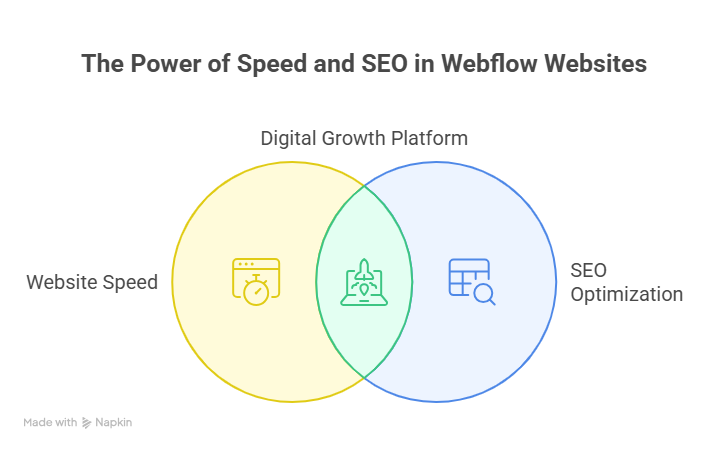
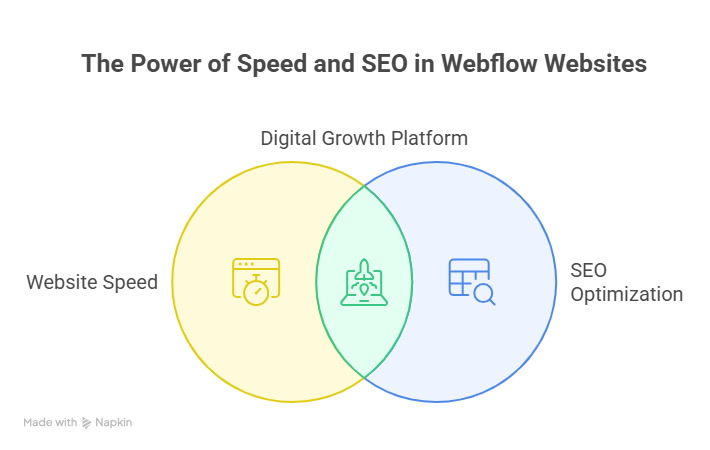
    Why do some websites load instantly while others struggle to rank and convert? The difference often lies in how the platform, structure, and execution align with business goals. A well-built webflow website focuses on clean code, optimized assets, and intentional layouts that support speed and seo without relying on heavy plugins. When webflow is used correctly, performance becomes a strategic advantage rather than a technical challenge. 

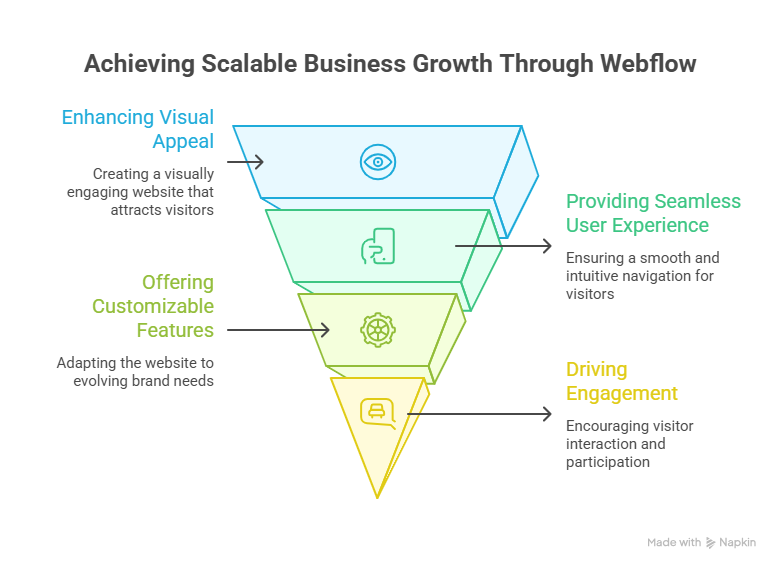
    Webflow websites deliver fast performance and built-in SEO through clean code, optimized templates, and professional development, helping businesses achieve scalable growth and better user experience. 

    Website performance is influenced by multiple factors, including hosting environment, template quality, content structure, and professional web design decisions. Many businesses choose webflow because it offers a powerful website builder that allows precise control over responsiveness, animations, and user experience. However, the real value of webflow comes from professional development, where best practices are applied to ensure scalability, security, and long-term seo stability. 

    A basic webflow website built from a standard template may start around a few hundred dollars, while a professionally developed solution with custom components, optimization, and ongoing support requires a higher investment. This approach ensures your webflow project supports growth rather than limiting it. 

    Best Webflow Website Templates For Scalable Business Growth

    Best Webflow Website Templates For Scalable Business Growth

    Choosing the right website template is crucial if you want a webflow website that supports long-term growth, speed, and webflow seo. A well-designed template not only improves page speed but also ensures a user-friendly design and seamless customization. By selecting a template built with scalability in mind, you can reduce development time while maintaining professional aesthetics. Here’s how to leverage the best webflow website templates for your business: 

    Step 1: Identify Templates That Support Responsive Design 

    Look for templates that are fully responsive websites, ensuring your webflow site adapts perfectly to desktop, tablet, and mobile screens. A responsive design improves both usability and page speed, critical for retaining visitors and enhancing webflow seo. 

    Step 2: Focus on Modern, Versatile, and Minimalist Design 

    Choose website templates with modern design and minimalist design principles. This approach reduces clutter, highlights your website features, and creates a stunning website that resonates with your audience. Templates designed with clean design elements make it easier for your design team to implement custom branding. 

    Step 3: Evaluate Speed Websites and Webflow SEO Integration 

    A template that is lightweight and optimized for speed websites ensures faster loading times. Look for webflow website examples where webflow makes it easy to integrate seo best practices. This helps your webflow project rank higher on search engines while maintaining a smooth user experience. 

    Step 4: Check Flexibility for Customization and Growth 

    The best webflow templates allow you to create a custom layout without heavy coding. Whether you want to build websites for a startup or scale to webflow enterprise, versatile templates let your webflow development team adapt and expand functionalities as your business grows. 

    Step 5: Leverage Templates for Inspiration and Practical Design 

    Browse web design inspiration or webflow website examples to get inspired. Professional web designers often use templates as a foundation to create a website with practical design elements, website features, and a cohesive site’s design. This ensures your webflow site is both visually appealing and technically optimized. 

    Advantage Of Using Webflow For Speed SEO And Scalability 

    Advantage Of Using Webflow For Speed SEO And Scalability 

    Choosing Webflow as your website platform provides multiple advantages for businesses seeking speed, SEO, and scalability. Unlike traditional website builders, Webflow makes it easy to combine professional website design, user-friendly design, and responsive websites into a single, highly optimized solution. Below, we break down the key benefits in clear, actionable points: 

    • Faster Loading Times and Optimized Performance 

    A Webflow project is built with clean, lightweight code, which improves page speed and overall performance. Templates and design elements are optimized to ensure responsive websites load quickly across devices, creating a seamless experience for visitors. Faster sites also contribute directly to higher SEO rankings. 

    • Built-in SEO and Best Practices 

    Webflow gives you full control over seo best practices. From meta tags to alt attributes and structured content, Webflow makes it easy to integrate seo optimization without relying on plugins. This helps your Webflow project rank higher and attract more organic traffic. 

    • Flexibility to Create Custom Designs 

    With Webflow, you can create a custom layout tailored to your brand. Professional web designers can manipulate design elements and incorporate minimalist design or more complex practical design features. This ensures your site’s design remains visually appealing while functional. 

    • Scalability for Growing Businesses 

    Whether building small projects or Webflow enterprise solutions, Webflow supports growth. You can easily add new pages, features, or sections without breaking your website features or slowing down performance. This makes it ideal for businesses planning long-term expansion. 

    • No Coding Required, Yet Professional Quality 

    Even though Webflow makes it easy to build websites without coding, the output is professional-grade. Websites created by professional designers can include advanced website features, responsive layouts, and a stunning website design that rivals traditional custom-coded solutions. 

    • Inspiration and Pre-Built Templates 

    You can get inspired by free examples or 10 best webflow templates to jumpstart your Webflow project. Webflow to create versatile websites lets you combine practical design with minimalist design, giving a polished and efficient website design that aligns with your brand. 

    Conclusion 

    Investing in a Webflow website designed for speed, SEO, and scalability is more than just choosing a platform it’s about creating a stunning website that performs reliably, grows with your business, and delivers an exceptional user experience. By leveraging responsive websites, practical design, and optimized website features, you ensure that your Webflow project ranks higher, loads faster, and reflects your brand professionally. Selecting the right website template, applying seo best practices, and utilizing the flexibility of Webflow empowers your team to build websites that are both visually appealing and technically sound. 

    Whether you’re a startup or a large-scale Webflow enterprise, the advantages of professional Webflow development from minimalist design to versatile templates translate directly into measurable business growth. The combination of pre-built templates, inspiration from web design trends, and the ability to create a custom site ensures your website remains modern, scalable, and easy to manage. 

    Why not reach out to Integriti Studio to discuss how your next Webflow project can achieve top speed and SEO performance? 

    Frequently Asked Questions (Webflow Websites Designed For Speed And Seo)

    How does Webflow handle SEO?

    Webflow handles SEO by offering clean, semantic HTML, customizable meta tags, alt text for images, automatic sitemaps, SSL, fast loading, mobile optimization, and easy integration with Google Analytics and SEO tools.

    How does website speed impact SEO?

    Website speed impacts SEO by improving user experience, reducing bounce rates, increasing crawl efficiency, and boosting rankings. Faster sites retain visitors longer, signaling search engines to prioritize them in results.

    How to make a Webflow website faster?

    Make a Webflow website faster by optimizing images, minimizing custom code, using Webflow’s built-in caching, enabling lazy loading, reducing animations, and connecting a fast CDN for improved performance.

    How to improve website speed for SEO?

    Improve website speed for SEO by using fast hosting, optimizing images, enabling caching, minimizing plugins and scripts, leveraging a CDN, and ensuring mobile-friendly, lightweight design with clean, efficient code.

  • High Performance WordPress Websites For Brands 

    High Performance WordPress Websites For Brands 

    High Performance Wordpress Websites For Brands

    Why do some WordPress websites perform flawlessly while others struggle under high traffic? The answer lies in a combination of smart WordPress development, optimized web design, and careful selection of plugins and templates. Factors like hosting quality, site speed, navigation, and user experience directly influence the performance of a WordPress site, affecting conversions, SEO, and overall brand perception. 

    High-performance WordPress websites empower brands with fast, secure, and scalable WordPress site designs, seamless WooCommerce integration, optimized plugins, and user-friendly navigation for lasting digital impact. 

    Professional development ensures your WordPress website is built to handle growth, maintain security, and deliver a seamless experience. Investing in high-quality design, regular support, and maintenance empowers your business to stand out in a crowded digital landscape. Typical development costs for a fully customized WordPress website range from moderate small-business packages to advanced enterprise solutions, depending on complexity and functionality, including WooCommerce integrations for online stores. 

    This blog will showcase how high-performance WordPress websites are crafted for brands, exploring design best practices, development strategies, and optimization tips. 

    Why Choose WordPress For High-Performance Business Websites 

    Why Choose WordPress For High-Performance Business Websites 

    When building a business website, choosing the right platform is critical. WordPress stands out as the preferred solution for brands seeking high performance, scalability, and flexibility. Its robust ecosystem of WordPress plugins, customizable templates, and extensive development support makes it ideal for both small businesses and enterprise WordPress websites. 

    Flexibility and Customization With WordPress 

    One of the main reasons top companies choose WordPress is its adaptability. Whether you need a new website with unique website designs or a complex WooCommerce store, WordPress allows developers to customize every element. Best practices in WordPress website design ensure a seamless digital experience that aligns with brand identity while remaining easy to update. 

    High-Traffic Performance and Reliability 

    Brands that operate high-traffic sites rely on WordPress hosting optimized for speed and security. High-traffic WordPress sites showcase how WordPress can handle millions of visitors without downtime. Many official websites of global companies are built with WordPress, demonstrating its capability to support both small businesses and large-scale operations. 

    Showcasing WordPress Site Examples of Big Brands 

    There are numerous WordPress site examples of big brands that run on WordPress. From official sites of top corporations to online stores, WordPress powers a strong online presence. These website examples illustrate how brands using WordPress leverage its features to create engaging, high-performing websites. 

    Future-Proof Your Business Website 

    By choosing WordPress, your business website gains a platform that evolves with your needs. WordPress development supports regular updates, scalability, and integration with modern design tools and marketing solutions. A site powered by WordPress ensures longevity, flexibility, and a competitive edge in today’s digital landscape. 

    Top WordPress Website Designs For High-Traffic Brands 

    Top WordPress Website Designs For High-Traffic Brands 

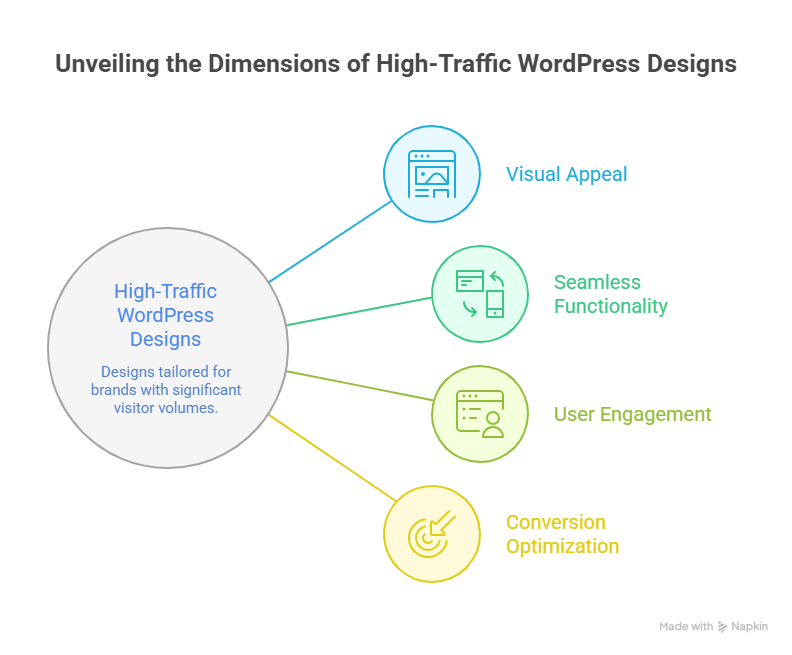
    High-traffic business websites require WordPress website designs that are fast, scalable, and visually appealing. Leveraging the power of WordPress, brands can create official sites that deliver seamless user experiences while maintaining high performance. Below are key aspects and examples of top WordPress website designs: 

    Key Design Principles for High-Traffic Sites 

    • Clean design and layout: Focused website designs improve readability and enhance the user experience. 
    • User-friendly interface: Navigation must be intuitive, allowing visitors to explore site features effortlessly. 
    • Optimized product pages: For e-commerce, WooCommerce product pages are structured to convert traffic into sales. 
    • Responsive and mobile-ready: High-traffic business websites must perform flawlessly across devices. 
    • Fast loading times: Leveraging plugins like caching and optimization tools ensures minimal downtime for high-traffic sites. 

    Examples of Successful WordPress Websites 

    • Many official sites of global brands leverage WordPress for their digital presence using WordPress. 
    • Sites using WordPress include news, entertainment, and e-commerce platforms that require scalable site features. 
    • WordPress powers large-scale operations, including websites for companies in various industries, showcasing its reliability under high traffic conditions. 
    • Top brands use design tools to create visually appealing layouts while maintaining functionality and speed. 

    Benefits of WordPress for High-Traffic Business Websites 

    • Seamless scalability: WordPress is also ideal for growing companies that need to handle surges in visitors. 
    • Customizable site features: Developers can implement tailored functionality to support marketing, content, and commerce goals. 
    • Reliable infrastructure: From official sites to successful WordPress e-commerce portals, WordPress ensures performance under pressure. 
    • Enhanced online presence: Brands that leverage WordPress can maintain a professional, consistent business website accessible worldwide. 

    Conclusion 

    High-performance WordPress websites are more than just visually appealing designs they are strategic assets that empower brands to scale, engage users, and maintain a competitive edge. By combining smart WordPress development, optimized website designs, and reliable plugins, businesses can ensure fast, secure, and scalable WordPress site performance. From high-traffic enterprise WordPress websites to e-commerce platforms with seamless WooCommerce integration, the power of WordPress lies in its flexibility, customization, and ability to support long-term growth. 

    Investing in professional development, ongoing maintenance, and modern design tools ensures your business website not only looks great but also delivers an outstanding digital experience. Showcasing official sites and WordPress site examples of big brands highlights how top companies leverage WordPress to create engaging, high-performing platforms that drive results. Whether building a new site or revamping an existing one, WordPress provides the infrastructure, scalability, and reliability necessary for any high-traffic brand. 

    Ready to take your brand’s WordPress website to the next level? Can your business afford to miss out on a high-performing digital presence why not contact Integriti Studio today and see what’s possible? 

    Frequently Asked Questions (High Performance Wordpress Websites For Brands )

    How to increase the performance of a WordPress website?

    Boost WordPress performance by using fast hosting, a lightweight theme, caching, optimized images, minimal plugins, a CDN, and keeping WordPress, themes, and plugins updated for faster loading and smooth user experience.

    What percentage of websites run WordPress?

    Yes, WordPress is excellent for a company website. It offers flexibility, scalability, SEO-friendliness, a wide range of themes and plugins, easy content management, and professional design options for businesses.

    Is WordPress good for a company website?

    To increase website speed by up to 300%, use fast hosting, optimize images, enable caching, minimize plugins, implement a CDN, use a lightweight theme, and regularly update WordPress and scripts.

    How do I increased my website speed by 300%?

    Increase website speed by 300% by using fast hosting, optimizing images, enabling caching, minimizing plugins, implementing a CDN, using a lightweight theme, optimizing code, and keeping WordPress and plugins updated.

  • Custom Shopify Store Design For Maximum Sales 

    Custom Shopify Store Design For Maximum Sales 

    Custom Shopify Store Design For Maximum Sales

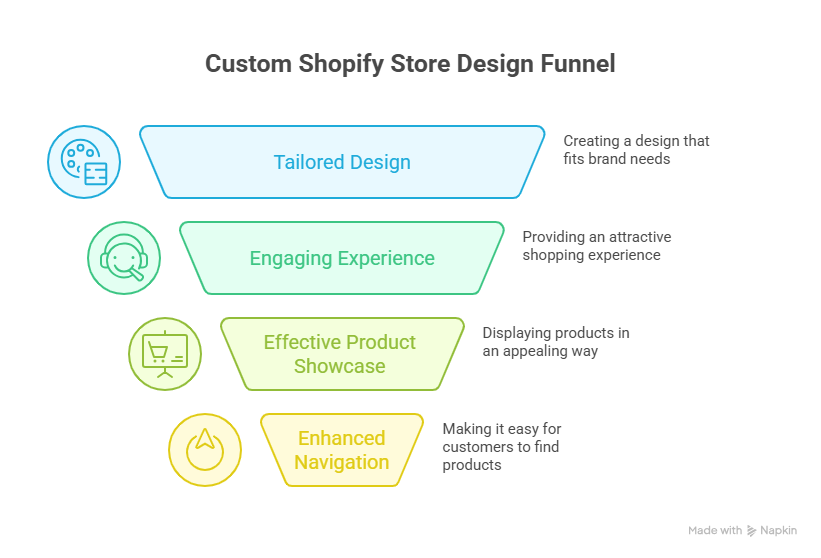
    Why do some Shopify stores generate high conversion rates while others struggle despite having quality products? The difference often lies in the shopify store’s layout, user experience, and the effectiveness of its shopify theme. A well-optimized shopify store focuses on clean design, intuitive navigation, optimized product page layouts, and smooth checkout processes that drive conversions and increase sales. 

    A custom Shopify store design boosts sales by enhancing user experience, optimizing navigation, showcasing products effectively, integrating apps, and creating a professional, visually appealing, conversion-focused online store. 

    Performance is influenced by multiple factors, including the choice of shopify theme, menu structure, page speed, and the clarity of product descriptions. Investing in professional customization ensures your store is visually appealing, functional, and tailored to your audience. Ongoing maintenance and design support also play a critical role in sustaining growth and maximizing conversion. 

    Basic shopify store setups using standard templates may start from a few hundred dollars, while professionally developed and fully optimized stores with custom layouts, checkout flows, and product optimizations require a higher investment. This ensures long-term performance and scalable results. 

    Best Shopify Themes For Mobile-First And Store Design 

    Best Shopify Themes For Mobile-First And Store Design 

    In today’s fast-paced e-commerce world, your Shopify store design can make or break the shopping experience for your customers. With a majority of online shoppers using mobile devices, a mobile-first design approach is no longer optional it’s essential for success. Selecting the best Shopify themes tailored for mobile responsiveness and engaging store design can significantly boost sales, increase average order value, and enhance your store’s overall performance. 

    Why Mobile-First Design Matters for Your Online Store 

    Understanding the Shopper’s Mobile Experience 

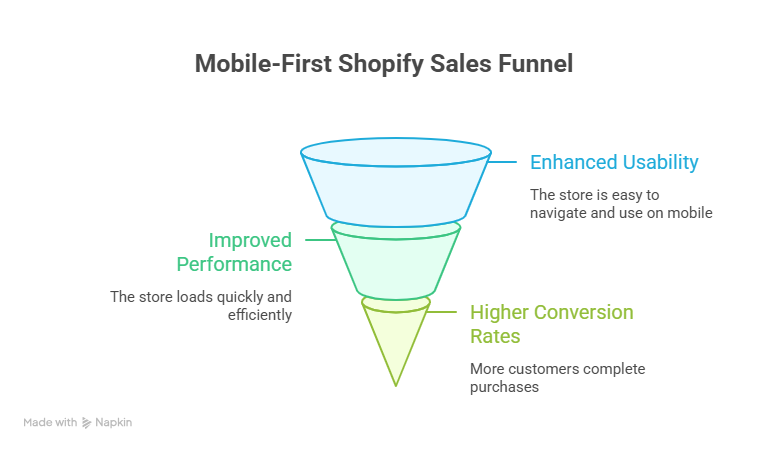
    Modern shoppers expect a seamless experience on their mobile devices. Slow-loading pages, cluttered layouts, or hidden features can frustrate users, increasing cart abandonment and reducing mobile conversion rates. A mobile-first theme ensures that your Shopify website loads quickly, streamlines navigation, and highlights essential design elements like the add to cart button without slowing down your site. 

    Direct Impact on Sales 

    A high-performing store optimized for mobile devices can directly impact your sales volume. By improving customer journey and optimizing the checkout process, mobile-first Shopify store design can increase sales and encourage shoppers to make a purchase confidently. This approach also helps reduce cart abandonment, a critical factor in driving sales conversion rates. 

    Features to Look for in Mobile-First Shopify Themes 

    Streamlined Layouts and Navigation 

    Effective store design prioritizes a clean, intuitive layout. Look for themes that streamline menus, highlight products clearly, and make it easy for shoppers to find what they need. Features like sticky headers, quick view options, and well-placed CTAs can enhance the customer experience and boost your Shopify performance. 

    Customization and Advanced Features 

    A versatile theme allows you to upload original content, integrate apps from the Shopify app store, and implement custom design options without slowing down your site. Advanced features such as product filters, image zoom, and dynamic product recommendations help connect with customers and see what resonates with your audience. 

    Social Proof and Conversion Tools 

    Themes that support social proof, product reviews, and testimonials can influence user behavior and drive sales. Incorporating tools for conversion rate optimization, like countdown timers, pop-ups, and trust badges, ensures your mobile-first design approach not only looks professional but also boosts sales with custom Shopify strategies. 

    Recommended Shopify Themes for Mobile-First Stores 

    Free Themes Like Dawn 

    The Dawn theme is a popular choice for mobile design, offering fast load times, clean layouts, and intuitive shopping experience for both new and established stores. Free themes like Dawn provide excellent flexibility to learn how to build your e-commerce store efficiently. 

    Premium Themes for High-Performing Stores 

    For stores seeking more advanced features, premium Shopify themes offer robust customization options, seamless mobile responsiveness, and tools designed to increase sales. These different Shopify themes are optimized for sales conversion rates and can be tailored to resonate with your audience, helping you boost your Shopify performance without technical hassles. 

    How Mobile-First Shopify Store Design Drives Sales

    How Mobile-First Shopify Store Design Drives Sales


    By implementing a mobile-first design approach, online stores can directly impact mobile sales, enhance shopper engagement, and boost sales with custom Shopify solutions. Focusing on intuitive store design, strategic placement of CTAs, and optimizing the checkout process ensures your shopify store design supports a smooth customer journey and maximizes revenue opportunities. 

    Optimize Product Pages And Checkout To Drive Sales 

    A well-designed product page and streamlined checkout process are essential to boost your e-commerce store’s sales. Optimizing these areas not only improves user experience but also encourages shoppers to make a purchase, helping you increase your average order and improved conversion rates. Below, we explain actionable strategies to showcase your products and create a checkout experience that drives results. 

    Focus on Creating Product Pages That Convert 

    Optimizing your product pages ensures customers can find exactly what they are looking for and are motivated to purchase. Consider these key elements: 

    • Showcase Your Products: Use high-quality images, detailed descriptions, and videos to let customers discover product features easily. 
    • Fonts and Colors: Select readable fonts and colors that align with your brand and enhance clarity. 
    • Options Like Apple Pay: Highlight modern payment options such as Apple Pay to simplify transactions and reduce friction. 
    • Testing Different Elements: Experiment with layouts, CTA buttons, and product descriptions by testing different elements to see what drives improved conversion rates. 
    • Focus on Creating a clear and compelling value proposition for each product to increase shopper confidence. 

    Optimize Checkout for Maximum Conversions 

    A smooth checkout can significantly reduce cart abandonment and help you build long-term customer loyalty. Key strategies include: 

    • Simplify Steps: Limit the number of checkout pages and minimize distractions. 
    • Offer Multiple Payment Options: Integrate options like Apple Pay, credit cards, and digital wallets to increase your average order. 
    • Customer-Friendly Forms: Use autofill, clear labels, and error validation to ensure customers can find and complete necessary fields quickly. 
    • Show Trust Signals: Include security badges and clear return policies to boost shopper confidence. 
    • Encourage Add-Ons: Suggest complementary products during checkout to increase your average order value and enhance improved conversion rates. 

    Continuous Testing and Optimization 

    To ensure your product pages and checkout process are always performing at their best, implement ongoing optimization: 

    • A/B Test Headlines and CTAs: See which wording or placement encourages clicks. 
    • Experiment with Fonts and Colors: Small adjustments can significantly impact improved conversion rates. 
    • Analyze Customer Behavior: Monitor where users drop off to focus on creating solutions that guide them to purchase. 
    • Iterate Based on Data: Use insights to refine your pages and help you build a more profitable e-commerce store. 

    Conclusion 

    A custom Shopify store design is more than just aesthetics—it’s a strategic tool to boost sales, enhance customer experience, and maximize conversion rates. By choosing mobile-first Shopify themes, optimizing product pages, and streamlining the checkout process, your online store can deliver a seamless shopping experience, increase average order value, and reduce cart abandonment. Continuous testing, custom design, and leveraging advanced features from the Shopify app store ensure your store stays competitive and resonates with your audience. 

    Investing in professional customization and focusing on intuitive store design allows you to showcase your products, implement options like Apple Pay, and drive sales with confidence. Remember, the right Shopify store design doesn’t just attract customers it guides them through a smooth customer journey that encourages repeat purchases and long-term loyalty. 

    What’s the best way to get in touch with Integriti Studio? 

    Frequently Asked Questions (Custom Shopify Store Design For Maximum Sales )

    How to maximize sales on Shopify?

    Maximize Shopify sales by using a mobile-friendly design, clear product pages, fast checkout, upsells, discounts, email and social media marketing, SEO, and targeted ads to attract and convert customers efficiently.

    How do I fully customize my Shopify store?

    Fully customize your Shopify store by choosing a flexible theme, editing layouts and colors, adding apps for features, optimizing product pages, integrating payment options, and tailoring navigation and content to your brand.

    How much does Shopify take from a $100 sale?

    Shopify charges depend on your plan. For a $100 sale using Shopify Payments: Basic plan takes 2.9% + 30¢ ($3.20), Shopify plan 2.6% + 30¢ ($2.90), Advanced 2.4% + 30¢ ($2.70).

    How to create a high converting Shopify store?

    Create a high-converting Shopify store by using a mobile-friendly, fast design, clear navigation, compelling product images and descriptions, strong CTAs, trust signals, reviews, upsells, and a seamless checkout experience.

  • Best WordPress Hosting For Speed Security And Performance 

    Best WordPress Hosting For Speed Security And Performance 

    Best Wordpress Hosting For Speed Security And Performance

    Why does your WordPress site feel slow, vulnerable, or underperforming despite having a modern design? The truth is, website performance depends on far more than aesthetics. Factors like server location, data center quality, hosting plan, security features, and performance optimization all play a crucial role in how your site loads, ranks, and converts visitors into customers. 

    Top WordPress hosting for speed, security, and performance includes managed providers like Kinsta, SiteGround, and Cloudways with optimized infrastructure scalability. 

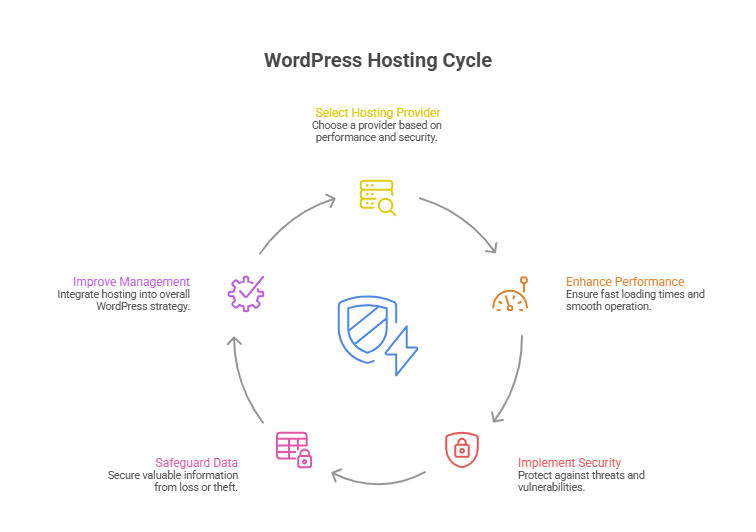
    Choosing the right WordPress hosting can make the difference between a sluggish, insecure site and a fast, reliable online platform. A reliable hosting provider ensures your WordPress site benefits from managed WordPress host features, proactive security, and optimized performance. While shared hosts might cost as little as $5–$10 per month, investing in a professional WordPress hosting provider like Kinsta, SiteGround, or Cloudways often delivers far greater speed, security, and scalability. 

    Professional development, combined with the real value of good design, support, and maintenance, ensures your website not only looks great but functions flawlessly. In this guide, we’ll explore the best WordPress hosting options, compare managed hosting vs. shared solutions, highlight top performance and security features, and help you select a hosting solution that truly elevates your online presence. 

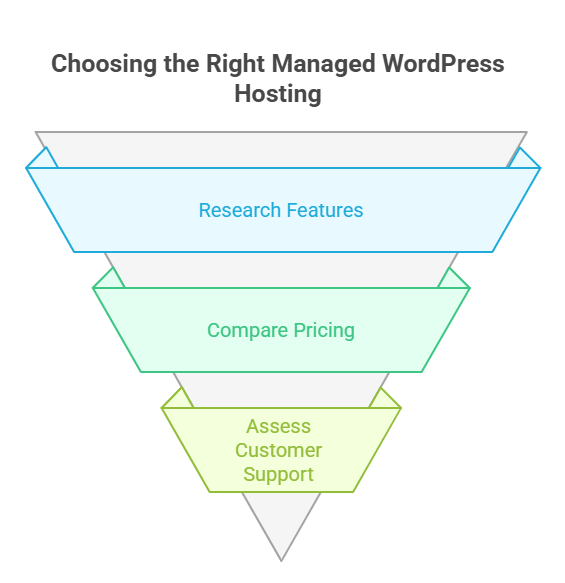
    Choose The Best Managed WordPress Hosting Provider Today 

    Choose The Best Managed WordPress Hosting Provider Today 

    Selecting the best managed WordPress hosting provider is a critical decision for any business or individual aiming for exceptional website speed, security, and overall performance and security features. A reliable hosting service ensures your WordPress website runs smoothly, whether it’s a small blog or a high-traffic WordPress site. With countless WordPress hosting providers in 2026, finding the right fit can be overwhelming but the benefits are undeniable. 

    Why Managed WordPress Hosting Matters 

    Managed WordPress hosting plans provide a fully managed hosting experience that goes beyond basic server space. Unlike traditional shared hosting providers, a managed WordPress hosting provider handles automatic WordPress updates, security patches, and performance optimization, giving you peace of mind while focusing on growing your site. This hassle-free WordPress hosting ensures your website enjoys excellent speed and exceptional performance, even during traffic spikes. 

    Key Features of High-Performance WordPress Hosting 

    • Optimized for WordPress: Ensures fastest WordPress hosting performance with servers tailored to WordPress architecture. 
    • Automatic WordPress Updates: Keeps your WordPress core and plugins secure without manual effort. 
    • Advanced Security Measures: Protects against security threats, security gaps, and offers robust security for your data. 
    • Speed and Reliability: High-quality hosting infrastructure delivers site speed and speed optimization for a seamless user experience. 
    • Expert Support: A team of WordPress experts assists with setup, WordPress installation, and troubleshooting for a smooth hosting experience. 

    Comparing Managed Hosting to Shared Hosting 

    While a shared hosting plan may be sufficient for low-traffic sites, premium managed WordPress hosting ensures speed and reliability, making it ideal for high-traffic WordPress sites. Hosting comparison often shows that top WordPress hosting providers like Kinsta, SiteGround, and Cloudways deliver high-performance WordPress hosting designed to maximize performance and security features. These hosting solutions offer a range of hosting options, from fully managed WordPress hosting to managed WordPress hosting solutions optimized for identical WordPress sites. 

    How to Find the Best Managed WordPress Hosting 

    To find the best provider, consider factors such as hosting infrastructure, advanced security, speed optimization, and flexibility. A reliable WordPress hosting provider ensures automatic WordPress updates, security patches, and performance test results that guarantee best overall speed, security measures, and hosting experience. Choosing a provider that offers a range of hosting options ensures your site grows seamlessly while maintaining speed and security. 

    Top WordPress Hosting Providers For Performance And Security 

    Top WordPress Hosting Providers For Performance And Security 
    • Why Hosting Is Essential: 
      Hosting directly impacts your website speed, uptime, and security. A good host ensures your content loads quickly, handles high-traffic WordPress sites, and provides a seamless user experience. Every hosting provider is not equal; choosing the right one is crucial for business growth. 
    • Optimized Performance: 
      The fastest WordPress hosting providers use optimized WordPress hosting infrastructure. This includes caching solutions, automatic WordPress updates, and performance-focused servers that enhance site speed and speed and performance, even under high traffic. Optimized hosting ensures your site remains fast and responsive. 
    • Strong Security Measures: 
      Security is critical. Top WordPress hosting providers implement robust security, security measures, and proactive monitoring to protect against security threats and security gaps. Features like automatic security patches, malware scans, and firewalls keep your website and data safe. 
    • Expert Support and Reliability: 
      A hosting provider known for excellent support gives access to a team of WordPress experts. This is especially useful for WordPress installation, troubleshooting, or performance issues. Reliable support ensures hassle-free WordPress hosting and minimizes downtime. 
    • Automatic WordPress Updates: 
      Top providers offer automatic WordPress updates, keeping your WordPress core, themes, and plugins current. This improves security and reduces the risk of vulnerabilities while allowing you to focus on content and business growth. 
    • Choosing the Best Hosting Provider: 
      When comparing WordPress hosting companies, consider performance, security, support, and reliability. To choose the best hosting for your needs, look for optimized WordPress hosting, high uptime, strong security measures, and a hosting experience that matches your site’s traffic and business goals. 
    • Performance and Security Benefits: 
      By selecting from top WordPress hosting providers, your WordPress website benefits from speed and reliability, optimized hosting, and proactive performance and security features. This ensures a smooth user experience, higher conversions, and long-term stability. 

    Conclusion 

    Choosing the best WordPress hosting is not just about picking a server it’s about investing in speed, security, and performance that directly impact your site’s success. From managed WordPress hosting providers like Kinsta, SiteGround, and Cloudways to optimized WordPress hosting solutions, every decision affects site speed, reliability, and user experience. By prioritizing automatic WordPress updates, advanced security measures, and expert support, you ensure your WordPress website remains fast, secure, and scalable, whether it’s a small blog or a high-traffic WordPress site. 

    Evaluating WordPress hosting companies, comparing shared vs managed hosting, and considering hosting infrastructure and performance optimization allows you to choose the best provider that aligns with your goals. The right hosting experience guarantees that your site operates flawlessly while giving you the freedom to focus on content and growth. 

    if you wanted exceptional performance, speed, and security for your site today, would you contact Integriti Studio to get started? 

    Frequently Asked Questions (Best Wordpress Hosting For Speed Security And Performance)

    Which is the fastest hosting for WordPress?

    The fastest hosting for WordPress sites includes SiteGround, Cloudways, WP Engine, and Kinsta all deliver very fast server response times, caching, and global CDN options. SiteGround is top-ranked overall, Cloudways is extremely quick for cloud hosting, and WP Engine/Kinsta excel for high-performance sites.

    What is the fastest performance web hosting?

    The fastest performance web hosting providers include high‑speed options like GreenGeeks, Hostinger, SiteGround, Rocket.net, and premium hosts like WP Engine and Kinsta, all known for very low server response times, global CDN use, and strong benchmarks that deliver extremely quick site loading.

    Which hosting is the best for WordPress?

    The best hosting for WordPress includes SiteGround, Bluehost, Cloudways, WP Engine, and Kinsta all reliable, fast, secure, and easy to use, with good uptime, support, and performance for beginners to advanced sites.

    What are the best managed WordPress hosting providers for performance?

    The best managed WordPress hosting providers for performance are Kinsta, WP Engine, Cloudways, and Pressable all optimized for fast server response, caching, CDN delivery, and reliable uptime, making them ideal for high‑speed, professional WordPress sites.

  • Best Free WordPress Themes For Professional Websites Today 

    Best Free WordPress Themes For Professional Websites Today 

    Best Free Wordpress Themes For Professional Websites Today

    Why do some WordPress themes elevate a business website while others hold it back? The right WordPress theme affects every aspect of your wordpress site from loading speed and mobile responsiveness to user experience and conversion rates. Factors like professional development, clean coding, and design flexibility determine whether your website performs seamlessly or struggles under basic traffic. 

    The best free WordPress themes for professional websites today combine sleek design, fast performance, responsive layouts, demo content, and customization, supporting small business growth effectively. 

    A free WordPress theme can be a smart starting point for a small business, but without ongoing support and customization, even the best free WordPress theme may limit your growth potential. Investing in the right theme whether free or premium ensures your wordpress site looks professional, loads quickly, and provides a smooth experience for visitors. Typical premium themes with demo content and advanced features may cost around $50–$100, but the value of a well-designed theme often outweighs the initial expense. 

    This blog will explore the best free WordPress themes available today, highlighting how each theme combines performance, design, and usability.  

    Choosing the Right WordPress Theme for Long Term Success 

    Choosing the Right WordPress Theme for Long Term Success 

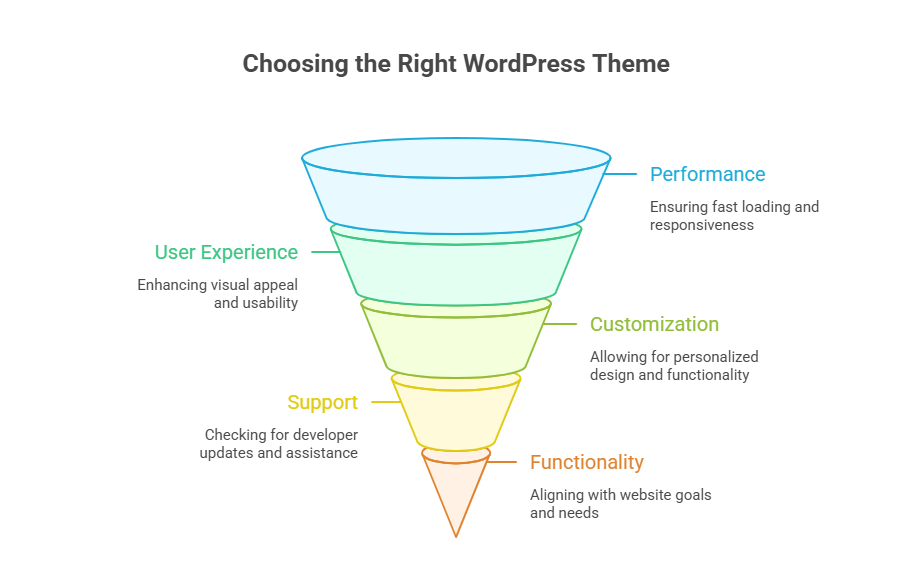
    Selecting the best free WordPress theme or premium option is critical for building a professional website that performs well today and scales tomorrow. Your choice influences speed, responsiveness, SEO, and overall user experience. A theme that works seamlessly with your content, plugins, and hosting ensures long-term success for your WordPress website. 

    Why the Right Theme Matters 

    • Performance & Speed: A lightweight theme loads faster, improving user experience. For example, a small e-commerce store using a multipurpose WordPress theme like Astra experienced 40% faster page load compared to a default WordPress theme. 
    • Professional Design: Themes with clean, modern layouts reflect credibility. A freelance portfolio site using Neve’s professional website layout attracted more clients due to its polished design. 
    • Customization Flexibility: Highly customizable WordPress themes let you adjust layouts, colors, and fonts without code, helping businesses like local cafés create unique branding. 
    • Future Proofing: A modern WordPress theme compatible with the latest WordPress updates ensures your site stays relevant and secure. 

    Key Features to Look For 

    Responsive & Mobile-Ready 

    Choose a responsive WordPress theme that adapts to all devices. For instance, a consulting firm using OceanWP reported a 30% increase in mobile traffic after switching to a responsive WordPress theme. 

    Compatibility With Plugins & WordPress Tools 

    Your theme should support WordPress plugins, WordPress block editor, and the WordPress theme customizer for live editing. Real-world example: a small business integrated a booking plugin into Kadence’s professional website layout without coding issues. 

    Demo Content & Pre-Built Templates 

    Themes with pre-built demo content allow you to build a website quickly while maintaining a professional design. A start-up used pre-built demo layouts from Hestia to launch its site in under a week. 

    Free vs Paid Options 

    • Free Option: Excellent for beginners; many free WordPress themes in 2025 offer responsive design and professional layouts. Example: the free version of GeneratePress allowed a freelance designer to create a professional website without spending a dime. 
    • Free and Premium: Premium or paid versions include extended support, updates, and advanced customization features. A small e-commerce store upgraded from a free theme to a premium version of Astra and gained WooCommerce integration and faster load times. 

    Popular Theme Types 

    • Multipurpose WordPress Theme: Ideal for any type of website, from blogs to business sites. 
    • Lightweight Theme: Optimized for speed and minimal bloat. 
    • Professional WordPress Theme: Focused on design, reliability, and professional website standards. 

    How to Choose the Best Theme 

    1. Identify your website goals: Is it for a small business, portfolio, or blog? 
    1. Check compatibility with hosting: Ensure your theme works with your WordPress hosting environment. 
    1. Explore the WordPress community: Popular WordPress themes have active support forums and updates. 
    1. Test the theme live: Use the WordPress live customizer to preview changes. 
    1. Look for long-term scalability: Choose a WordPress theme for your business that grows with your needs. 

    Why Free WordPress Theme Options Empower Professional Websites Today

    Why Free WordPress Theme Options Empower Professional Websites Today

    Choosing the best free WordPress theme is no longer just a cost-saving measure it’s a strategic decision for building a professional website that performs well, scales easily, and creates a lasting impression. Modern multipurpose WordPress themes offer responsive layouts, pre-built demos, and robust customization options, making it possible to build a website that is both functional and visually appealing. Whether you are a small business launching a new site, a freelancer showcasing a portfolio, or an entrepreneur testing a new idea, the right free theme can provide the foundation for long-term success. 

    A carefully chosen theme directly impacts site speed, SEO, user experience, and conversion rates. Many businesses overlook how much their WordPress website depends on a theme that works seamlessly with WordPress plugins, WordPress hosting, and other customization tools. By choosing a free theme with professional design and modern WordPress standards, you can focus on content, marketing, and growth instead of troubleshooting technical issues. 

    Cost-Efficient and Professional 

    Selecting a free option doesn’t mean compromising quality. Today’s free themes provide professional design, mobile responsiveness, and layouts suitable for various industries. They allow startups or small businesses to launch a professional website without upfront costs, while still maintaining a polished appearance. 

    Free themes also make it easier to experiment with layouts and functionality without financial risk. Using pre-built demos, you can build a website quickly and test what works best for your type of website. This flexibility helps businesses optimize for user experience and conversions before considering premium upgrades. 

    Flexible and Customizable 

    Responsive and Lightweight 

    A responsive WordPress theme ensures your website functions perfectly on mobile, tablet, and desktop devices. A lightweight theme improves page load speed, enhances user experience, and supports better SEO performance. These features are essential for creating a professional website that visitors trust. 

    Customization with Ease 

    Most free themes integrate with the WordPress block editor, WordPress customizer, and WordPress live customizer, letting you adjust colors, fonts, and layouts without touching code. This makes them ideal for businesses that need a highly customizable WordPress theme that can evolve over time. 

    Long-Term Compatibility and Growth 

    Free themes today are built to work with modern WordPress, WordPress plugins, and popular WordPress hosting solutions. They are regularly updated, ensuring compatibility with the latest WordPress version. This provides a scalable foundation for businesses, allowing the professional website to grow and adapt without expensive redesigns. 

    By choosing the best free WordPress theme, you gain access to a flexible, reliable, and visually appealing solution that can match professional standards. Many free themes now rival premium options in functionality, design, and customization. 

    Real-World Example 

    For instance, a small startup used the free version of Astra, leveraging its pre-built demo to build a website quickly. Within a few days, they launched a fully functional professional website that was responsive, lightweight, and visually polished helping them establish credibility and attract clients immediately. 

    Conclusion 

    Choosing the right WordPress theme whether free or premium is more than just a design decision; it directly impacts your website’s performance, speed, responsiveness, and user experience. Modern free WordPress themes like Astra, Neve, OceanWP, Kadence, and Hestia provide professional layouts, lightweight performance, pre-built demos, and easy customization, empowering small businesses, startups, and freelancers to launch polished, functional websites without upfront costs. By selecting a theme that aligns with your goals, supports modern WordPress standards, and allows long-term growth, you can focus on content, marketing, and conversions rather than technical issues. 

    Even with a free theme, you can achieve a professional, responsive, and scalable website that rivals premium options. The key is to prioritize performance, flexibility, and compatibility with plugins and hosting. Investing time in choosing the right theme today ensures your WordPress site remains modern, reliable, and user-friendly for years to come. 

    If you want a WordPress site that grows with your business, should you contact Integriti Studio today or wait and risk falling behind your competitors? 

    Frequently Asked Questions (Best Free Wordpress Themes For Professional Websites Today )

    Which free WordPress theme is best?

    Astra is considered one of the best free WordPress themes because it is lightweight, fast, and highly customizable. It works well with major page builders, is mobile responsive, SEO friendly, and suitable for blogs, business websites, and small e-commerce sites.

    Can I build a professional website with WordPress for free?

    Yes, you can build a professional website with WordPress for free by using free themes, plugins, and WordPress.com or self-hosted WordPress. However, limitations in design, features, branding, and scalability mean that investing later in premium tools often delivers better performance and long-term growth.

    What is the best free WordPress theme for eCommerce?

    Astra (free) is one of the best free WordPress themes for eCommerce because it’s lightweight, fast, and fully compatible with WooCommerce. It offers customizable shop layouts, responsive design, and good performance without extra cost, making it ideal for online stores on a budget.

    What is the best free WordPress website builder?

    Elementor is the best free WordPress website builder because it offers an intuitive drag-and-drop editor, pre-built templates, responsive controls, and real-time design. It works with most themes and lets you build professional pages without coding.

  • Themeforest WordPress Themes To build Stunning Websites Fast 

    Themeforest WordPress Themes To build Stunning Websites Fast 

    Themeforest Wordpress Themes To build Stunning Websites Fast 

    Why do some websites struggle to engage visitors or convert traffic efficiently? The answer often lies in the WordPress theme you choose and how well it aligns with your business goals. Factors like page speed, responsive layouts, and clean coding directly influence website performance, while professional development ensures your WordPress site functions flawlessly across devices. 

    Themeforest WordPress themes let you build stunning websites fast with creative, responsive templates, optimized for speed, modern design, and WooCommerce, helping your site perform professionally online. 

    Selecting the right Themeforest WordPress theme offers more than just aesthetics. A well-designed template can help you build a website fast, optimize user experience, and provide seamless integration with WooCommerce themes for online shops. Beyond design, ongoing support, updates, and maintenance play a critical role in sustaining your website’s performance and security. Many small businesses invest in a premium WordPress theme for as little as $50–$100, gaining access to professionally crafted layouts, modern visuals, and features that elevate their online presence. 

    Creative Subscription Offers Popular All-in-One WordPress Templates 

    Creative Subscription Offers Popular All-in-One WordPress Templates 

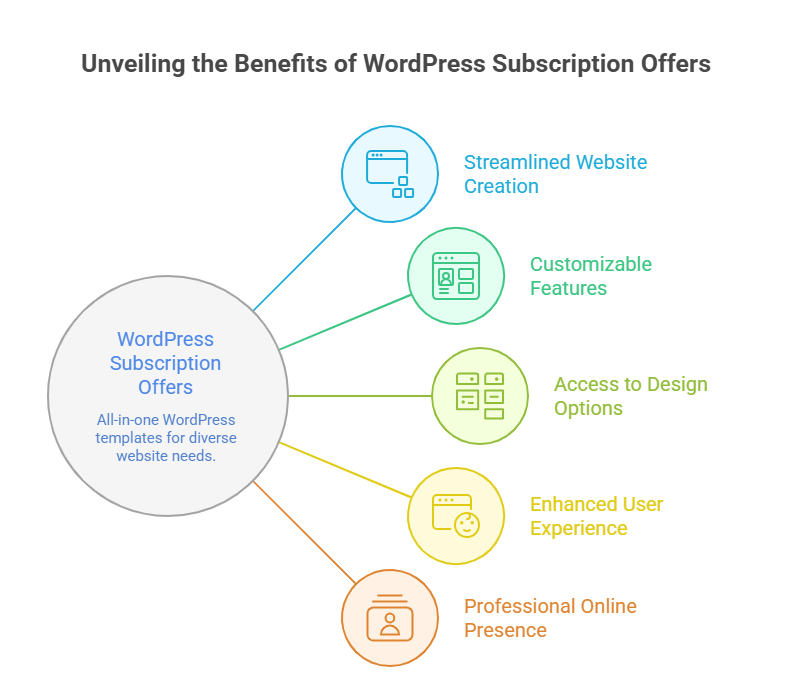
    Choosing the right creative subscription can completely transform how you build websites fast. These subscriptions provide access to premium WordPress themes, WP themes, and website templates on Themeforest, enabling you to launch professional WordPress websites quickly without relying on a single theme purchase. By leveraging all-in-one templates, you get design, performance, and functionality bundled in one package, making it ideal for businesses and developers who need fast deployment with consistent quality. 

    Access to the Fastest WordPress Themes on Themeforest 

    With a creative subscription, you unlock some of the fastest WordPress themes on Themeforest. These popular WordPress themes on Themeforest are lightweight, easy to customize, and built with performance in mind. From single product WooCommerce setups to full e-commerce stores, these premium WordPress themes allow you to create a fast website that performs efficiently across devices. 

    Benefits of All-in-One Website Templates 

    All-in-one templates simplify development by combining multiple WordPress templates, site templates, and WP themes in one package. Key advantages include: 

    • Ready-to-use professional WordPress layouts for various business needs 
    • Integrated plugins for enhanced content and e-commerce functionality 
    • Fast website performance with AMP compatibility and optimized sliders 
    • Flexible customization options to align with your brand 

    Real Value for Developers and Businesses 

    A creative subscription lets you customize multiple projects without purchasing individual themes. Platforms like Themeforest such as Hypermart provide access to premium WordPress themes, WordPress templates, and WP themes designed for fast website launches. Businesses save both time and cost while ensuring their site templates meet professional standards, offering clean HTML layouts and modern designs suitable for online stores, blogs, and corporate websites. 

    By leveraging creative subscriptions with all-in-one templates, you get access to premium WordPress themes that are professional, fast, and easy to customize, helping you create a website that stands out in design, performance, and functionality. 

    Easily Customize Themeforest WP Themes For Your Site

    Easily Customize Themeforest WP Themes For Your Site 

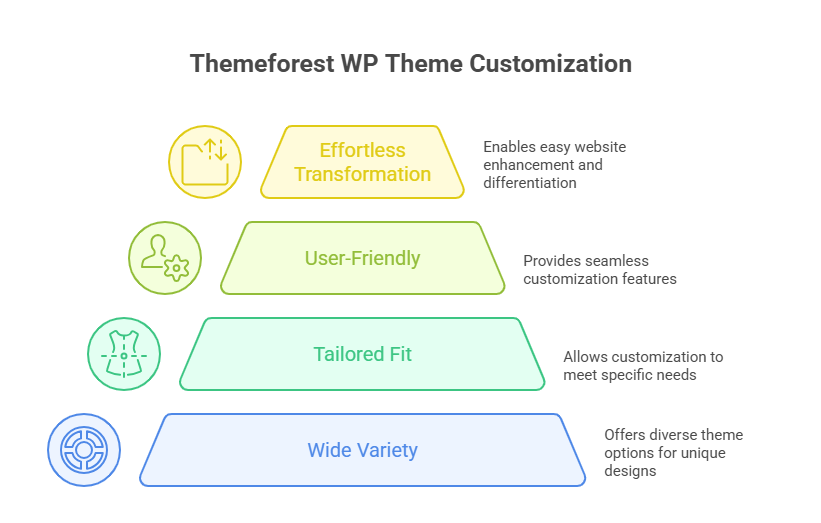
    Customizing a professional WordPress theme from Themeforest is straightforward if approached systematically. Follow these steps to make your site fully tailored and easy to customize: 

    Step 1: Choose the Right Theme 

    Selecting the right premium WordPress theme is the foundation. Look for popular options that suit your platform type be it news, e-commerce, or portfolio. Themes such as Hypermart are ideal for online stores, offering single product WooCommerce layouts, sliders, and pre-built site templates. Focus on lightweight and fastest WordPress themes on Themeforest for optimal performance. 

    Step 2: Install the Theme and Required Plugins 

    After purchase, download the HTML and WordPress files from Themeforest. Install the theme on your WordPress platform, and activate any bundled plugins that enhance functionality. Many themes include easy-to-use drag-and-drop builders or intuitive interface panels that simplify design changes. 

    Step 3: Explore the Theme Interface 

    Spend time exploring the theme’s interface. Check out the section layouts, slider, and content blocks. Use the theme library to access pre-built modules. Themes are designed to be versatile, allowing you to add, remove, or rearrange sections to match your brand style without coding knowledge. 

    Step 4: Customize Colors, Fonts, and Layout 

    Most professional WordPress themes allow you to customize colors, typography, and layout via theme settings or builder plugins. Adjust the content and section spacing for a cohesive look. If your theme supports it, enable performance-enhancing features like lazy loading for images or optimized slider effects. 

    Step 5: Add Content and Products 

    Now it’s time to populate your website. Add content pages, blog posts, or single product WooCommerce listings. Use the theme’s easy-to-use modules and intuitive blocks to insert text, images, videos, and sliders without touching code. 

    Step 6: Use Theme Documentation and Tutorials 

    Refer to the included documentation and online tutorials for advanced customization. Many themes have a global community or forums where designers and developers share tips. This support ensures you can fully leverage the theme’s versatile capabilities. 

    Step 7: Test Performance and Responsiveness 

    Finally, check the performance and responsiveness across devices. Make sure your website is lightweight, loads quickly, and maintains a professional appearance on desktops, tablets, and mobiles. 

    Conclusion 

    Choosing the right Themeforest WordPress themes can make a remarkable difference in how fast, visually appealing, and functional your website becomes. By leveraging creative subscriptions or individual premium WordPress themes, you gain access to professional, lightweight, and popular site templates that are easy to customize, optimized for performance, and compatible with WooCommerce or other essential plugins. 

    Following a structured approach selecting the right theme, installing required plugins, exploring the interface, customizing colors and layout, adding content, and using documentation ensures your website is not only fast and versatile but also maintains a professional WordPress standard across all devices. Themes such as Hypermart exemplify how pre-built modules, sliders, and flexible site templates allow businesses and developers to launch websites quickly without compromising on design or performance. 

    Ultimately, investing time in thoughtful customization transforms a generic template into a website that truly represents your brand, engages visitors, and converts traffic effectively. 

     If you want a fully optimized, professional WordPress site but don’t know where to start, why not contact Integriti Studio and see which fastest WordPress themes on Themeforest suit your business best? 

    Frequently Asked Questions (Themeforest Wordpress Themes To build Stunning Websites Fast )

    How to quickly build a WordPress site?

    To quickly build a WordPress site, choose reliable hosting, install WordPress with one click, select a lightweight premium theme, import demo content, customize layouts, install essential plugins, add your content, and optimize for speed, security, and mobile responsiveness before launch.

    Is ThemeForest good for WordPress?

    Yes, ThemeForest is good for WordPress if you want a wide variety of affordable themes with lots of design choices, regular updates, and support. Just check ratings, reviews, and documentation before buying to ensure quality and compatibility with your plugins.

    What is the fastest WordPress theme?

    The fastest WordPress themes are Astra and GeneratePress both are ultra-lightweight, optimized for speed, and score very high in performance tests. Neve and Kadence are also among the top quick-loading themes that keep sites responsive and fast.

    How does ThemeForest work?

    ThemeForest is a digital marketplace where independent developers sell WordPress themes, plugins, and templates. Users browse, purchase a license, download files, and install them on their site. Each item includes documentation, updates, and limited support from the author.