Must-Have WordPress Plugins for Premium Website Performance
Why do some WordPress websites perform better than others? The difference often comes down to smart use of WordPress plugins. The speed, security, and SEO of your WordPress site rely on quality plugins and a solid WordPress theme. Professional development ensures your WordPress website runs smoothly, supports an online store, and integrates tools like email marketing or drag-and-drop page builders.
Use well-coded plugins to boost speed, SEO, security, user experience, and online store functionality, ensuring a high-performing WordPress website.
Choosing the best WordPress plugins, including contact forms, social share tools, and free essentials, improves user experience and site performance. This blog will highlight the must-have WordPress plugins, the best free WordPress plugins, and how these solutions help you build a high-performing, reliable WordPress website.
Best Free WordPress Plugins and Blocks Essentials Guide
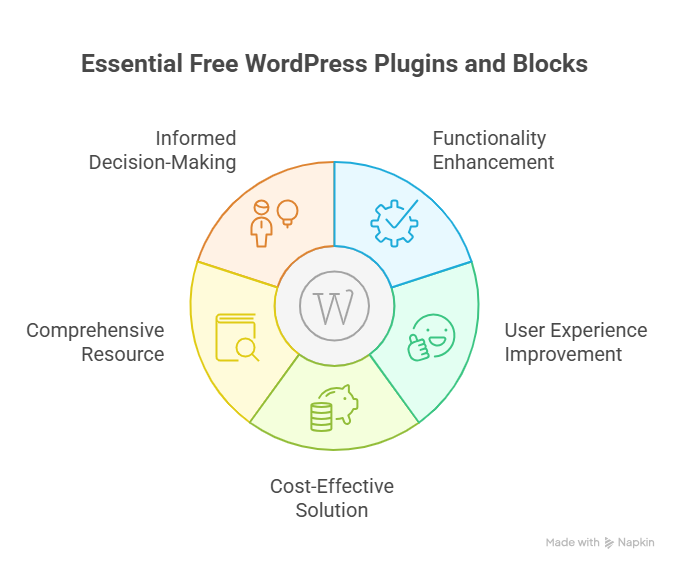
Optimizing your WordPress website doesn’t always require premium tools. Many must-have WordPress plugins and blocks are free to use, offering powerful functionality that enhances performance, SEO, design, and user experience. This guide will walk you through the best free WordPress plugins and WordPress blocks essentials to build a professional site efficiently.
Why Use Free WordPress Plugins?
Step 1: Cost-effective solutions
A free version of a plugin allows you to test features without financial risk. Many popular plugins offer a free plan, enabling you to enhance your WordPress page, blog posts, or online store.
Step 2: Easy installation and setup
You can quickly install plugins for WordPress from the dashboard. Top WordPress plugins are typically easy for WordPress users to configure, even without coding experience.
Step 3: Test before upgrading
Using a free WordPress plugin allows you to evaluate functionality before investing in premium plugins. This approach ensures you only pay for features that truly benefit your site.
Essential Free Plugins and Their Benefits
WordPress Page and Blog Enhancements
- Elementor Website Builder: One of the best WordPress page and block editors, offers a free plan to design custom layouts.
- WordPress Blocks: Enhances your WordPress blog and pages with flexible content sections without coding.
SEO and Performance Plugins
- Best WordPress SEO Plugin: Improves search rankings using free on-page optimization tools.
- WordPress Image Optimization Plugin: Compresses images to speed up page load and improve UX.
Forms, CRM, and Email Plugins
- Best WordPress Contact Form Plugin: Allows easy form creation for inquiries or subscriptions.
- WordPress SMTP: Ensures reliable email delivery for notifications and campaigns.
- WordPress CRM Integration: Connects your site with popular email marketing services.
Security, Backup, and Maintenance
- WordPress Backup Plugin: Protects your site with scheduled backups.
- WordPress Login Security: Strengthens login pages against unauthorized access.
How to Choose the Best Free WordPress Plugins
Step 1: Identify your needs
Determine whether you need plugins for WordPress blogs, pages, forms, or eCommerce functionality.
Step 2: Check popularity and reviews
Use popular WordPress plugins with high ratings to ensure stability and compatibility.
Step 3: Test functionality
Install the free version and evaluate if it meets your requirements. Some tested the best WordPress plugins offer both free and premium features for extended options.
Step 4: Ensure compatibility
Verify that each plugin works with your custom WordPress theme and other installed plugins to avoid conflicts.
Tested the Best WordPress Plugins for Online Store
Running a successful online store on WordPress requires the right tools. Using tested the best WordPress plugins ensures your site is fast, secure, SEO-friendly, and engaging for visitors. Here’s a breakdown of essential plugins and how they help your store:
Essential Plugins for Store Performance
- WooCommerce: The most widely used eCommerce plugin. It allows you to manage products, inventory, payments, and shipping efficiently. Most used WordPress stores rely on it to create a scalable online store.
- WordPress Image Optimization Plugin: Compresses and optimizes images to improve load times and overall site performance. Fast-loading product pages improve user experience and enhance your WordPress SEO.
- Best WordPress SEO Plugin: Helps optimize product pages, categories, and WordPress posts for search engines. Improved SEO drives organic traffic and boosts sales.
- Best WordPress Security Plugin: Protects your self-hosted WordPress store from malware, attacks, and unauthorized logins, keeping customer data safe.
Plugins to Enhance Customer Engagement
- WordPress Form Builder: Lets you create custom forms for contact, feedback, or special orders. Easy setup ensures smooth communication with customers.
- WordPress CRM Integration: Connects your store to popular email marketing services. Helps grow your email list and manage customer relationships efficiently.
- Email Delivery Plugins: Ensures all order confirmations, updates, and notifications reach customers reliably, improving trust and experience.
- Social Media Plugins: Encourage product sharing on social platforms to expand reach and engagement.
Plugins for Design and User Experience
- Best WordPress Gallery Plugin: Display product images professionally, allowing customers to view products in detail.
- Cool WordPress Plugin for Layouts: Offers custom layouts and WordPress blocks to enhance your WordPress store design without coding.
- Free Essentials and Free Options: Many plugins offer a free version, letting you add functionality without immediate cost.
Optimization and Performance
- Optimization Plugins: Improve caching, reduce page load times, and maintain smooth site performance.
- WordPress Code Snippets: Add custom functionality safely without editing core files, making your create WordPress projects more flexible.
- Using the Top WordPress Plugins: Combining performance, SEO, and engagement plugins ensures your store becomes a best site for visitors and customers.
Key Takeaways
- Choosing tested the best WordPress plugins ensures speed, security, SEO, and smooth user experience.
- Many free to use plugins and free essentials allow you to start cost-effectively and scale later with premium plugins.
- Proper plugin selection helps you enhance your WordPress online store, build WordPress pages professionally, and maintain long-term business growth.
Conclusion
Choosing the right WordPress plugins can transform your website or online store from ordinary to high-performing. From speed and security to SEO, design, and customer engagement, the must-have WordPress plugins discussed in this guide both free and premium ensure your site runs efficiently and delivers a professional user experience. By carefully selecting and testing plugins, you can enhance your WordPress website, optimize content, improve performance, and maintain long-term growth without unnecessary costs.
With the right tools, even a self-hosted WordPress site can compete with the best in design, functionality, and user satisfaction. Free essentials and well-coded plugins provide a cost-effective starting point, while premium options help scale your online store as your business grows. Following this structured approach ensures your WordPress site remains secure, fast, and conversion-focused.
Do you know why you should contact Integriti Studio today?
Frequently Asked Questions (Must-Have WordPress Plugins for Premium Website Performance)
How can plugins improve performance in WordPress?
Plugins improve WordPress performance by enhancing speed, SEO, security, and functionality, automating tasks, optimizing databases, managing caching, and providing advanced features without heavy custom coding.
What are the must-have plugins for WP?
Must-have WordPress plugins include SEO tools, caching and performance optimizers, security plugins, backup solutions, contact forms, analytics, page builders, and social media integration for website efficiency.
How to improve WordPress website performance?
Improve WordPress performance by optimizing images, using caching plugins, minimizing code, selecting a lightweight theme, updating plugins, leveraging CDNs, optimizing databases, and ensuring fast, responsive design.
What is the best performance plugin for WordPress?
The best performance plugin for WordPress is one that optimizes caching, compresses files, improves load speed, enhances SEO, manages databases, and ensures smooth, responsive website performance.