
WordPress Users Beware – These Popular Theme Plugins Have Some Major Security Issues
Introduction
WordPress powers more than 40% of websites worldwide, making it one of the very most widely used content management systems. While it offers high flexibility and ease of use, WordPress security remains a very major concern, especially when it comes to WordPress plugins and themes. Many popular WordPress plugins contain high security vulnerabilities that hackers or cybercriminals exploit to gain unauthorized access, inject malicious code, or totally compromise website security.
If you highly rely on WordPress custom development to enhance your WordPress website, understanding these security risks is crucial. In this blog, we’ll discuss the major security issues highly associated with some very popular WordPress themes and plugins, and how you can protect your site effectively.
Why WordPress Theme Plugins Are Vulnerable
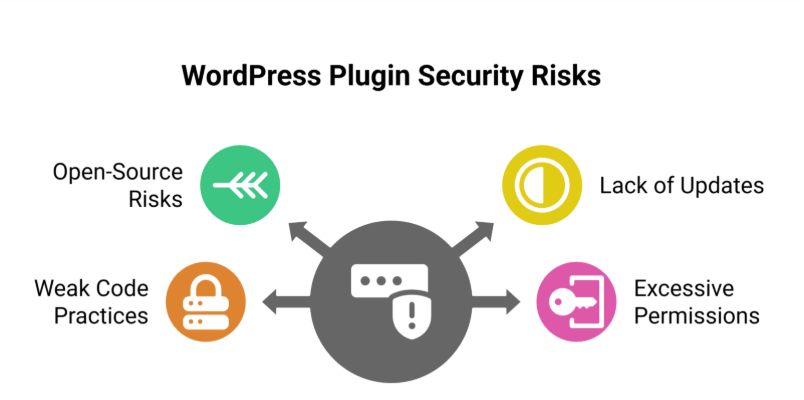
1. Open-Source Nature
WordPress is a totally open-source platform. This means anyone can develop and distribute WordPress plugins. While this encourages high innovation, it also highly increases the risk of very poorly coded or unmaintained plugins introducing security vulnerabilities that can be exploited by threat actors.
2. Lack of Regular Updates
Some WordPress plugins and themes are quite abandoned by their developers, leaving them highly vulnerable to common security threats. If a plugin is not updated regularly, security researchers warn that hackers can exploit outdated plugins to gain full control of the site.
3. Weak Code Practices
Not all plugin developers follow critical security practices. Very poorly written code can create many backdoors for malicious scripts, exposing sensitive data or allowing unauthorized access.
4. Excessive Permissions
Some popular plugin or WordPress themes request unnecessary permissions, giving them more access to your WordPress dashboard or admin accounts than required. This can be exploited by attackers to manipulate your site’s security or escalate login credentials privileges.
Popular WordPress Theme Plugins with Security Issues
1. Elementor
Risk: Cross-Site Scripting (XSS) or SQL Injection
Elementor is one of the very highly used WordPress plugins. However, it has faced multiple security vulnerabilities in the past. Hackers have used XSS and SQL injection tactics to exploit weaknesses in outdated versions of the plugin, leading to highly compromised WordPress websites.
2. WPBakery Page Builder
Risk: Remote Code Execution
WPBakery is another popular WordPress plugin that has had plugin vulnerabilities, particularly involving remote code execution. Attackers have used this flaw to upload malicious code and take full control of the site.
3. Revolution Slider
Risk: File Upload Exploits
Revolution Slider has been associated with major security breaches due to improper file upload validation. Unauthorized access via malicious scripts has been reported on many WordPress sites.
4. Essential Addons for Elementor
Risk: Arbitrary File Upload
This plugin extends Elementor’s functionality but has vulnerabilities allowing unauthorized file uploads, posing a high risk to WordPress site security.
5. Ultimate Addons for WPBakery
Risk: SQL Injection Privilege Escalation
This plugin enhances WPBakery but has been targeted by SQL injection attacks, compromising database integrity and allowing attackers to escalate privileges on WordPress websites.
How to Protect Your WordPress Website
1. Keep Plugins Updated
Always update your WordPress plugins and themes to their latest versions. Developers often release security patches to fix exploited vulnerabilities. Ignoring updates leaves your WordPress site exposed to site takeover risks.
2. Use Only Trusted Plugins
Download plugins and themes from reputable sources like the official WordPress repository. Avoid third-party plugins or nulled versions, which often contain malware or other critical security flaws.
3. Monitor Plugin Permissions
Review the permissions requested by each plugin before installing it. If a plugin requests access to sensitive data or critical files, reconsider its use to keep your site secure.
4. Implement Web Application Firewalls (WAFs)
A WAF helps detect and block malicious code and attacks before they reach your WordPress website. Services like Cloudflare or Sucuri provide protection against common security threats.
5. Regularly Back Up Your Website
In case of a security breach, recent backups ensure you can restore your WordPress site without losing sensitive data. Use plugins like UpdraftPlus or BackupBuddy for automated backups.
6. Remove Unused or Inactive Plugins
Inactive WordPress plugins can increase your attack surface. Delete plugins that are not actively used to reduce potential security risks.
7. Use Security Plugins
Install security plugins like Wordfence or Sucuri to monitor malicious scripts, block attacks, and enforce critical security measures.
8. Enable Two-Factor Authentication (2FA)
Adding 2FA to your WordPress admin login provides an extra layer of protection, making it harder for hackers to gain unauthorized access.
Conclusion
While WordPress plugins and themes offer high functionality and design flexibility, they can introduce major security issues if not managed properly. By keeping plugins updated, using trusted sources, and implementing proactive security measures, you can protect your site from potential threats.
If you rely on WordPress custom development, working with experienced security experts who follow best practices is essential. Prioritizing website security safeguards sensitive data and ensures a seamless experience for your visitors.
Want your business to be seen and heard online? Explore our WordPress services and protect your WordPress website effectively.
Frequently Asked Questions (WordPress Users Beware These Popular Theme Plugins Have Some Major Security Issues)
What are the security issues with WordPress?
WordPress faces security risks due to outdated plugins, themes, and core files, weak passwords, and improper user permissions. Vulnerabilities like SQL injection, cross-site scripting (XSS), and malware attacks are common. Regular updates, strong passwords, secure hosting, and reliable security plugins are essential to protect WordPress sites effectively.
Are WordPress plugins safe?
WordPress plugins can be safe if sourced from trusted developers and regularly updated. However, poorly coded or outdated plugins may contain vulnerabilities, malware, or backdoors that hackers exploit. Always use reputable plugins, keep them updated, and limit unnecessary additions to ensure your WordPress site remains secure.
Why are people moving away from WordPress?
People are moving away from WordPress due to security vulnerabilities, frequent updates, and performance issues on large or complex sites. Many prefer simpler, faster, or more secure platforms with better scalability, built-in hosting, and easier maintenance, reducing the need for constant plugin management and technical troubleshooting.
Which is the best security plugin for WordPress?
The best WordPress security plugin is Wordfence Security, offering a firewall, malware scanning, login protection, and real-time traffic monitoring. Other strong options include Sucuri Security for cloud-based protection and iThemes/Solid Security for comprehensive site hardening, 2FA, and file-change detection. Choose based on site size and risk.