
WordPress Features That Will Matter More In 2026 Than Ever Before
Why does website performance vary so widely even when businesses use the same WordPress platform? The difference is rarely accidental. As you move toward 2026, the success of a WordPress site depends on how well performance factors SEO, optimization, responsive design, plugin quality, and clean integration are handled from the start. WordPress still dominates the web, but expectations around speed, stability, and scalability have changed since 2025.
In 2026, WordPress features that matter most include AI-driven workflows, faster core performance, improved SEO tools, smarter plugins, and cleaner integrations. These advancements help every site owner and developer build secure, responsive WordPress sites that scale efficiently and remain competitive in a rapidly evolving ecosystem.
You need professional WordPress development to keep pace with rapid changes in the WordPress core, evolving PHP requirements, and the growing role of AI in content, automation, and workflow efficiency. A skilled developer understands how updates such as WordPress 6.9 and the upcoming 7.0 phase align with Gutenberg, Phase 3 collaboration, and third-party ecosystem improvements. For a site owner, investing a few hundred to a few thousand annually in proper support, plugins, maintenance, and optimization often prevents costly rebuilds later.
This blog breaks down the new features, features like smarter plugins, cleaner workflows, and future-ready integration shaping WordPress in 2026 and how you can prepare your WordPress site to grow confidently.
Developer Workflow Evolution In WordPress In 2026
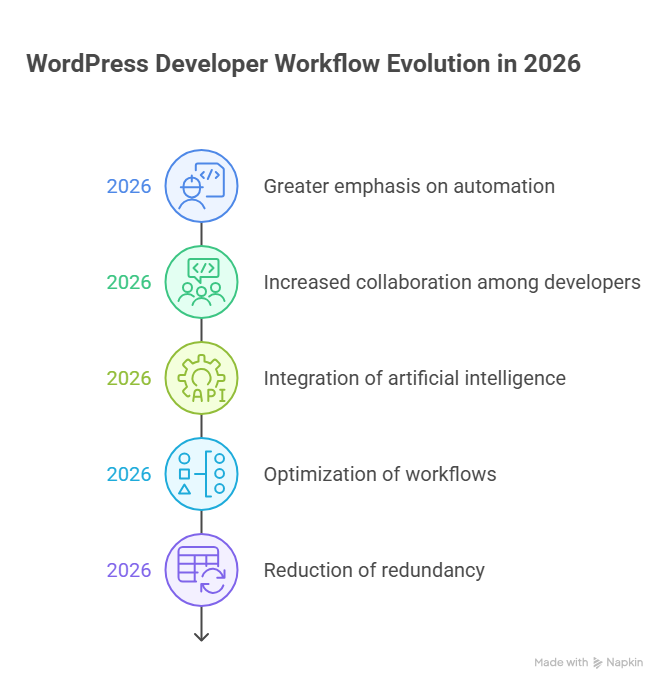
Step 1: Understanding the Release Cycle
The first step for developers is understanding WordPress’s release strategy. WordPress in 2026 emphasizes predictability and stability, following a return to three major updates per year. Developers should know when the three major releases in 2026 will arrive and start planning for WordPress 7.0 early. This structured release approach ensures smoother upgrades and reduces downtime or compatibility issues for any WordPress website.
Step 2: Preparing the Development Environment
The next step is to prepare a future-ready development environment. This ensures that every WordPress project is compatible with the latest PHP version and WordPress versions. Features introduced in WordPress 6.8 and introduced in WordPress 6.9, like the Abilities API, improve permission handling and workflow efficiency. Integrating hosting solutions such as WP Engine or WordPress VIP also ensures stability and performance for enterprise-grade projects.
Step 3: Embracing Collaboration
Modern workflows no longer rely on solo development. New collaboration features and real-time collaboration tools within the WordPress admin and block editor allow multiple team members developers, designers, and editors to work simultaneously. These real-time collaboration features reduce conflicts, speed up development, and make content creation more efficient for larger teams.
Step 4: Adopting Full Site Editing
Full site editing has become a core part of modern WordPress workflows. Developers now focus on backend structure and template setup, while content teams manage layouts and content independently. This reduces reliance on heavy page builder tools and enhances the user experience. Optimizing plugins and themes to work seamlessly with full site editing ensures consistent performance across the site.
Step 5: Leveraging APIs and Headless Architecture
For advanced projects, developers are increasingly using headless WordPress and the Abilities API. These tools allow decoupling of frontend and backend, while improving access control and security. This approach represents modern WordPress development and is ideal for enterprise clients or WordPress ecommerce websites requiring scalability and high performance.
Step 6: Streamlining Plugins and Themes
The focus in 2026 is on quality, not quantity, within the WordPress ecosystem. Carefully vetted WordPress plugins, optimized plugins and themes, and tested third-party plugins ensure stable and fast performance. This step is particularly important for WooCommerce and WordPress ecommerce websites, where plugin conflicts can directly impact the speed of WordPress and user experience.
Step 7: Focusing on Performance, Security, and AI
Modern workflows emphasize performance and security alongside development. Built-in performance optimization measures, robust WordPress security standards, and AI-powered features such as the WordPress AI client assist developers in debugging and site maintenance. These advancements make workflows faster, more secure, and scalable.
Step 8: Optimizing Admin and Dashboard Workflows
Enhanced WordPress admin and WordPress dashboard workflows simplify daily operations and content management. Editors and developers can easily manage updates, publishing, and monitoring, improving efficiency for larger teams and reducing bottlenecks in project delivery.
Major WordPress 7.0 Features Shaping Developer Workflow
WordPress 7.0 introduces major WordPress updates that are transforming WordPress workflows for developers and site owners alike. These enhancements reflect the growth of WordPress, focusing on collaboration, customization, performance, and security. Understanding these features helps teams optimize processes, maintain current WordPress sites, and leverage trends shaping the platform’s future.
Enhanced Real-Time Collaboration Features
WordPress 7.0’s real-time collaboration features allow multiple users to work on the same content simultaneously. Changes appear instantly across all sessions, reducing the need for manual version control and minimizing conflicts. This is especially valuable for agencies managing many WordPress websites, where coordinated editing by teams of developers and site owners is common. By streamlining content creation, these features make WordPress more productive for both small teams and large organizations.
Streamlined WordPress Themes and Customization
The update introduces significant improvements to WordPress themes, including block-based templates and live editing capabilities. Developers can now create highly flexible designs faster, while site owners can easily modify layouts without extensive coding knowledge. These enhancements are important for WordPress users seeking modern, responsive designs and reflect how WordPress is headed toward more intuitive, design-focused workflows. The platform now supports more dynamic styling, making it easier to maintain brand consistency across multiple projects.
Strengthened Security and Maintenance Tools
Security continues to be a top priority in WordPress 7.0. The update includes improvements in security plugins and automated processes that help protect websites from vulnerabilities. By following best practices such as regularly backing up your site and monitoring in-progress features developers and site owners can safeguard their websites against threats. These updates reinforce why WordPress offers reliable protection and emphasize the importance of keeping current WordPress versions updated.
Developer-Focused Performance Enhancements
WordPress 7.0 streamlines workflows for developers through performance improvements and simplified update WordPress processes. Enhanced APIs and faster asset loading allow developers to build more efficient websites, reducing time spent on manual configuration. These tools support trends shaping modern web development, showing how WordPress might continue evolving to meet enterprise and agency demands. By making development faster and more predictable, WordPress enables teams to focus on creative solutions rather than repetitive tasks.
In-Progress Features and Future Directions
Beyond immediate improvements, WordPress 7.0 introduces in-progress features that hint at future capabilities. AI-assisted content tools, advanced media library management, and expanded multi-site support are examples of part of WordPress’ forward-thinking roadmap. Understanding these emerging tools helps developers and site owners plan ahead, ensuring they stay aligned with how WordPress is building toward more intelligent, collaborative, and efficient workflows. Observing these innovations today prepares teams for tomorrow’s demands.
Conclusion
WordPress 7.0 represents a pivotal moment in the platform’s evolution, offering major WordPress features that are transforming WordPress workflows for both developers and site owners. From real-time collaboration features to improved WordPress themes, strengthened security plugins, and forward-looking in-progress features, this release reflects the growth of WordPress and the trends shaping its future.
By embracing these advancements, teams can streamline development, enhance performance, and maintain current WordPress sites more efficiently. Investing in optimized workflows, quality plugins and themes, and modern tools like full site editing and headless architecture ensures websites remain competitive, scalable, and secure.
For developers and site owners, staying proactive regularly backing up your site, monitoring updates, and leveraging AI-driven features will be essential as WordPress is headed toward increasingly intelligent and collaborative solutions. Ultimately, WordPress offers the flexibility and innovation needed to build modern websites that meet the demands of 2026 and beyond, empowering teams to grow confidently while reducing risk and inefficiency.
Frequently Asked Questions (WordPress Features That Will Matter More In 2026 Than Ever Before )
What is the future of WordPress?
The future of WordPress remains strong due to its open-source foundation, massive global community, and continuous innovation. With improvements in the block editor, performance, security, and AI integrations, WordPress will continue powering blogs, business websites, and enterprise platforms for years ahead.
Is WordPress worth learning in 2026?
Yes WordPress is worth learning in 2026 due to its huge ecosystem, flexible CMS, widespread use, strong plugin support, and demand for custom websites and e-commerce skills.
How much does WordPress pay for 1000 views?
On WordPress, earnings per 1,000 views vary widely based on your monetization method, niche, audience location, and ad network. For basic ad revenue (like AdSense), you might see roughly $1 – $8 per 1,000 pageviews, while high-value niches or premium ad networks can push that higher.
Why are people moving away from WordPress?
Many people are moving away from WordPress because security risks, plugin bloat, and slow performance make maintenance harder, especially for non-technical users. Other platforms offer simpler interfaces, faster speed, fewer updates, and built-in features, so businesses choose easier, modern alternatives.
Leave a Reply