
Preparing Your Wordpress Website For Long-Term Changes After 2025
Why do some WordPress websites struggle with performance while others thrive? The answer often lies in the combination of underlying factors influencing website performance, from outdated plugins to poorly configured caching and slow page load times. If you want your WordPress site to remain competitive after 2025, understanding these elements is crucial.
To prepare your WordPress website for long-term changes after 2025, focus on regular updates to the WordPress core, plugins, and themes, implement strong website maintenance practices, optimize page load and user experience, and use professional development strategies. This ensures security, SEO performance, and a reliable online presence.
Professional development and careful attention to your WordPress core, plugins and themes, and page builders are no longer optional they directly impact your user experience, SEO, and the ability to keep your site secure from data loss or broken links. Even a live site with basic optimization can see significant gains with proper maintenance, including regular backups, security plugins, and performance optimization measures. For reference, professional WordPress maintenance and updates can range from a few hundred to over a thousand dollars annually, depending on the complexity of your website.
This comprehensive guide will walk you through everything needed to prepare your WordPress website for long-term success. You will learn how to update WordPress safely, manage plugins, enhance user experience, and implement website maintenance strategies that ensure your online presence remains strong well beyond 2025.
Choosing The Right WordPress Theme And Page Builder
Understand Theme Compatibility And Design Trends
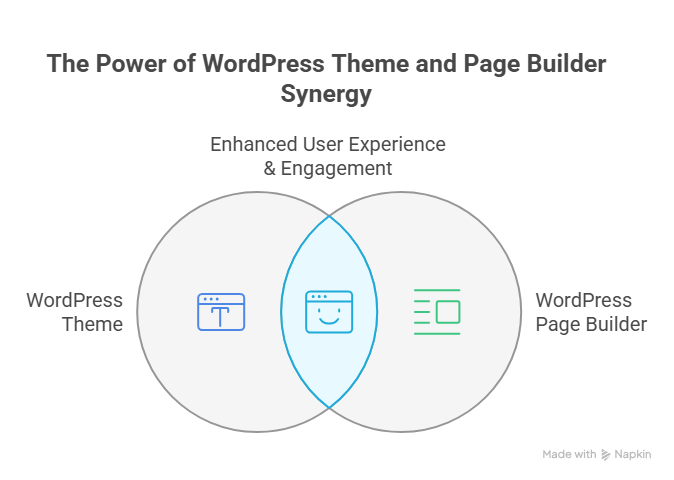
Choosing a WordPress theme that aligns with the latest WordPress version and current design trends is crucial. Compatibility ensures smooth integration with plugins and avoids security risks or compatibility issues. A flexible theme also helps future-proof your WordPress website for 2025 and beyond, supporting long-term success.
Evaluate Page Builder Features And Flexibility
Selecting the right page builder simplifies content management while minimizing custom coding. Look for builders that integrate with the WordPress dashboard, support backup plugin workflows, and enable safe testing in maintenance mode. This ensures your WordPress speed and functionality remain consistent as your site grows.
Plan For Updates And Regular Maintenance
Even a strong theme and builder require consistent WordPress maintenance. Updating core WordPress, plugins, and themes while keeping a copy of your website is essential to prevent data loss. Proper WordPress backup routines and expert WordPress practices ensure your website remains secure, fast, and ready for long-term success.
Balance Design, Performance, And Future-Proofing
The ideal combination of theme and page builder should optimize user experience, WordPress powers, and WordPress speed while allowing flexibility for major updates. By planning ahead, you can future-proof your WordPress site, ensuring it stays secure, visually appealing, and functional well into 2025 and beyond.
Essential Steps To Maintain Your WordPress Website Effectively
Maintaining aWordPress website effectively is crucial for long-term success. Website owners who prioritize regular maintenance in 2025 can avoid downtime or data loss, improve WordPress speed, and keep up with evolving design trends. Below, we explain in steps how to maintain your WordPress site efficiently.
Step 1: Back Up Your Site Regularly
Before making any updates, always create a copy of your website. Regular WordPress backup ensures that in case of errors, hacks, or server issues, your site can be restored quickly. Use a reliable backup plugin to automate this process. Keeping multiple backups stored in secure locations is essential to protect your long-term success.
Step 2: Update WordPress Core, Themes, and Plugins
Keeping WordPress core updated is critical for security and performance. Update WordPress core and your WordPress theme regularly to prevent security risks and compatibility issues with plugins. Using maintenance mode while updating prevents visitors from experiencing a broken site. Always ensure your WordPress dashboard reflects the latest updates and check your WordPress version before applying major changes.
Step 3: Optimize WordPress Speed
WordPress speed directly affects user experience and search rankings. Optimize your site by implementing caching, compressing images, and reviewing your hosting environment. Keep your WordPress site fast across mobile devices by testing page load times and minimizing unnecessary scripts.
Step 4: Secure Your WordPress Site
Security is key to protecting your dedicated WordPress site. Limit access to your WordPress dashboard, use strong passwords, enable SSL, and monitor for potential security risks. Regular core WordPress updates and a proactive approach will help ensure your WordPress powers a safe browsing experience.
Step 5: Maintain Content and Design Trends
Updating your content and staying aligned with modern design trends helps website owners engage visitors effectively. Content management should include refreshing old posts, optimizing SEO, and ensuring your WordPress theme is visually appealing and responsive on mobile devices.
Step 6 : Test and Plan for Long-Term Success
Regular testing of site functionality, forms, and checkout processes ensures your website might perform smoothly under all scenarios. Keeping a log of updates, backups, and changes supports long-term success and allows website owners to plan future improvements confidently.
Step 7: Leverage Expert WordPress Support
While many tasks can be handled without coding knowledge, partnering with an expert WordPress developer can help with WordPress installation, theme customization, and major updates. This ensures your site remains secure, optimized, and ready to stay ahead in 2025.
Conclusion
Preparing your WordPress website for long-term changes after 2025 requires more than occasional updates. By carefully managing the WordPress core, themes, plugins, and page builders, implementing consistent backups, optimizing speed, maintaining security, and staying aligned with design trends, website owners can ensure long-term success. Regular testing, proactive maintenance, and leveraging expert support make your WordPress site resilient, fast, and future-ready.
With these strategies, your website won’t just survive it will thrive, providing a secure, seamless, and engaging experience for your visitors well beyond 2025. Are you ready to make your WordPress site future-proof, or should you contact Integriti Studio to handle it for you?
Frequently Asked Questions (Preparing Your Wordpress Website For Long-Term Changes After 2025)
How do you make changes to your WordPress website?
To make changes to your WordPress website, log in to your WordPress dashboard, navigate to the section you want to edit (Pages, Posts, Appearance, or Plugins), make the desired changes using the editor or customizer, then save or publish your updates to reflect them live.
How to redesign an existing WordPress website?
To redesign an existing WordPress website, start by backing up your site, then choose a new theme or page builder. Update your layout, colors, and content as needed. Test functionality, responsiveness, and plugins, then launch the redesigned site while ensuring SEO and performance remain intact.
What steps would you take to update or maintain a WordPress website?
To update or maintain a WordPress website, regularly back up your site, update WordPress core, themes, and plugins, check for broken links, optimize performance, monitor security, and review content for accuracy. Testing changes before publishing ensures smooth functionality and long-term website stability.
How do you stay current with the latest developments and updates to WordPress?
To stay current with WordPress updates, regularly follow the official WordPress blog, subscribe to newsletters, join WordPress forums and communities, attend webinars or WordCamps, and monitor plugin and theme developer updates. Testing new features on a staging site also helps understand changes before applying them live.
Leave a Reply